Celigo July 2026 Release
 Updated Jul 7, 2026

July brings Data Ingestion to help teams get application data ready for analytics and AI, expands headless platform access with Celigo CLI and Platform MCP, and adds Anthropic Claude support to AI Agents.
Platform updates bring Handlebars expressions to filters and branching, lifecycle management for APIs and Tools, faster bulk loading for SQL Server and BigQuery, expanded connectivity, and native file storage with Celigo Storage.
→ Read the full July release notes
Data ingestion
Create AI-ready data warehouse pipelines faster
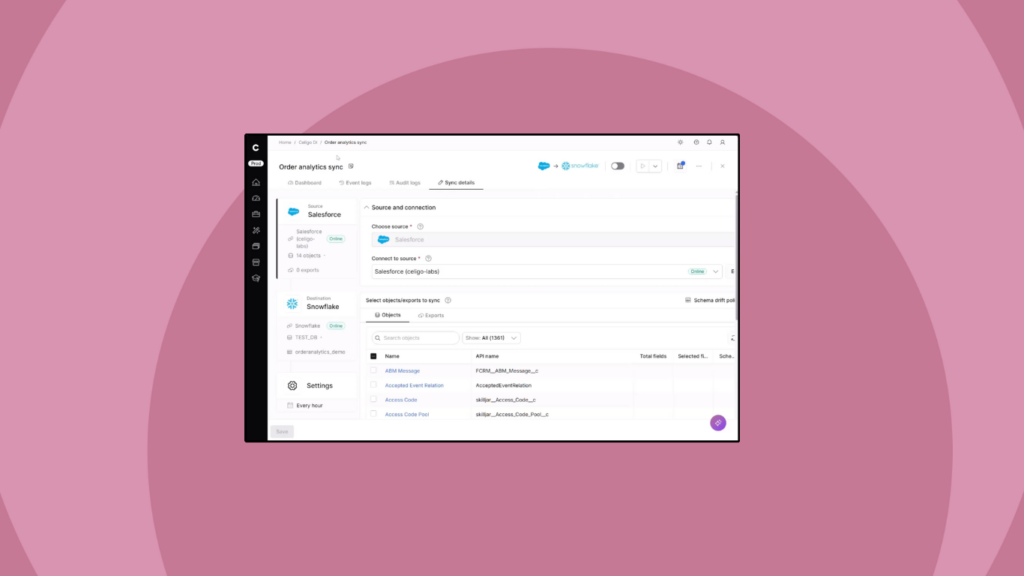
Celigo Data Ingestion is now available as a native part of the Celigo platform, built on the same architecture as your integrations, APIs, EDI workflows, and AI automation.
With Celigo Data Ingestion, your team can sync data from SaaS applications, databases, ERPs, and file connectors into your warehouse or lake, keep that data current as source systems change, and make it ready for analytics, AI, and downstream business workflows.
Because Data Ingestion runs on the same platform as the rest of Celigo, you can use shared connectors, a common runtime, and one governance layer across data ingestion, application integration, APIs, EDI, and AI-powered automation. That means fewer separate tools to manage and more consistent visibility and control across the data flows that power your business.
→ See a quick walkthrough of Celigo Data Ingestion
Celigo Headless
Celigo now has a unified developer home at developer.celigo.com: one place for the REST API, the Celigo CLI, and Platform MCP, all sharing a single API token and a single source of truth.
Developer platform
Everything you need to build on integrator.io sits in one place: guides, full references, and a running changelog for the REST API, CLI, and Platform MCP. The same specs and skills that power the docs also drive the CLI and MCP tools, so references, command help, and AI agent tooling never drift out of sync.
REST API reference
The entire integrator.io REST API is now documented at developer.celigo.com/api: every endpoint typed, versioned, and browsable, with guides for authentication, pagination, rate limits, errors, and EU region routing. The reference is generated directly from the OpenAPI specs that define the API and synced automatically, so it updates when the platform does.
Celigo CLI: Full platform access from your terminal or IDE
Developers can now drive the full Celigo platform from outside the browser, using the same capabilities available in the UI, from wherever work is already happening.
The Celigo CLI puts the entire platform behind your command line. Build flows, manage connections, debug errors, and script repetitive tasks without leaving your terminal. Because it’s built on Celigo’s core Platform APIs, there’s no capability gap between the CLI and the UI. Anything you can do in the platform, you can do from the command line.
Your AI coding assistant (Claude Code, Cursor, Codex, Windsurf) becomes fluent in Celigo through packaged skills that ship with the CLI, covering workflow guides, field schemas, and common patterns. That context means fewer hallucinations and more accurate results when prompting your assistant to build or manage Celigo resources directly.
The CLI is available now on npm as @celigo/celigo-cli, requires Node.js 22, and is licensed under MIT.
Celigo Platform MCP
AI-first teams can now build and manage automations directly from their LLM of choice. Celigo Platform MCP is a hosted, remote MCP server that lets an AI agent read, build, run, and troubleshoot your integrator.io account in plain language. Connect Claude, Cursor, VS Code, ChatGPT, or any MCP-compatible client, authenticate via OAuth, and your agent can work directly with your integrations through conversation.
There’s nothing to install and no local process to run. The server is hosted by Celigo and calls the same REST API under the hood, with tool descriptions written for AI agents. Your agent inherits just the permissions your token carries, and nothing more.
→ Learn more about Celigo Platform MCP
AI automation
Anthropic (Claude) provider support for AI Agent
Integration builders and automation architects using Celigo AI Agent can now run agent flows powered by Anthropic’s Claude, using their own Anthropic API key.
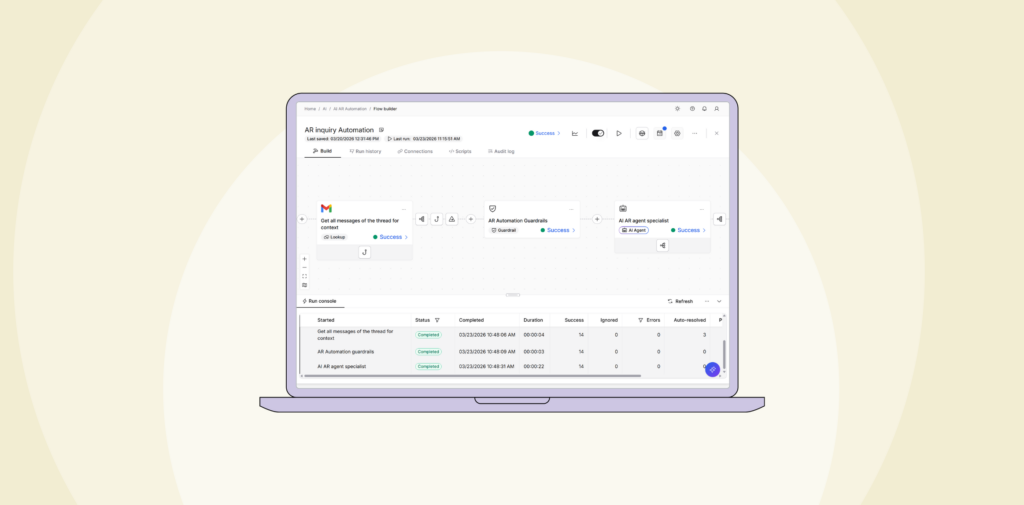
Claude joins OpenAI and Gemini as a third LLM provider, with full feature parity including tool invocation, structured outputs, multi-step reasoning, and guardrails. You’re no longer locked into a single model vendor. Choose the LLM that fits your use case, cost structure, or existing enterprise agreement, and switch providers per agent without re-platforming.
For teams already using Claude, this brings that investment directly into Celigo automation workflows. Claude-specific capabilities, including extended thinking and hosted web search, are also available.
This release is BYOK only. Celigo-hosted Anthropic billing will follow in a future release.
Governed MCP resources for AI agents
MCP servers now support governed, read-only resources, and you can add them to an AI agent so it pulls reference content (policies, schemas, documentation, and other static context) from connected MCP servers without a custom integration for each data source. Teams define a secure source of truth once and control which agents can access it, so agents discover and use the same context consistently.
Resources are read-only by design: no dynamic queries, no writes, no side effects. In Agent Builder, add Resources from an MCP server connection alongside existing tools and prompts. Browse what each connected server exposes and choose an explicit allowlist of what the agent may access. Every access is recorded in a full audit history.
Platform
Handlebars expressions in filters and branching
Builders can now manipulate field values directly inside filter and branching conditions, without writing a script.
Previously, filters and branching compared raw field values only. If you needed to trim whitespace, change case, compute a date offset, or format a number before comparing it, a script was the only option. That meant added complexity and a harder handoff to maintain.
Handlebars expressions remove that requirement for common manipulation needs. Select Expression as the operand type, build your expression with inline suggestions and validation, and preview the evaluated output before saving. The full Advanced Field Editor is available when you need it.
This works across flows, APIs, and tools. Existing expressions continue to work without change, and legacy expressions and Handlebars can be mixed in the same condition.
API lifecycle management
APIs now participate in the same Integration Lifecycle Management model as flows, giving teams a single, unified promotion path for managing API and flow changes together.
Create revisions that capture full integration state, clone integrations or individual APIs, and promote changes across environments using the existing pull/merge workflow. APIs travel with integration bundles during download and upload, with source IDs preserved. Configurable ignore fields let you exclude environment-specific values during promotion to avoid overwriting environment configuration.
Environment promotions are safer because APIs travel with the integration bundle. Parallel development works because clones capture complete integration state, so you can coordinate API changes across developers without external tracking. Rollbacks are reliable because revisions include APIs, not just flows. And the revision history gives you a traceable record of what changed and when.
For teams operating across multiple environments or coordinating API changes across developers, this closes a significant operational gap.
Standalone flows consolidation
All flows now belong to an integration. The standalone flows area has been removed, and any flows that previously had no integration have been automatically migrated into a new integration named “Standalone flows” on your account. No action is needed; your flows are still accessible, and existing deep links continue to work. The “Standalone flows” integration behaves like any other and can be renamed or deleted.
This change means every flow now benefits from the same organization, access control, and lifecycle management as your other integrations. Flows that previously sat outside any integration couldn’t be scoped to role-based permissions or participate in Integration Lifecycle Management.
A few things have changed in the UI. All Create flow entry points now open an integration-selection step before proceeding. The Attach and Detach actions have been replaced by a single Move action, which lets you select a destination integration and, optionally, a flow group. Move actions are recorded in audit logs. The Create Connection form now includes an Integrations multiselect field so you can bind a new connection to one or more integrations on setup.
Users with integration-scoped roles should note that creating new flows and connections now requires at least one eligible integration. If no eligible integration is available, the Create flow option will be disabled. Contact your admin to adjust access.
Tool cloning and environment promotion
Tools built with Tool Builder can now be cloned and promoted across environments using the same patterns that already exist for flows and integrations.
A Clone action is available in the Tools list under both Build → Tools and AI Studio → Tools. Cloning within the same environment creates a copy prefixed with “Clone -” and a name you can edit. Cloning to a different environment (QA to staging, staging to production) automatically recreates the Tool and its full dependency graph in the target environment, including nested Tools, connections, scripts, lookup caches, and async helpers.
When you clone a flow, integration, or AI agent that includes Tool dependencies, all required Tools and their dependencies are automatically resolved and included. No manual replication needed.
Tools can also be downloaded as a .zip file and uploaded via the Upload integration drawer, following the same pattern used for flows and integrations. And the marketplace template preview now includes a read-only Tool canvas viewer so you can inspect what a Tool does before installing it.
Note: Cloning or downloading an API Builder resource that contains Tools is not supported in this release.
Mapper 2.0 support for complex field types
Mapper 2.0 now accepts Handlebars expressions for Object, ObjectArray, and primitive array fields across exports, lookups, and imports, not just JSONPath.
- For integration developers, this means more flexible and reusable mapping logic for complex API payloads, directly in the Mapper UI, without scripts.
- For connector teams, it unblocks support for APIs that require arrays or nested objects in their request bodies, including widely-used APIs from Acumatica, HubSpot, Square, and others.
Expressions can be validated and previewed directly in the Mapper UI. New Handlebars helpers designed to work with arrays and objects are now usable in these mapping contexts. Existing JSONPath behavior is unchanged.
Integration Lifecycle Management for Tools
Integration developers and admins who rely on ILM to manage change across environments can now apply the same workflows to Tools that they already use for flows: snapshots, cloning, pull/merge promotion, and environment management all work the same way.
Previously, flows could be snapshotted, cloned, and promoted across environments, but Tools couldn’t. For teams building integrations or AI Agents that include Tools, this meant manual tracking, extra rebuild work, and a higher risk of configuration drift between dev and production.
Snapshots now capture Tool state alongside flows, and reverting a snapshot restores Tools as well. Tool changes can be promoted via the existing pull/merge workflow, with a dedicated Tools section on the Review Changes page and resource names shown in the “View resource changed” tab. Integration bundles downloaded as .zip files now include Tools with source IDs preserved. Configurable ignore fields let you exclude Tool name and description from pull/merge operations to avoid overwriting environment-specific values.
AI Agents that reference Tools are also included. When you create a pull that includes Agent and Tool changes together, Tool references are carried through so you don’t need to rebind Tools to the Agent after promotion.
Personal access tokens
You can now create Personal Access Tokens (PATs) to authenticate with the Celigo API using your own user permissions, no admin involvement required.
For Manage and Monitor users, this means self-service API access for the first time, without waiting on an admin to provision a token. For admins, it removes a low-value provisioning task and reduces overhead for teams that need API access quickly.
PATs inherit your account permissions automatically with no scope to configure and no risk of scope escalation. Admins retain oversight through the ability to revoke any PAT across the account, without being able to view tokens they didn’t create.
PATs are available from the API Tokens page. They default to a 90-day expiration with a 90-day auto-purge option to encourage regular rotation.
Optimized bulk load for SQL Server imports
Data engineers and IT administrators running large-volume imports into SQL Server can now load data up to 5x faster, without changing existing imports or migrating anything.
SQL Server imports previously inserted records one at a time, making it difficult to run high-volume Data Ingestion flows at scale. Optimized bulk load aggregates records into files and loads them in bulk, making SQL Server a credible high-throughput destination for imports of over 100K records, on par with what’s already available for Snowflake.
The new optimized bulk load query type is the default for new imports and supports automatic upsert through a MERGE when primary keys are specified. A “Load data as available” option lets loading begin before the full export completes. An override option is available for advanced SQL customization.
No migration required. Existing imports retain their current query type, and the previous bulk insert option has been renamed to “batch insert” with no change in behavior.
Celigo Storage for MCP servers
Introduces a platform-managed file storage resource under Resources → File storage, allowing you to store, organize, and browse MCP servers directly within the platform. No external SFTP servers or S3 buckets required.
Connectivity
Google BigQuery optimized bulk load
Data engineers and IT administrators running high-volume BigQuery imports can now load data up to 5x faster, using the same file-based bulk load pattern already available for Snowflake.
BigQuery imports previously inserted records one at a time, making it difficult to run large data ingestion flows at scale. Optimized bulk load aggregates records into files and loads them in bulk, making BigQuery a credible high-throughput destination for imports of over 100K records.
The new optimized bulk load query type is the default for new imports. When primary keys are specified, a MERGE statement is generated automatically, so upsert works without writing any SQL. An override option is available for advanced SQL customization, and a “Load data as available” option lets loading begin before the full export completes.
No migration required. Existing imports retain their current query type, and the previous bulk insert option has been renamed to “batch insert” with no change in behavior.
PostgreSQL real-time CDC exports
Developers and data engineers building PostgreSQL integrations that require near-real-time data propagation can now capture changes at the source the moment they happen, without polling or batch queries.
Polling-based exports introduce latency, making them unsuitable for time-sensitive records such as orders, invoices, and financial ledger entries. CDC eliminates that delay by listening for change events directly from PostgreSQL and propagating inserts, updates, and deletes to downstream systems instantly. It also provides cleaner insert, update, and delete semantics, reducing downstream conflicts and removing the need to build and maintain custom change listeners.
A “Listen for real-time data from source application” option is now available in the PostgreSQL connector export configuration. Exports capture change events, including after and before values, operation type, and transaction metadata, with scoping controls to target specific publications or tables. Full compatibility with existing Celigo transformations and output filters is maintained.
Integration apps and templates
This release includes targeted fixes and compatibility updates for several integration apps. See the release notes for each app for details.
Integration Marketplace
New connectors available:
- Check out the new HTTP connectors available in the Integration Marketplace.
- The EDI trading partners article provides an alphabetical listing of trading partners, search functionality, and filters.
Integration insights
Expand your knowledge on all things integration and automation. Discover expert guidance, tips, and best practices with these resources.