
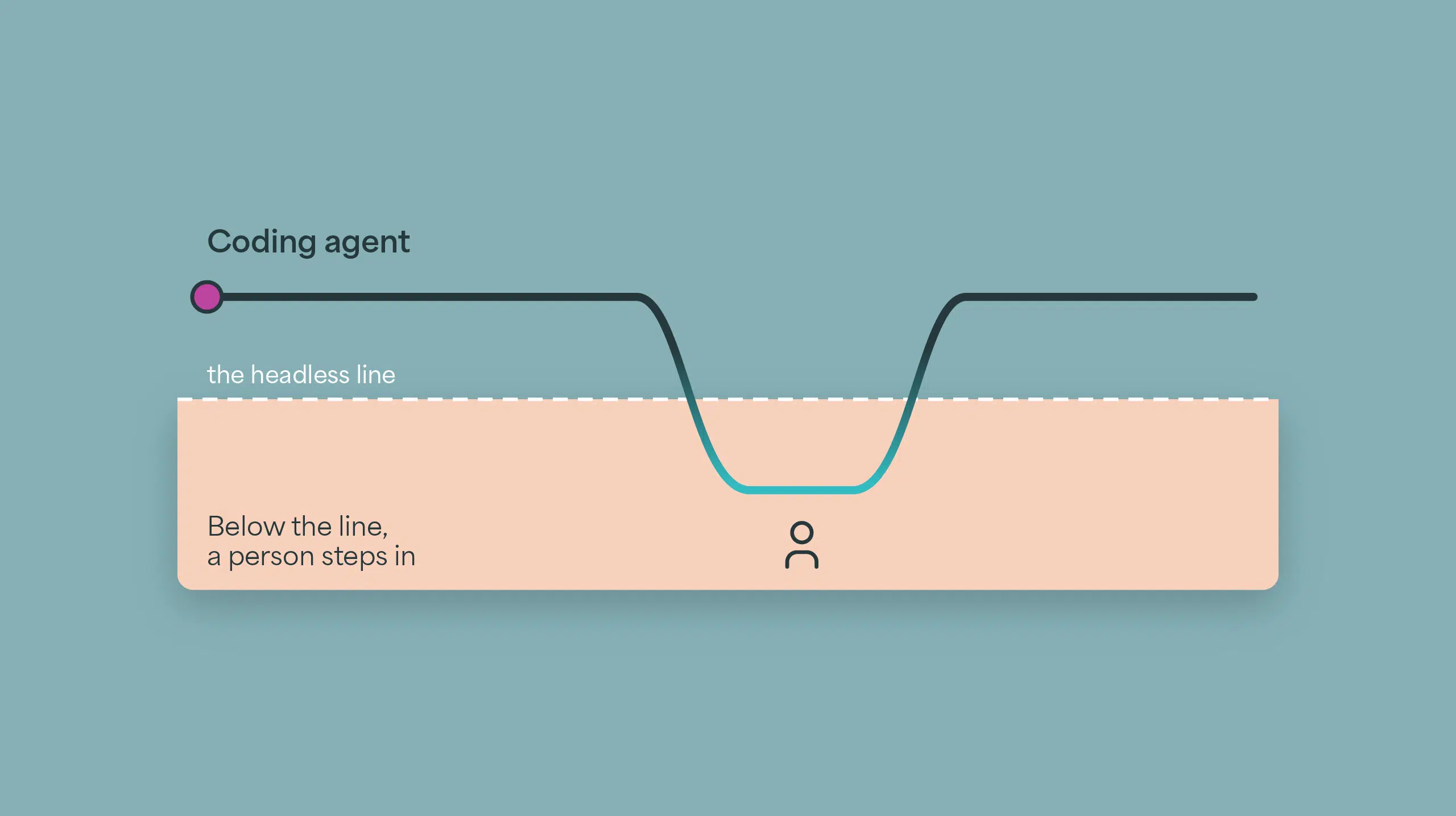
Every integration vendor now says it has AI. We wanted to know what that means when you use it the way people are starting to work: from a terminal, with a coding agent, through the vendor’s own headless tooling, without opening the product.
So we picked an integration with an AI agent in the middle of it, gave the same requirement to Claude Code on both platforms, and watched.
Read Salesforce contacts changed since the last run. For each one, send the
email to an AI agent that identifies the company and classifies its industry
from a fixed list of 16. If the industry is "Manufacturing", create or update
the matching Zendesk user. Run every 5 minutes. Leave it disabled.
Same requirement, same seven agent instructions, same sixteen industries, same coding agent, same laptop, same person. Neither platform got live Salesforce or Zendesk credentials, so neither could run end to end; both were taken as far as they could go without them. Boomi ran through both of Boomi’s own plugins for coding agents, one for integration and one for Agentstudio, which Boomi publishes as a developer offering rather than a supported product. Celigo ran on the Celigo CLI. Everything was recorded. This was a build-experience comparison using the configurations described below; the underlying AI models and search capabilities differed.
Here’s what happened.
Before the first build
On Celigo, the agent used one named CLI profile with an API token. That was the platform configuration needed for this build.
On Boomi, setup took 29 minutes before anything could be built. Two plugins. Nine values in a hand-built .env file: username, API token, account ID, a target folder, an environment ID, a runtime ID, and three more for Agentstudio, including region-specific hosts that fail authentication if you pick the wrong region. In our setup, three of the nine were found by clicking around the Boomi UI. The account had no runtime, so a person created one in the UI, then attached it to the environment when the readiness check failed. Two caveats on the 29 minutes: a Boomi-fluent engineer would find those three values in a fraction of the time, and an established Boomi account already has a runtime, so part of this is provisioning a fresh account rather than using the product.
None of that is a bug. It is extra setup a coding agent has to work around before it can build. That is part of the product experience too.
The skeleton
Credit where it’s due: with setup done, Boomi’s integration plugin built and deployed an integration skeleton entirely from the command line in 10.6 minutes. No browser or manual construction. Salesforce query, map, Zendesk call, try/catch, eight components, packaged and deployed. It even built the Salesforce connection itself; the plugin’s docs direct you to configure third-party credentials on the platform first, as environment extensions or connection components. Scheduling had no plugin tool, so the agent asked permission and wrote its own calls against Boomi’s Platform API; after the first deploy the schedule came back enabled and had to be disabled again.
On Celigo, the whole flow configuration, agent included, took 7.8 minutes: integration, two connections, a delta export on LastModifiedDate, the agent step, the Zendesk import with a Manufacturing filter, and a schedule set to every five minutes and disabled, in the same call. 35 tool calls. After setup, zero browser calls and zero human actions.
The agent
Here’s the part we want to be precise about, because it would be easy to overstate.
Both platforms can create, deploy and test an AI agent from the CLI. On Boomi, Agentstudio’s plugin created the agent in one call, deployed it in about a second, and tested it with thirteen invocations. On Celigo, ai-agents create created the agent in one call and ai-agents invoke ran 43 test records in seven calls. Creating the agent was straightforward on both. We’re not going to pretend otherwise.
The difference is what happens next.
Wiring it in
On Celigo there was no separate GUI handoff. The agent is a step in the flow. It was wired the moment it was created, with Celigo-managed AI credentials, and the flow was already scheduled.
On Boomi, the agent lives in Agentstudio, with its own agent APIs and deployment lifecycle within the Boomi platform. The native route into an integration is the Agent step.1 Boomi’s Agent step FAQ says agent connections and operations can’t be created through the Component API; the documented configuration route uses the GUI. For our initial cloud-hosted Agent step setup, once per new agent: wait for Agent Control Tower to sync (Boomi’s docs say syncing is not immediate and may take several minutes; you can also click Sync Now), open a scratch process, click Generate Configuration, and have a person paste a Platform API token into the authentication tab.2
- 112 tool calls in our run to wire one agent
- 88 of them in the browser
- 55 of those just finding “Sync Now”
- 1 token pasted by a person
Be careful with those numbers. Most of the browser calls were our coding agent hunting for the Sync Now button, which is a limitation of driving a web UI from a terminal, not of Boomi. The finding that survives the noise is simpler: one GUI step and one token paste, per agent.
There is a second route: skip the Agent step and call Boomi’s agent API over REST from inside the process. That avoids the browser. In our run, a person still supplied the Platform API token in a terminal. We also observed failures inside a process reported as COMPLETE, so we added checks on the response’s success flag and status code. On the first attempt, wiring the agent in that way took 19.6 minutes, which put that route’s whole build, after setup, at 37.7 minutes.
To be fair about it: someone who knows Boomi’s screens could navigate the Agent step setup with far fewer clicks than our coding agent used. Existing configurations can be reused, and some later changes can stay headless; agent or schema changes may require synchronization or reconfiguration. The initial GUI handoff is real and documented by Boomi. It’s also the seam that tells you where the agent actually lives.
What the agent did
Only the agent and the Manufacturing filter could be tested for real, so that’s what we tested.
On five made-up domains, companies that don’t exist, Boomi’s agent labelled two of them “Manufacturing.” Those two classifications would have passed the filter for the Zendesk user step. Celigo’s agent returned Unknown in all five of its answers, with web search enabled. Celigo exposed built-in web search in the configuration we used; our Boomi agent had no search tool configured. Boomi supports search through additional tools, but adding a third-party search API was out of scope. For this task, Celigo made researched answers easier to build. It is a handful of records on two different underlying models, so read it as an illustration of why a web-checking agent matters, not as a measurement of either vendor’s agent.
Celigo also reported tokens, searches, AI cost and AI credits on every call: 44 cents for 43 records. The Boomi responses we received carried no usage or cost; Control Tower shows token totals per agent in its UI.
On speed, Boomi averaged about 11.5 seconds per call, or about 5 in Fast mode; Celigo took 11.8 seconds for five records in one call and 14 to 17 for ten, with web search. These timings use different batch sizes, so we do not call a speed winner. Neither agent followed the prompt-injection attempts we tried.
What came back in this run
| Boomi Companion 1.0.83 + Agentstudio 0.1.42 | Celigo CLI 2026.9.5 | |
|---|---|---|
| Setup before first build | 29 min elapsed, 9 values in .env, 3 looked up in the UI, runtime created and attached by hand, two plugins | One CLI profile and platform API token |
| Integration skeleton | 10.6 min, 66 tool calls, 21 doc lookups, 8 components | 7.8 min for the whole flow configuration, agent included, 35 tool calls, 4 doc lookups |
| Logic around the agent | 5.7 min, 23 tool calls, 3 doc lookups | Included in the flow build above |
| Create, deploy, test the agent | CLI, one call, ~1 s deploy, 13 invocations; 1.8 min, 14 tool calls, 1 doc lookup up to the first test | CLI, one call, no deploy, 43 test records in 7 calls |
| Wire the agent into the integration | Observed: GUI + person (Agent step: 8.9 min, 112 tool calls, 88 in the browser, 1 doc lookup), or REST + person (19.6 min, 88 tool calls, none in the browser, 17 doc lookups) | Wired through the CLI; no separate GUI handoff |
| Agent web research | No search configured; made-up domains labelled Manufacturing in 2 of 5 answers | Built-in search; Unknown in 5 of 5 answers |
| Credentials to call the agent | Platform API token supplied by a person in this run | No additional token; Celigo-managed AI |
| Usage and cost | Not in the responses received | Responses included tokens, searches, USD, credits |
| Schedule | No plugin tool; custom API script; first deploy left it enabled | Two fields on the flow |
| Resources created | 13 components, plus the agent in Agentstudio | 7 resources |
| Build effort after setup | Agent step route: 27.0 min, 215 tool calls, 26 doc lookups. REST route: 37.7 min, 191 tool calls, 42 doc lookups | 7.8 min, 35 tool calls, 4 doc lookups |
| Tooling correctness | No false results observed | False authorization status, invalid example, repeated Windows crashes; fixes discussed below |
Where Celigo fell short
We said we’d be fair, so here is our side of the ledger, from the same run.
connections authorizereported a Salesforce connection as “authorized and online” when it wasn’t. Twice.connections pingtold the truth.- A filter example in the CLI skill docs was invalid and returned a 422 on the first try.
- The Windows CLI printed a libuv assertion and exited with code 127 after each API error, six times.
- A flow test with mock data and no source credentials ran for about four and a half minutes, then timed out (status canceled, no records).
- The platform silently dropped
additionalProperties: falsefrom the stored schema. Strict output held anyway. - Lint warned about 10 fields that the platform itself writes.
On tooling correctness, Boomi’s plugins produced no false results in our run and ours did. That’s a point to Boomi. The Windows crash fix is documented in CLI 2026.10.2. Boomi’s plugins were not re-tested after that, and neither side’s numbers above were re-run.
Why this happens
Let’s be clear about what this isn’t. Boomi is a good product. It has run integrations for serious companies for the better part of two decades, and the customers we talk to mostly say it does the job. The skeleton it built in 10.6 minutes is real, and its process model gives you explicit control over every branch. None of that is in question.
What’s in question is where the AI lives. On Celigo, an agent is a resource in the same object model as a connection, an export or a flow. The CLI creates it, tests it and uses it the same way it does everything else, because there’s one platform and four doors into it: the UI, Ora, the terminal, and any AI assistant. On Boomi, the agent has a separate authoring and deployment lifecycle in Agentstudio. Agentstudio has its own plugin, its own URLs, its own environment ID, its own deploy target and its own control tower. Boomi can, and did, ship a plugin that drives it from a terminal. But the plugin did not close the native Agent step’s documented Component API gap. That route still required GUI configuration, while the REST alternative required us to build and manage a separate invocation path.
That’s our read of the experience: from the terminal, Boomi’s AI feels bolted on. Celigo’s feels built in. Boomi got the agent to the command line, but its native integration path still sent us back to the canvas. That is a product-design gap, not just a slow afternoon with a coding agent.
Good products with large installed bases don’t pivot easily. That’s not a criticism, it’s gravity.
The canvas was the product. It isn’t anymore.
Then a CIO did it for real
A lab test is a lab test. A customer’s production migration shows why this way of building matters.
The global CIO of a manufacturer with 27 legal entities and 17 different ERPs inherited a Boomi estate that one remaining engineer could operate, carrying the integration that moves most of the company’s revenue through the warehouse. He had no integration team to rebuild it. So he rebuilt it himself, in Claude, with the Celigo CLI.
He exported the Boomi flows, had the agent convert them into Celigo flow definitions, and collapsed roughly fifty Boomi processes into about eleven Celigo flows. Over five months he and one colleague made about 5,400 CLI calls, with a reported 99.4% success rate for those calls. On 18 September 2026, every Boomi process was switched off.
Part of why we’re coming to you is your opening of your API and connecting things with the CLI. Holy frickin’ cow.
– Global CIO, manufacturing, 27 entities
Try it yourself
You can repeat the exercise. Take any integration you’ve been meaning to build, put an AI step in it, describe it to any vendor’s coding-agent tooling, and count the tool calls until the agent is wired in. Then do it on Celigo.