
AI assistants and agents
 Claude
 ChatGPT
 Copilot
- MCP-compatible agent

MCP Management
- ConnectMCP Server
- ControlMCP Gateway
- DiscoverMCP Registry
- CRM
- ERP
- Data warehouse
- Service desk
Your business systems
MCP Management
One governed layer for enterprise AI access
Give agents the tools and knowledge they need, control who can use them, and see who’s behind every call.
MCP servers are multiplying faster than IT can govern them
Every new server connects AI to a system of record. Without one place to govern them, three problems follow.
Overpermissioned access.
Vendor MCP servers expose every tool to every assistant, often behind one shared key, with the ability to write and update records.
Limited visibility.
IT can’t see which servers agents reach, who has access, or which person was behind a call.
Increased token costs.
Agents with raw access to whole systems read more data and make more calls, so costs climb as usage grows.
Connect, control, and discover MCP Servers in one place
-
Connect
MCP Server
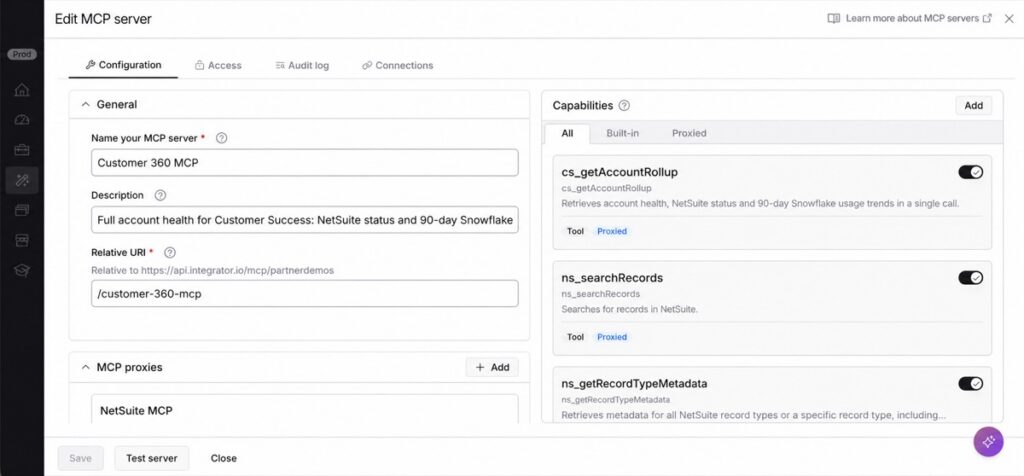
Give agents the specific actions and knowledge their work requires. Build MCP servers using Celigo’s 1,000+ app connections and your company’s knowledge bases, then make those tools available to MCP compatible agents and clients.
-
Control
MCP Gateway
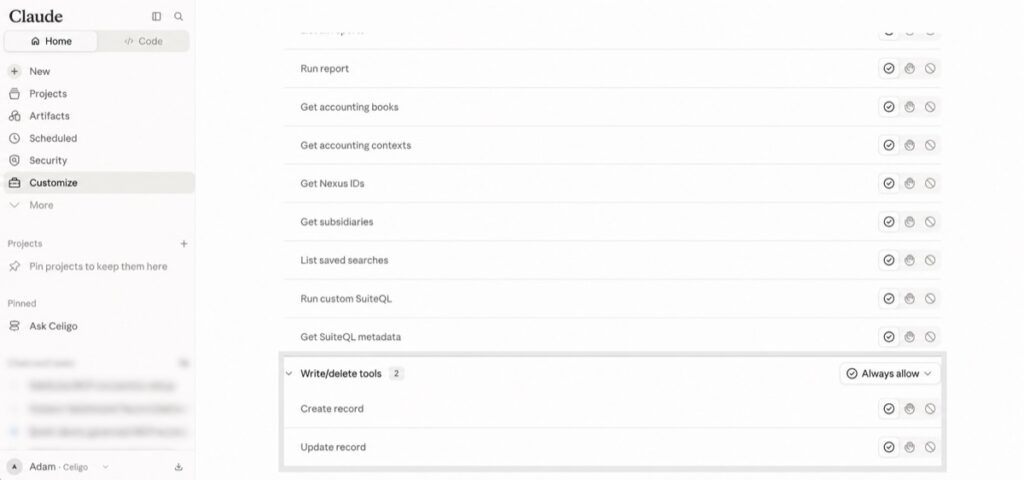
Decide who can use which tools across Celigo and vendor MCP servers. Apply access by identity, turn off tools you don’t want agents to use, and keep a record of every call.
-
Discover
MCP Registry
See the MCP servers your agents use, which clients connect to them, and who has access. Get one view of AI connections across your business, with calls traced to the person behind them.
Why Celigo MCP Management?

Stay in control.
AI only gets access to the tools they need to do the job, nothing more. With full visibility, auditability and security policies in place.

Predictable AI costs.
Agents pull only the data each task needs, so token costs stay in line as usage grows and answers become more reliable.

Scale your AI strategy on the platform you already trust.
Build and manage MCP servers in one place, using the connectivity and controls you already have, with the capacity to grow as your AI needs expand.
What you can do with MCP Management
-
Build your own MCP servers
Create tools on 1,000+ connectors, even for systems with no MCP server. One tool can answer “what’s going on with this account?” from your CRM, help desk and ERP in a single call.
-
Ground assistants and agents in your company knowledge
Connect your policies, procedures and product information so they answer from what your company says. A support agent handling a return gets the policy for that order.
-
Bring in vendor MCP servers and shape their tools
Proxy the servers your teams already use through one Celigo URL. Switch off risky tools, rewrite unclear ones, or swap a bulk update for a safer one.
-
Set up roles and groups through SSO
Map identity provider groups to the tools they can use. Sales sees account and pipeline tools, Finance sees invoices and payments, and write tools stay off where they aren’t needed.
-
Add rate limits
Cap how often a person, role or agent can call a tool, so a runaway agent can’t flood a system of record.
-
See every MCP call in your execution logs
Trace each call to the person behind it: which assistant or agent made it, which tool ran and what happened.
-
Bring shadow AI into the open
See every MCP server your employees already use, which clients connect to it and who has access, all in one inventory.
-
Let employees request the tools they need
Employees ask for access through the Registry and admins approve it tool by tool, so IT is in the loop from the start.
See how Celigo MCP Management enables secure AI governance in just three minutes.

Frequently asked questions
See MCP Management on your own stack
Talk to us about governing the MCP servers you already have, and the ones you’re about to add.