Meet Ray, Celigo’s head of data
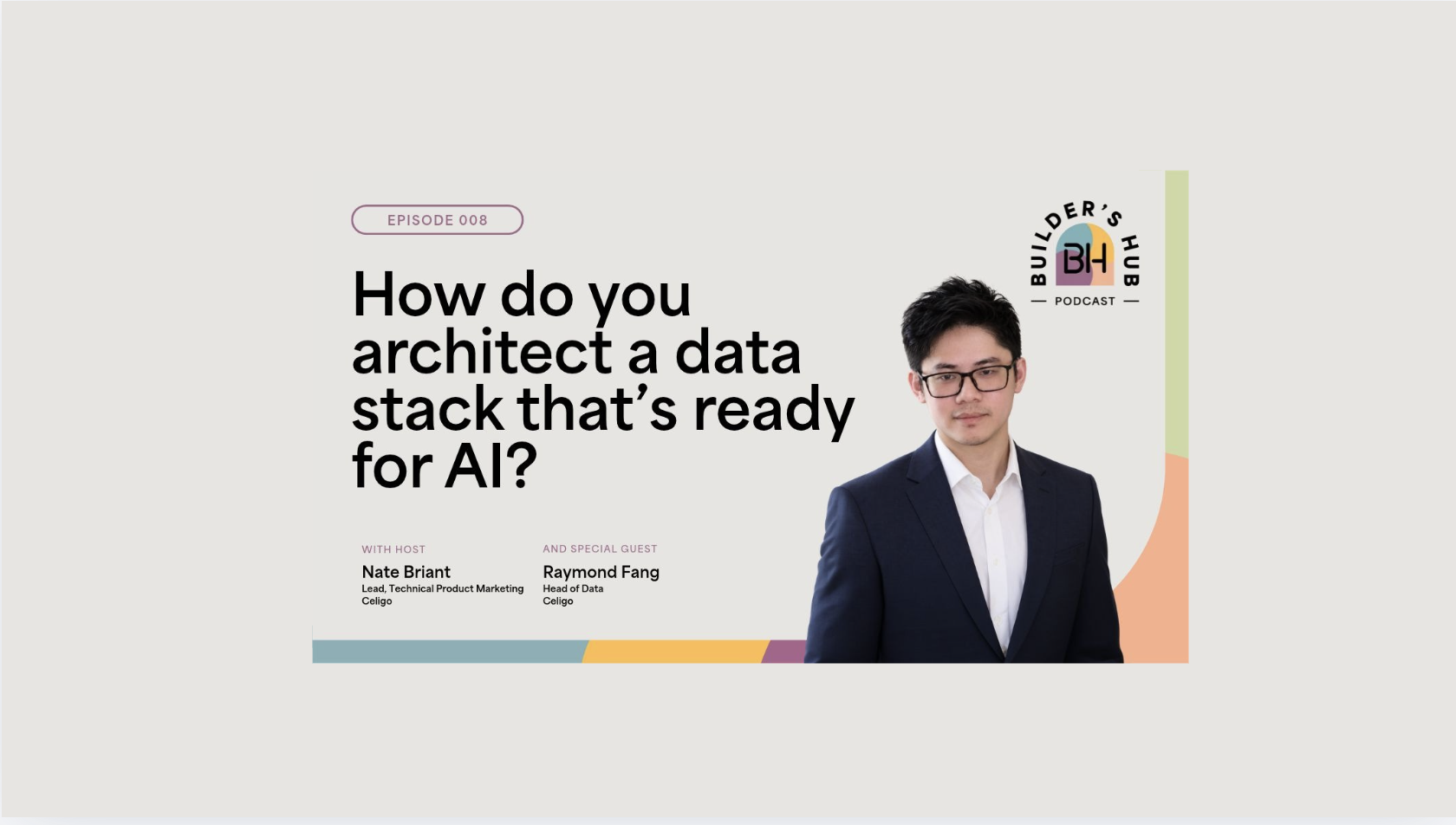
00:04 Nate Briant: Hi, I’m Nate, one of the hosts of the Builder’s Hub Podcast. These days, there’s more data than ever, and more demand for that data to be delivered to more places. With everyone becoming their own data analyst through AI, how do you control data access, ensure data accuracy, feed in clean data, and make sure the right context is there so you can actually achieve business outcomes? In this week’s episode, we’re really excited to interview Ray, the head of data at Celigo. Ray, could you introduce yourself and then tell us something that isn’t on your LinkedIn profile?
00:32 Ray Fang: Hey, Nate. I’m Ray, the Head of Data here at Celigo. My job is simple to say but hard to do. Basically, when the business asks what’s actually happening, they should get one trusted answer as opposed to five conflicting ones. So I live across the stack, from data warehousing in Snowflake to transforming the data and then serving it up via BI or other data products that we deliver to our stakeholders. More recently, I’ve gotten into the AI tooling side of the world, where we’re trying to make sure our employees have the right data and AI tooling they need to do their jobs more effectively. The thing that’s not on my LinkedIn profile: I often spend a weekend automating a really simple ten-minute task. It takes a long time because I want to perfect it, purely because the automation side of the world is interesting to me, and it’s become more interesting now with AI thrown into the mix. So sometimes I just spend the weekend going at it with Claude Code and messing around.
How AI raised the stakes on data quality
01:39 Nate Briant: That’s awesome. That’s exactly what I want to hear: our Head of Data is automating things on the weekends. So, Ray, I think you’re probably the most popular person at Celigo. Everybody always has a question for you, because data answers our questions. We’re probably always pinging you and asking you for stuff. So I have a stat for you to react to. According to our own MIT report, 93% of enterprise-wide integration users have AI that’s drawing on three-plus data sources. What’s your thought about that? Do you believe it? Does it worry you?
02:12 Ray Fang: That’s an interesting statistic. It sounds really high, 93%. Whoa. But when you really think about what you count as a source, that’s actually pretty low. Think about any business question you’d ask. It would probably cross through a CRM like Salesforce, your product adoption data, support data, billing, subscriptions. It crosses many different layers of your business systems architecture. So here’s what this number really tells me: AI quietly raised the stakes on what data quality looks like. Think about what a bad number used to cost you. You got a dashboard wrong, someone got caught in a meeting reporting the wrong number, and that might lead to a small discussion or argument, whatever it is. But now that AI reasons across all your data sources and gives you an answer, it doesn’t really hesitate. If the data is wrong, it gives you the wrong number confidently, the wrong decision confidently. It doesn’t flag or disagree. It just assumes the answer is correct, and it will report that to you.
03:37 Nate Briant: I think it’s a super interesting point. When we were first using AI across the world, it was natural language, so it was making sentences. You can get away with a certain level of hallucination or going off track because it’s language. It’s a sentence. That’s how humans talk; our own brains can wander. But when you’re talking about data, with hard math and real answers and statistics, confident hallucination is more worrying, because you’re relying on the AI to maybe even do the math. So how do you think about using AI in your day to day? Do you want it to help you build queries? Do you want it to answer every question, where you’re just providing the question in natural language? Where is the line between AI helping you build the model and AI just answering the question raw because it has access to all the data? How do you see it when you’re trying to work with it?
04:39 Ray Fang: It kind of depends on the role you’re in. If you’re at the management level and trying to make strategic decisions, you want it to infer from the information you have stored. The way I use it personally is almost like a journal: I put my thoughts into it and say, this is the information I have, this is what I’ve experienced, and it helps me make better decisions day to day based on what it knows about me. If you’re an engineer or an analyst, I would hope that what AI is really useful for is that it amplifies whatever you point it at. If you’re trying to create a technical output, code better, or create a report, it streamlines that process so you don’t have to do the mundane task, and you, as the human, can do more value-added work. That might be making the decision: the AI says, “We have X, Y, Z decision paths. Which one do you want to go with? Which one makes the most sense to you as a decision maker?” So you spend more time making decisions as opposed to more time on mundane tasks like creating PowerPoints or drafting emails. You should be the one to decide how to move forward.
How Celigo manages data quality
06:03 Nate Briant: Totally, that makes sense. And of course, we brought up AI because AI has increased the demand for data exponentially. Everybody needs access: people need access, and they need their AI agents to have access. So, Ray, we’ve talked a little about AI and the need for data, but there’s something underlying this: when people or AI ask for answers, they’re assuming the data is accurate. So, this concept of data quality. What do you think of data quality, and how do you manage it at Celigo?
06:36 Ray Fang: Good question, Nate. Data quality means different things depending on who you ask. Even if you Google it today, there are different frameworks out there with maybe four pillars, five dimensions, seven dimensions, whatever it is: completeness, accuracy, consistency, validity, timeliness, etcetera. When I think about data quality at Celigo, it really starts at the ingestion point. Fixing a bad record at ingestion is really cheap. You can fix it immediately. But if you don’t fix it there, it causes issues downstream, and downstream, in the gold layers maybe, it becomes really expensive, because now decisions are being made off of it. They’re baked into your aggregates and into your AI decision-making process. So the process is: bad data lands, it flows through transformations, that data is fed into dashboards, and now people make decisions off those dashboards. And there’s a really interesting issue here. Back then, if bad data was ingested, the downstream impact was maybe that a dashboard would break. But now, if bad data is ingested and many decisions are being made off of it, with the scaling of AI, it becomes a widespread issue where maybe your company’s directive changes drastically because you had one bad data load.
ETL vs. ELT: choosing the right pattern
08:23 Nate Briant: That makes sense. AI can interpret things and do it with confidence. You said something really interesting there, which is that ingestion is cheap. I think that’s a great segue to talk about ETL versus ELT, extract-transform-load versus extract-load-transform, and choosing the right pattern. Can you explain the differences to the audience, and do you have a preference? I’d love to hear what you do more often: extracting, transforming, then loading, or extracting, loading, and then transforming?
09:05 Ray Fang: The question really is, do you transform the data before it lands or after? ETL is extract, transform, load: it transforms your data in flight and only lands the final result in your destination. ELT is where you dump your data into a destination first, like your data warehouse, and then transform it in place using the data warehouse’s compute. At Celigo, we use Snowflake. We use Celigo’s product, integrator.io, to load data from our various business systems, like Salesforce, NetSuite, Gong, whatever it is, and push it into Snowflake as the storage container, and then we transform it from there. That became our default, so we use ELT, mainly because cloud data warehouses got really cheap and absurdly powerful, so transforming before loading stopped paying off. And you keep the raw data. In our process, it’s a layered architecture where we load our data into bronze, transform it into the silver layer, and then push it into our gold tables. We do that because requirements constantly change, and as they change you may have more complexity, and you don’t want to re-transform and reload all the time. You want to have your raw data so you can decide how to transform it down the road. For modern cloud analytics, ELT really wins out: large volumes, evolving questions, a data warehouse or database underneath it. In my opinion, that’s what most companies will use as a default.
Real time vs. batch: when speed is worth it
11:06 Nate Briant: That makes total sense. Thanks for laying that out. I’m sure we’ll get some emails from the ELT warriors out there who think it’s the optimal method, but it makes sense with the cheapness of cloud storage now, where you can do all of that within the warehouse. I’m curious: you talked about using our own product to move the data. When do you think something needs to be real time versus batch? Is it based on its end use case? Do you always try to do batch? Do you always try to do real time? Do you have a preference?
11:41 Ray Fang: Here’s my take: far fewer decisions need real time than people realize or request. You’ll constantly hear requests like, “Oh, I need real-time data for this. I need to make the decision now.” And the question is, do you really need that now? Getting real-time data is an effort in and of itself. So my question is always the same: what decision are you going to drive with this real-time data? How fast does this decision actually need to be made? And even if you made that decision, are you able to act on it? If a human looks at something once a day, real-time data is pure cost and zero benefit. What generally matters is when the action is going to be taken based on that data. For example, fraud detection: you catch it in transaction, and you want to know as soon as possible when a fraudulent transaction happens. Order and inventory is another: you don’t want to sell something you don’t have. That’s something we’d actually need real-time data for. But if you’re doing something for a general business to run their business, you might need to understand some metric, and that metric is discussed at a QBR or some manager’s meeting. Are you actually going to make a decision right then and there, or will you make a decision at some point that week and then change how you operate based on that decision?
13:29 Nate Briant: Totally agree. It’s about when the discussion happens and how pressing the data is that really matters for the speed at which it’s delivered and acted upon.
13:42 Ray Fang: And so for most businesses, I think batch will win, especially for something like financial reporting. Real time is niche, depending on what industry you’re in or what data you’re working with. But for the most part, just assess when you actually need a decision to be made and whether or not you can even act on it. That will determine how frequently you need your data loaded, ingested, processed, and transformed, whatever it is.
What real-time data actually costs
14:17 Nate Briant: So, Ray, I’m going to throw you a curveball, because I’m curious myself. We talk about costs associated with real time. We say there are more costs with real time versus batch, so maybe it’s better to do batch to save on cost. What is the actual cost a business is incurring? Is it compute? Is it dollars and cents? Is it time? What is the cost associated with real time?
14:40 Ray Fang: I think it’s a little bit of everything you just mentioned, and a little bit more. First and foremost, compute will definitely go up. You’re constantly processing information, as opposed to batch, where you might be doing it once, twice, three, four times a day. You’re constantly loading data into your data warehouse or storage container of sorts, and that will definitely drive up compute. The second thing is storage. I know most people don’t think storage is super expensive compared to compute, but it’s still a factor you have to consider. Real-time data flowing in every single second of the day will definitely add up at some point. Then there’s infrastructure complexity. But I think the most costly aspect is data correctness. If you don’t have your architecture or infrastructure set up properly, that affects whether you’re actually getting correct data out the door, and then your real-time data doesn’t mean anything. Now you’re just paying for real-time data without being able to execute on it. But at the end of the day, it really depends on the company. I don’t want to give a definitive answer, but I think it’s mainly around the storage and compute side of the world.
Where to start when architecting a data stack
16:02 Nate Briant: That makes sense. Everybody has to evaluate that based on what technology they’re using, but those are probably the two factors that drive the most dollars-and-cents baseline cost for doing data integration, business intelligence, that sort of thing. Ray, if you were talking to a VP of IT who’s getting these questions, business users want reports, and they want AI agents to start accessing the data, how would you begin architecting the systems to start resolving those problems?
16:34 Ray Fang: I think the first question is where you’re going to store your data. Is it going to be Snowflake, Databricks, BigQuery? You first have to figure out where you’re going to contain your data. The second, and I think the most important, is how you’re going to get your data in there, and at what frequency. Every company will do this a little differently, but if I were talking to someone starting up their business who just wants surface-level information about how their business is run, BI is obviously the way to go. First, you need to establish where your container is, where your data is landing. You need to store your data somewhere so you can take it and process it to make insightful decisions. You might start with Postgres. It’s free, and it does everything you need it to. Then you might gradually evolve it into a Snowflake data warehouse, because Snowflake is really good with SQL queries and BI. And at some point, when you get more sophisticated and you’re running ML pipelines, you might move to something like Databricks. So figure out where you’re going to store your data first. That’s first and foremost. Second, how are you going to get your data in there? At Celigo, we obviously use Celigo for our data ingestion. And as we talked about before, how frequently do you need your data refreshed? Is it batch, which is probably the simplest way to go? If you’re an early startup, you don’t need to make real-time decisions. Just get batch data in from your CRM, your ERP, and whatever other business systems you have, so you can start manipulating it and making decisions. You might want to use something like listeners or delta flows so you’re not reprocessing all the data over and over again. So, again, it’s about figuring out how you’re going to get your data from your source systems, or from other destinations, into your storage container, in this case maybe Postgres or Snowflake. Once you have that done, you can start transforming your data and creating actual data products with it, and then serve that up in your BI layer. I think that’s the most simplistic way to go for a company just starting up.
What Celigo ingests, and how it decides
19:06 Nate Briant: That’s great advice. I’m curious, Ray, if you could ballpark it, how many source systems do we have? How much do we ingest into our warehouse? Is it a lot? Is it a little? How many applications do we have going?
19:18 Ray Fang: Gosh. At the very least, forty or fifty different systems. But granted, we don’t use every system every day. Most of the decisions we make at Celigo are driven off of a handful, maybe seven to ten systems, things like your Salesforce and your NetSuite. But every function has data that it brings from somewhere. Marketing has a bunch of data from multiple systems. Sales has Salesforce, Clari, Gong, that kind of stuff. Finance has their ERP, NetSuite and some other financial systems. HR has HR systems. Every function has its own systems that it’s bringing into Snowflake so we can make better decisions. But I would say about 50, at least.
20:20 Nate Briant: When you’re thinking about managing the collective amount of data we have, are you taking the approach of waiting until a decision needs to be made off that data to ingest it into the warehouse, because there’s a cost associated with that? Or is it more proactive, where when we bring a system online, or we have a system, that data needs to be ingested because eventually a question is going to be asked about it? Are you more cognizant of the maintenance of the warehouse, or more proactive in the ingestion?
20:52 Ray Fang: I think we’re proactive to a point. We build relationships with our stakeholders because we don’t know everything. It’s important for us to build that relationship with, say, your marketing team, your HR team, your sales team, finance, etcetera, so you understand, “Hey, this is the source system I definitely need,” and so that we can start building our data warehouse. Sometimes you’ll want the history of information that those systems might not carry. They may not store local history, so we can’t make an SCD Type 2 table, and that’s something you might want. You might want to know what changed in the past that your system might not be storing, so you keep that information in your data warehouse. So if the question is, do I proactively go out, figure out every single system at Celigo, and try to load that into our Snowflake environment? No. If the question is, do I work with my stakeholders to figure out what makes sense to load? Yes.
What Ray is building outside of work
22:00 Nate Briant: That’s perfect, that makes total sense. And I think it keeps the warehouse more manageable. You’re not just dumping data to dump data, and you’re definitely not going through the exercise for its own sake. There has to be real business impact. That’s great. This is a ton of great insight, Ray. I really appreciate your time. One final question we like to ask people on the podcast, and you already answered it a little with your intro: what are you building that’s fun? It doesn’t have to be at work. I know you like to build automations at home. What’s a project you’re working on that you’re excited about and would love to share?
22:37 Ray Fang: Actually, yes. When I first started dabbling in AI, I wanted to build a personal assistant so I wouldn’t have to go through my own email and stuff like that. I thought that was a little too broad. What I really wanted was an AI that knows me, not just in terms of storing memory. I know ChatGPT stores logs of our chats, and Claude does the same, but I mean really knows me. So I’ve essentially been building a second brain of sorts in Obsidian, in a wiki-style format. Now it knows me from a personality perspective, knows the decisions I make, and knows how I think. And I can see how things are chained together and how thoughts are linked together. That’s been really interesting. And it’s been fun, because it’s almost like a therapy session every single time. At the end of every day, once I finish work, or when I have some time on the weekend, I’ll log what I did today or what has been interesting. It keeps a log of sorts of me, of my life, and of the way I think. I thought that was interesting and fun to do.
23:55 Nate Briant: That’s super cool. That’s awesome, Ray. The new digital diary, in a way. That’s really cool. So, data at work and data at home. Thanks for joining the podcast, sir. We really appreciate your time.
24:08 Ray Fang: Thanks so much, Nate.
24:11 Nate Briant: And one more thing: if you’re enjoying the Builder’s Hub Podcast, subscribe on YouTube or any of your favorite podcasting apps. We’re everywhere audio lives. And if you know someone who’d get value out of this conversation, send it their way. Thanks for listening.