
Platform · AI Agent Governance
Govern AI agents from design to runtime
Guardrails, execution logs, audit trails, and access controls that help teams govern AI agents from design through production.
AI TRiSM for enterprise AI agents
What AI TRiSM means for Celigo AI agents
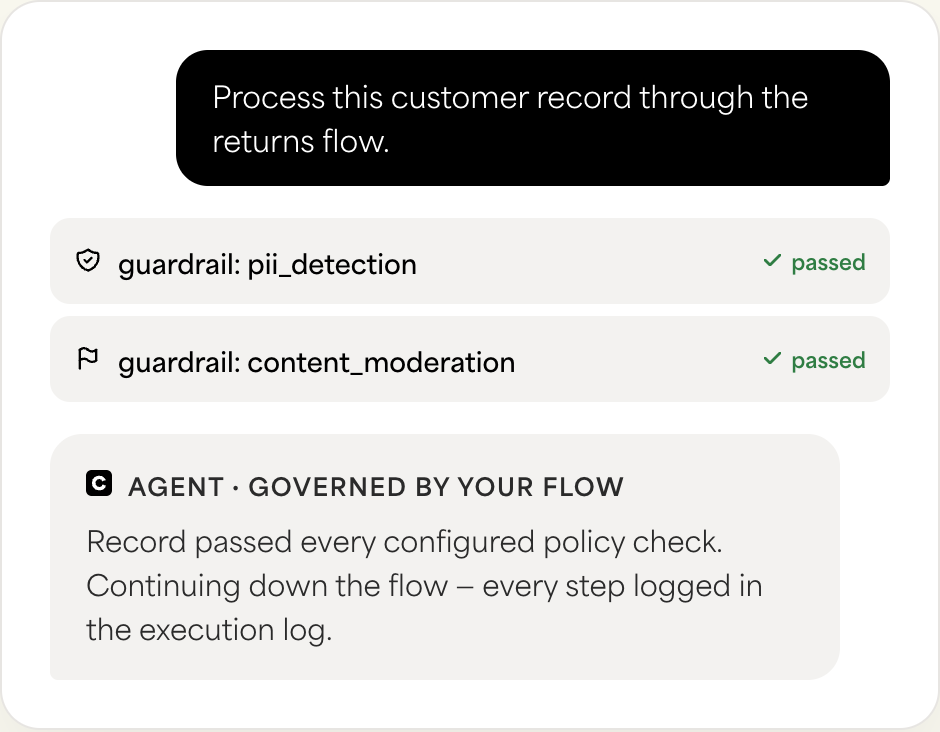
AI Trust, Risk, and Security Management, or AI TRiSM, is the discipline of governing AI systems across trust, risk, and security. For enterprise teams, that governance cannot stop when an agent is built. It needs to apply for as long as the agent runs inside business workflows.
At Celigo, that discipline shows up through connected platform capabilities: guardrails that evaluate what an agent receives and produces, execution logs that help teams understand what happened during an agent request, audit logs that track relevant user and configuration activity, and access controls that govern who can build, manage, or monitor AI-enabled automation.
These controls are part of the same platform teams already use to build and operate integrations.
Governance built into the platform, not bolted on
There is a real difference between governance as part of the platform and governance as a separate product added on top of it.
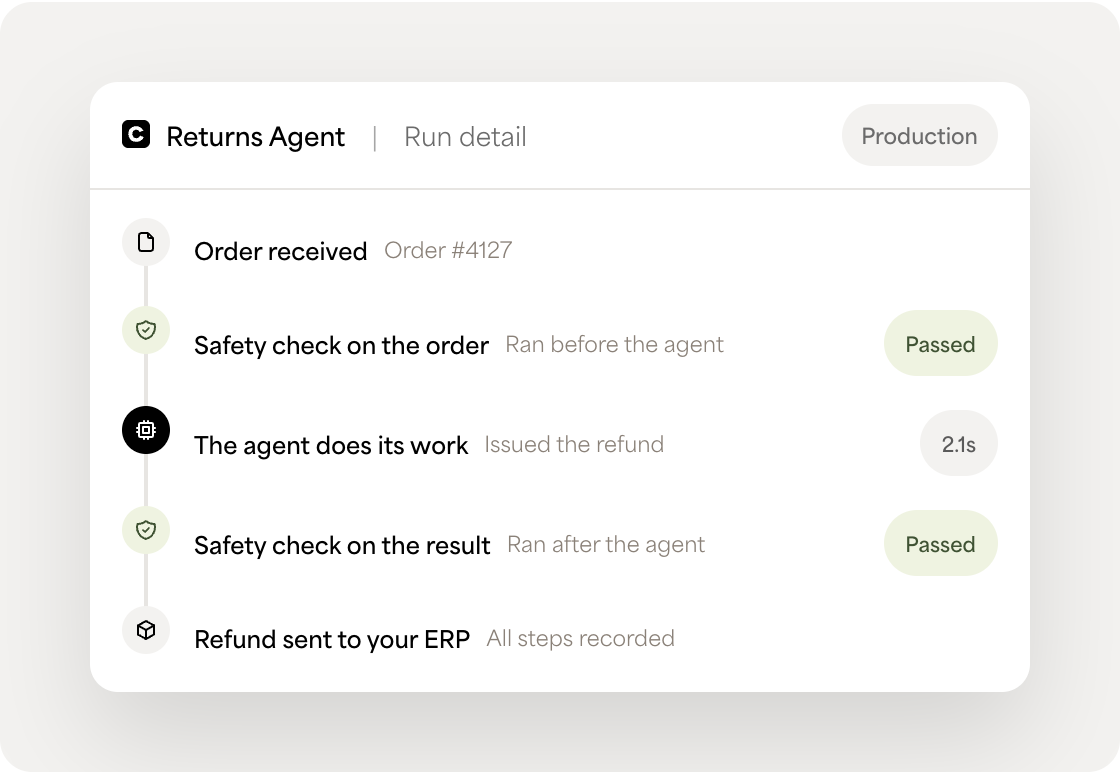
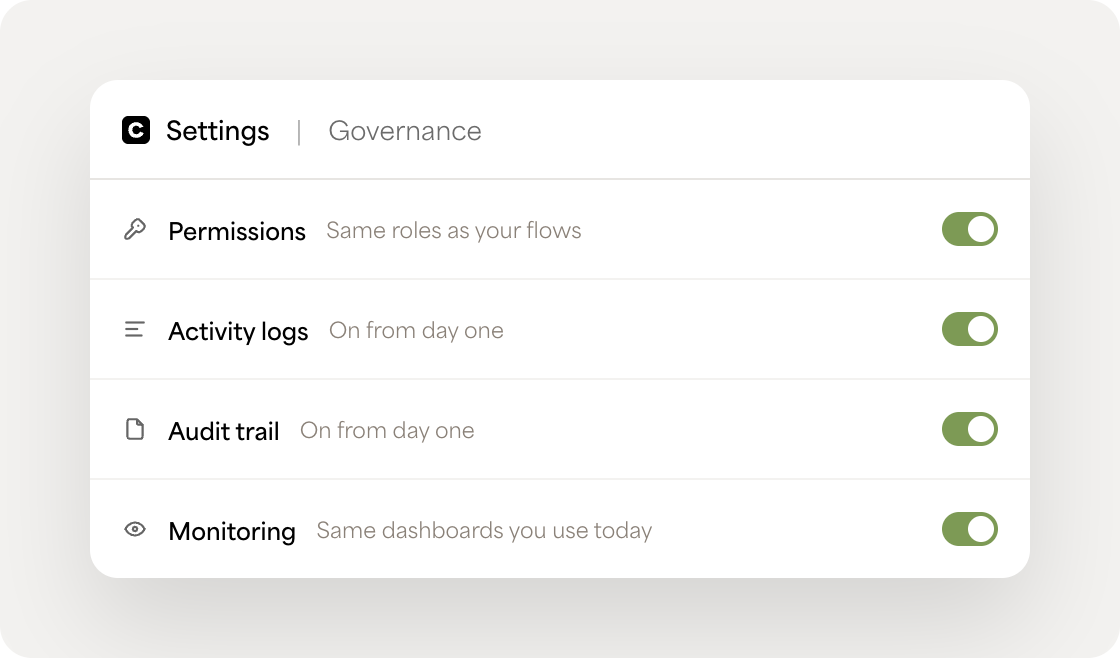
Because agents, guardrails, and flows operate within the Celigo platform, teams can apply governance using familiar controls: permissions, execution logs, audit logs, error management, monitoring, and flow logic.
That means teams do not need to manage a separate governance system just because a workflow includes an AI agent.
Guardrails
AI agent guardrails: Policy checks before and after agent actions
AI agents do not exercise judgment the way people do. They act based on whatever instructions, tools, and context are available to them, including content from documents, emails, web pages, and connected systems, and that content can be shaped by something malicious the agent was asked to read.
Celigo guardrails let teams check that context before and after agent actions. They evaluate inputs and outputs, then return structured signals your workflow can use to stop, route, retry, skip, or review the next step.
That keeps policy outside the agent’s reasoning and inside the governed workflow around it.
How Celigo guardrails flag policy violations
Celigo Guardrails evaluate each record against a safety, compliance, or governance policy before or after an AI agent runs.
Guardrails can be configured for content moderation, PII detection and masking (or redacting), or custom AI policy checks. Each guardrail returns schema-validated JSON with a deterministic result: flagged true when the record violates the configured policy, flagged false when it does not.
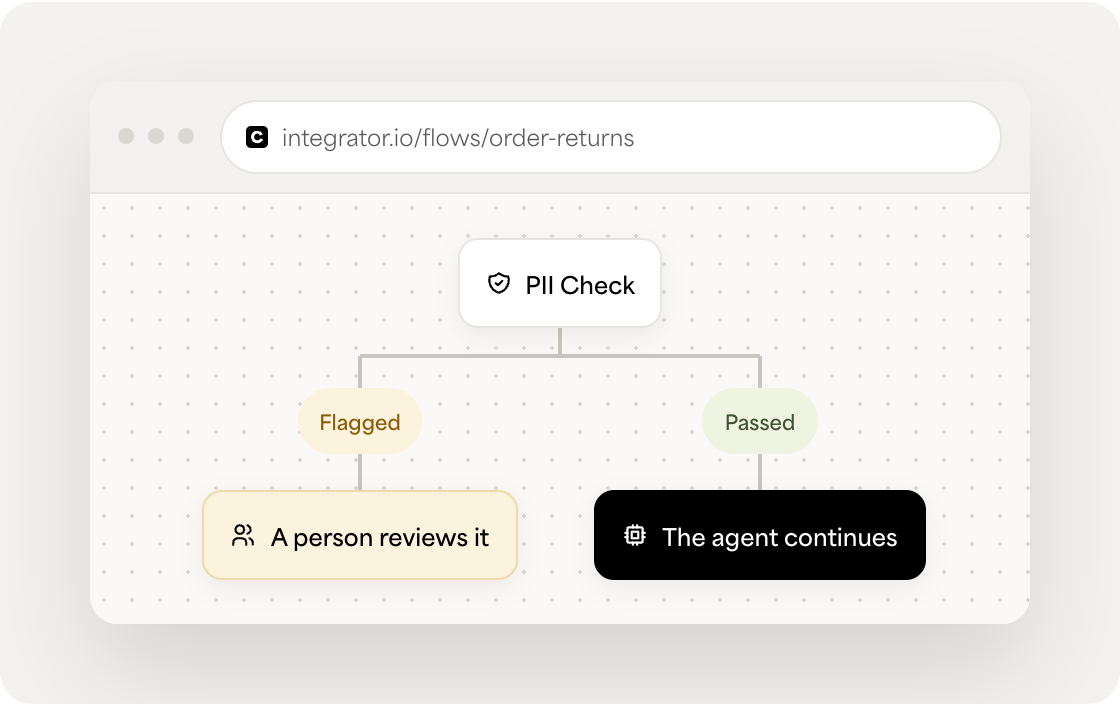
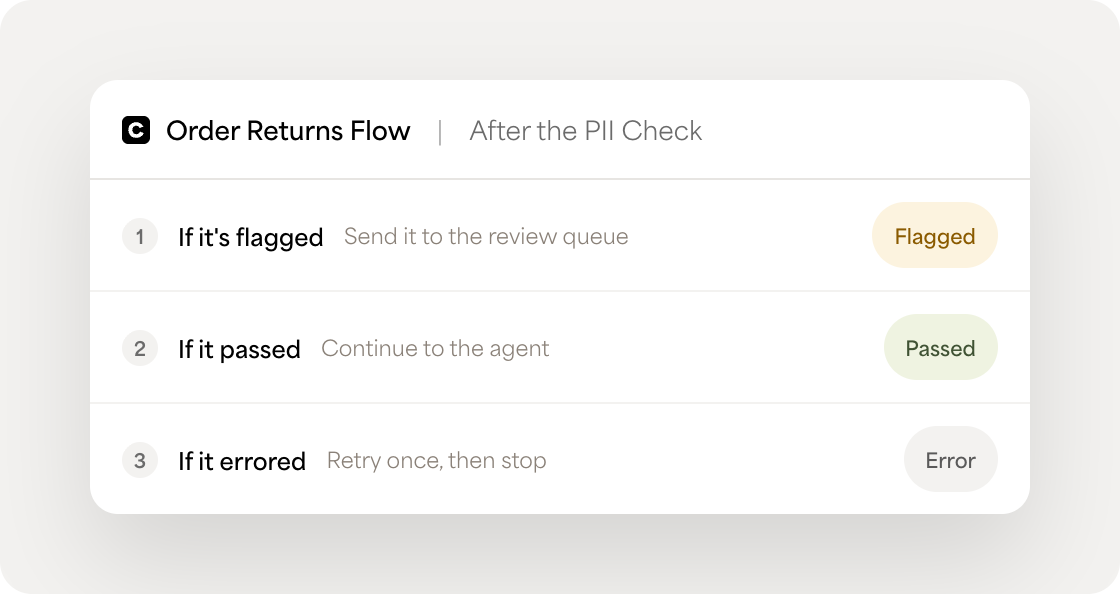
Guardrails do not enforce actions on their own. Their structured output is used by Celigo flow logic to route, stop, retry, skip, or send records for review.
Wiring guardrail verdicts to stop, route, or redact actions
Guardrails flag. They do not enforce actions by themselves.
What happens after a guardrail returns its result is configured by your team using standard Celigo flow logic. A flow can stop a record, route it to a person, skip it, send it down an exception path, or continue processing based on the guardrail output.
This keeps the enforcement logic visible within the flow rather than hiding it in a black box.
Guardrail trace view for every policy check
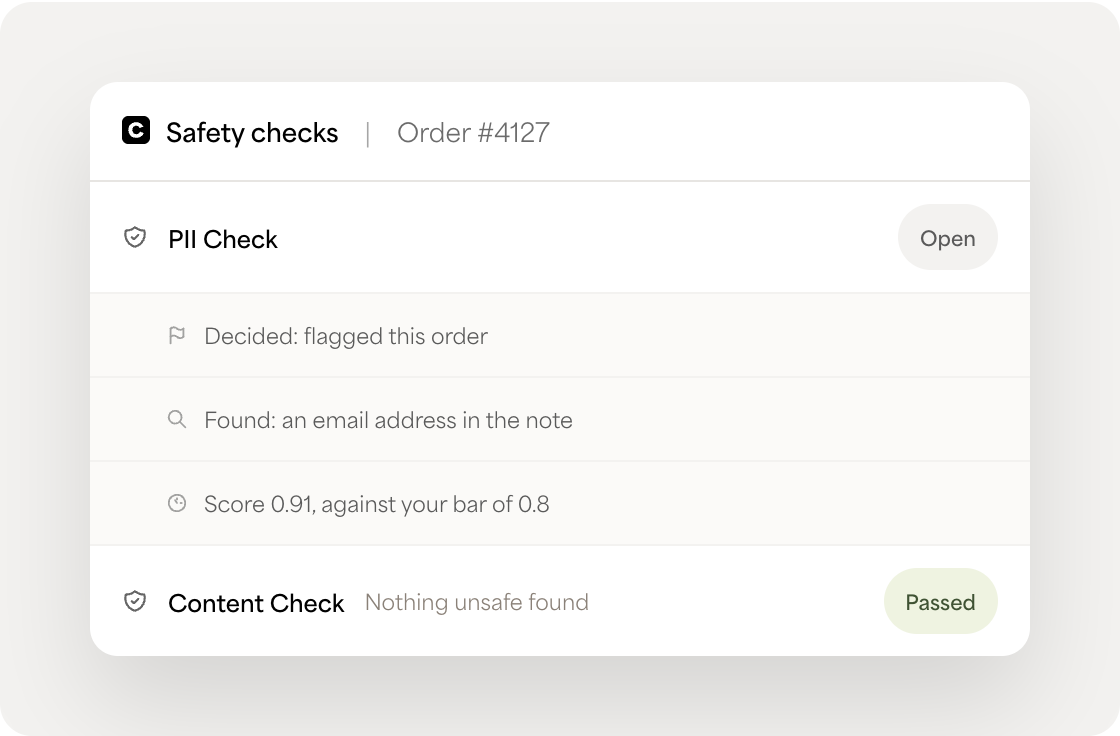
Guardrail traces provide session-level visibility into how a policy check evaluated a record. A trace can show:
- The type of guardrail policy
- The configuration or thresholds used
- The outcome
- The categories or entities that triggered the result
- High-level timing and usage information
This helps teams debug why a record was flagged during a preview run or runtime session.
Chaining guardrails across an agent workflow
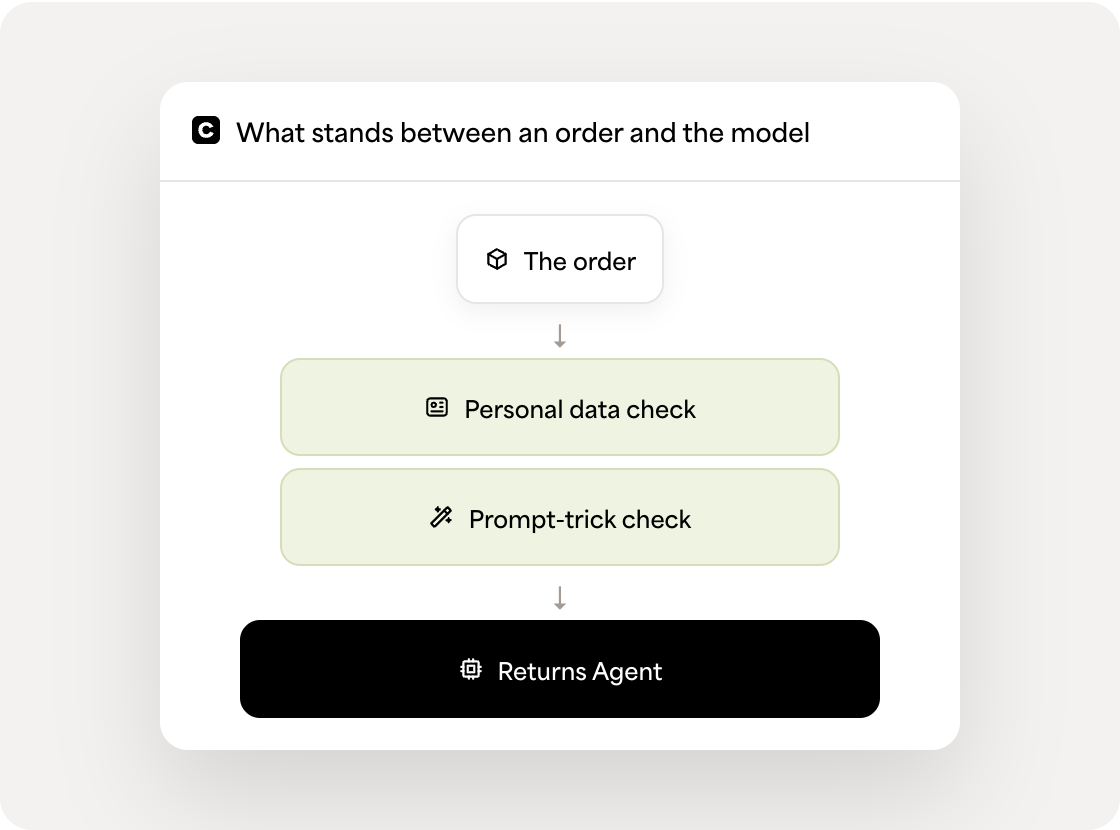
A guardrail can run before an agent to evaluate input before it reaches a model — checking for unsafe content, prompt-injection signals, or PII. A guardrail can also run after an agent to evaluate generated output before it reaches a downstream system.
Guardrails can be chained, so a record can pass through multiple policy checks in sequence, such as PII detection, content moderation, and a custom policy check. Each structured result can feed the next decision in the flow.
Trace & audit
Agent Trace and audit trail for AI agent actions
Agent Trace
See why an agent took an action with Agent Trace
An agent’s output is only as trustworthy as your ability to see how it got there. Celigo captures both the what and the why natively within Execution Logs, right alongside exports, imports, and guardrails:
- Request: The actual input given to the agent, including general details like the model used and the instructions or prompt.
- Response: The agent’s response to that input, including total tokens consumed and their cost, plus detailed LLM Reasoning showing why the agent did what it did.
- Raw trace: A complete end-to-end execution record, including full reasoning — a superset of everything in Request and Response — for anyone who wants the full, unfiltered trace.
- Tools execution: If your agent has tools configured, you’ll also see which tools were executed, their status, and the exact input and output for each.
Execution logs
Monitor AI agent activity with execution logs
An agent’s output is only as useful as your ability to understand what happened during the request.
Celigo execution logs help teams monitor and troubleshoot AI agent and guardrail activity using the same logging tools they already use for flows.
Basic logging is designed for production support and can show key details such as:
- Agent invocation
- Timestamp and step duration
- Model used
- Token and credit usage
- Tools usage
- Errors and recovery details
- Final outcome
This helps teams monitor production activity, track usage, investigate failures, and confirm that requests completed successfully.
Detailed logging
Use detailed logging for deeper troubleshooting
When deeper troubleshooting is needed, detailed logging can provide additional diagnostic data, such as:
- Agent reasoning summaries
- Tool execution traces
- Model output
- Raw LLM request and response details
Detailed logging is optional and should be enabled only when needed for controlled troubleshooting or behavioral analysis. Because detailed logs may include sensitive content, they should be used under strict governance controls.
Tools
Track tools used by an agent
When an agent has tools configured, execution logs can help teams understand which tools were called, whether they succeeded or failed, retry attempts, and input/output summaries.
This gives teams visibility into how an agent interacted with the tools available to it, without treating agent activity as a separate black box outside normal flow operations.
Audit trails
Using audit trails for compliance and incident review
That audit trail is what turns “we think the agent behaved correctly” into something you can actually demonstrate. It’s the record you pull during a SOC 2 review, the trail you reconstruct after an incident to understand exactly what happened and in what order, and the evidence you point to when someone asks whether an agent stayed within its configured policy.
Error handling
Standard error handling for AI agent exceptions
When an AI agent step encounters an error, it follows Celigo’s standard import-step error handling and run behavior. Errors are captured through Celigo’s existing execution logs and error-management tools, where teams can review details, investigate with trace keys, retry, resolve, and assign issues using the same operational process they already use for other flow errors.
Access control
Role-based access control and identity for AI agents

RBAC for Agent Builder and agent actions
Access to AI agents is governed through Celigo’s existing account and integration permission model.
Teams can use familiar role-based access controls, including roles such as Manage and Monitor, to determine who can build, manage, monitor, or review AI-enabled automation.
This lets teams apply the same access approach they already use for flows and integrations.

SSO and centralized authentication with OpenID Connect
Celigo supports OpenID Connect-based SSO, allowing teams to centralize authentication for users who build, manage, or monitor platform resources, including flows that use AI agents.
This helps organizations align AI-enabled automation with their broader identity and access management practices.

One permission model across flows, APIs, and agents
The RBAC and SSO that already govern a flow govern an agent too. There’s no second permission model to learn, configure, or keep in sync just because a workflow now includes an AI step.
Containing an AI agent in production
Control what an agent can reach while it runs — and keep practical boundaries on how it uses its tools.
Contain an agent by controlling what it can reach
Celigo gives teams multiple ways to control what an AI agent can reach.
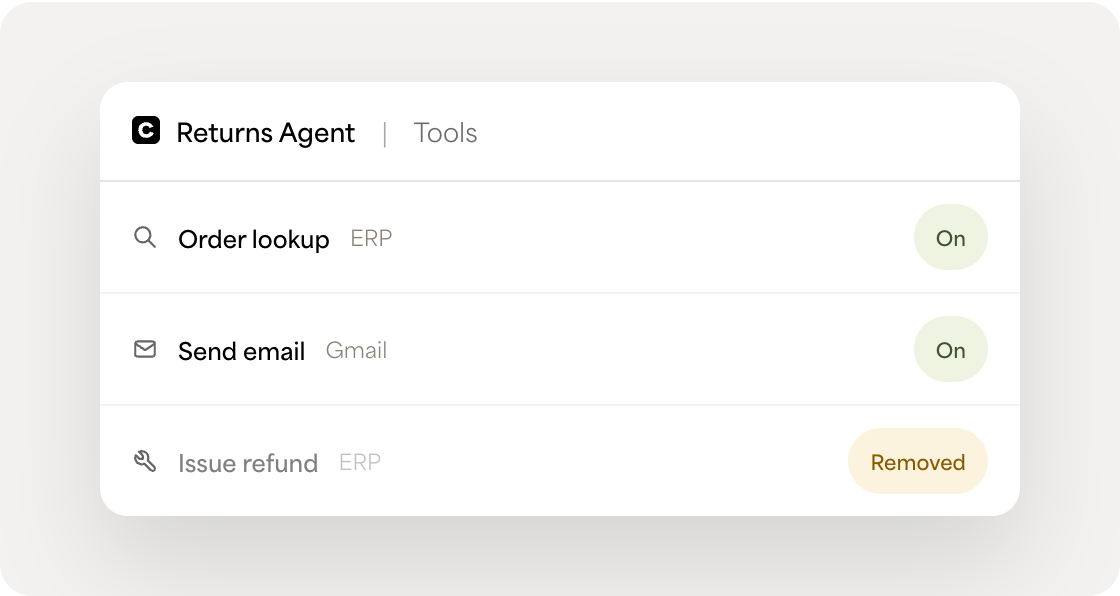
A team can disable the flow an agent runs in so the agent is no longer invoked by that flow. A team can remove a tool, which directly revokes the agent’s ability to execute specific actions. Teams can also control access to the MCP server, or down to the individual tools exposed through it.
Administrators can inspect an agent’s configuration and available tools to understand its operational boundaries — what the agent can do — without requiring a separate security model.
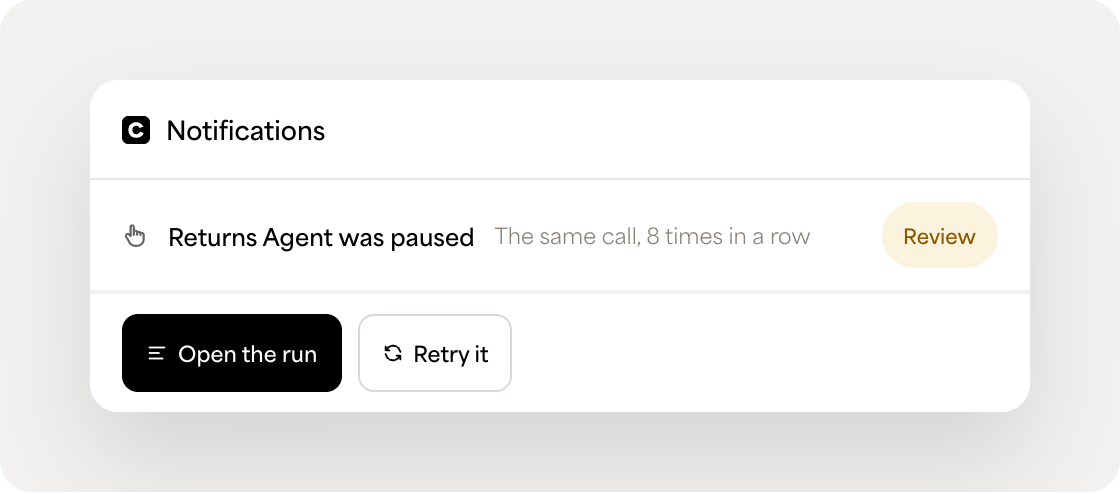
Limits on repetitive or excessive tool calls
AI agents need boundaries when they interact with tools.
Celigo includes limits designed to reduce the risk of repetitive or excessive tool calls, helping prevent runaway agent behavior.
This is narrower than full behavioral anomaly detection, but it provides a practical control against repeated tool calls that exceed expected behavior.
Policy enforcement across deterministic and agentic workflows
Governance in Celigo doesn’t stop at the edge of an agent.
Because Celigo AI agents are configured as import steps within flows, agent-related changes can participate in the same flow lifecycle practices teams use for integration changes, including non-production testing, promotion, snapshots, and rollback through Integration Lifecycle Management where supported.
Teams can build and test changes in a non-production environment, review what changed before promotion, and revert to an earlier configuration if something in production does not behave as expected.
That matters because an agent is not a special case outside normal change management. It is part of the automation spectrum, alongside rules-based flows, integrations, guardrails, and workflows that route to people for review.
Who needs it
Who needs AI agent governance
Frequently asked questions
Govern every agent the same way you already govern everything else
Guardrails, execution logs, audit trails, and access control that live inside the platform where your agents are built and run, not a separate system to configure and maintain.