From error to resolution: Troubleshooting with Celigo Ora


Why did this flow fail? What does this error mean? How do I get it running again?
Those are the questions that matter when a business-critical integration needs attention.
An error tells you where to start. The next step is to understand what happened during the integration, what was affected, and what needs to happen to restore normal processing.
The issue may surface in your ERP, even though the underlying cause is a configuration or data change upstream. It may affect only a subset of records. Or the pattern may only become clear when you look across run history, execution logs, and other platform context.
The goal is to quickly understand what failed, identify the root cause, determine what was affected, and take the right action to get the automation running again.
That’s where Celigo Ora changes the troubleshooting experience.
Ora is Celigo’s natural language interface to the platform. Because it operates within your Celigo environment, you can investigate integrations, understand what happened, and take action through conversation.
Quick demo
Watch Ora troubleshoot a Shopify-to-NetSuite order flow, identify what changed, determine which orders were affected, and help resolve and retry them, all through natural language.
Get to the root cause faster
Consider a common scenario: a Shopify-to-NetSuite order flow has been running reliably, and some orders begin generating errors.
Orders continue to come into Shopify, but some are no longer reaching NetSuite successfully. The error may point to the import step, but understanding what caused it means looking at the broader context around the failure.
You want to know:
- Which orders are affected?
- When did the issue begin?
- Do the failed orders have something in common?
- What happened to those records at each step of the flow?
- Did anything change before the failures started?
- Is the issue related to the data, mapping, transformation, connection, API, or flow configuration?
- What needs to change so those orders can continue processing?
Ora helps bring those signals together.
Start with the question you actually want answered:
- “My Shopify to NetSuite order flow has errors. What went wrong, and when did this start?”
Ora can investigate the relevant errors, runs, logs, and platform context and bring the findings together for you.
Instead of stopping at the error returned by the destination application, Ora can help trace the issue back to the condition that caused it.
The result is a clearer picture of:
What happened. When it started. What changed. What was affected. And what to do next.
That gives your team the information it needs to take action sooner and keep the underlying business process moving.
Understand exactly what happened to each record
Sometimes identifying the overall cause is enough. Other times, you need to understand exactly what happened to a particular transaction.
Ask Ora:
- “Look at the execution logs for the last run. What happened to the records that failed?”
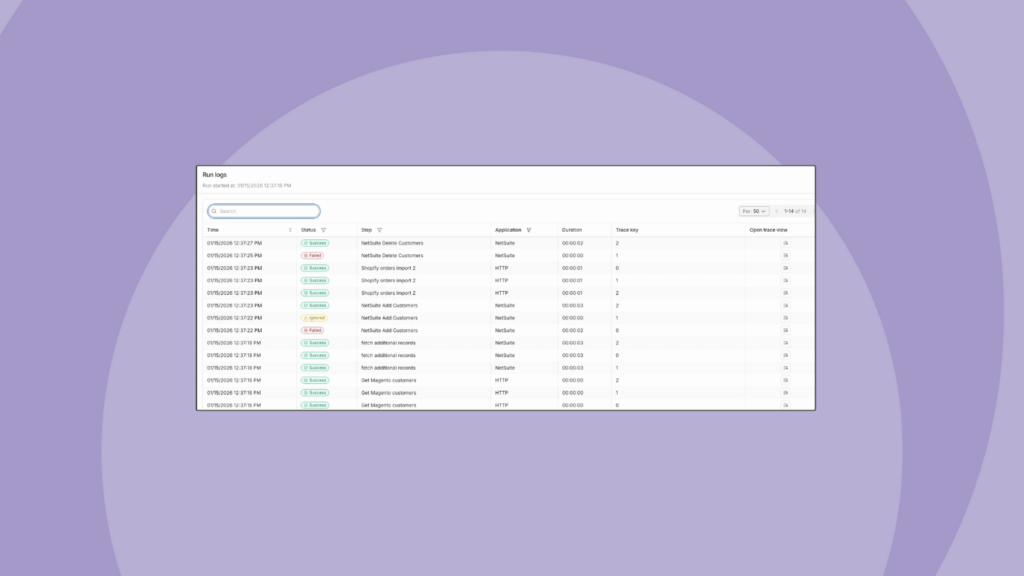
Celigo’s execution logging provides detailed visibility into what happened as records moved through a flow. Ora gives you a conversational way to work with that information.
You can get to details such as where a record encountered an issue, the response returned by the application, and the data involved.
Then continue the investigation naturally:
- “Are all of these failures caused by the same issue?”
- “Which orders were affected?”
- “Has this connection had the same problem before?”
Each question builds on the same context, helping you move from a flow-level issue to the specific records and responses behind it.
The result is a faster path to understanding what happened and deciding what to do next.
Take action and resolve the issue
Finding the cause is only part of the job. The real outcome is getting the business process running normally again.
Once you understand the issue, continue the conversation:
- “Retry the failed orders.”
Ora can take actions in Celigo based on the permissions of the user making the request.
That means the same conversation can take you from investigation to action:
Understand → Resolve → Retry → Verify
Celigo’s exception management maintains the state of affected records, allowing them to be corrected and reprocessed without losing track of their progress.
For the Shopify-to-NetSuite example, the outcome is straightforward: the issue is understood, the affected orders are addressed, and order processing can continue.
Beyond troubleshooting: Build, change, and manage with Ora
Beyond troubleshooting, teams can use Ora to build and modify automations, generate integration logic, understand dependencies across their environment, and take operational action through the same conversational experience.
Here are a few other ways you can use Ora to build, understand, and operate automations across Celigo:
Build and modify automations
- “Build a flow that syncs new CRM deals to my ERP as sales orders every 15 minutes.”
Move from an automation requirement to a working flow faster.
Create scripts, transformations, and mappings
- “Write a Handlebars expression that formats this date as YYYY-MM-DD and defaults to today when the source is blank.”
Create the integration logic you need without leaving the flow-building experience.
Understand your integration environment
- “Which flows use this connection?”
- “What will be affected if I change this resource?”
Understand dependencies before making changes and reduce the risk of unintended impact.
Take operational action
- “Find today’s errors in this flow and retry them.”
Move from identifying what needs attention to taking action from the same conversation.
See Ora in action
Ora helps shorten the path between identifying an issue and getting the affected business process back on track. By bringing together errors, execution logs, run history, and platform context, Ora helps you understand what happened, determine what was affected, and decide what to do next.
As your automation environment grows, that means you can spend less time piecing together what happened and more time keeping the automations that support your business running reliably.
→ Get a demo to see how Ora can help your team troubleshoot, resolve, and manage business-critical automations through natural language.
Integration insights
Expand your knowledge on all things integration and automation. Discover expert guidance, tips, and best practices with these resources.