Salesforce
 MS Dynamics 365
 Oracle NetSuite
 SAP
SAP Walmart
 Amazon
 Shopify
 Snowflake
 Acumatica
8 Workato alternatives to consider for 2026


Workato is a widely recognized low-code integration platform as a service (iPaaS) that automates workflows. As businesses grow, teams often begin exploring Workato alternatives due to increasing workflow complexity, emerging performance constraints, and consumption-based pricing that turns every task run into a charge.
If you’re evaluating your options, this guide provides a curated list of top Workato alternatives, complete with features, pros, and cons, as well as insights on which platform may be the right fit for your use case.
What is Workato?
Workato is a cloud-based automation platform designed to help business and IT teams connect applications and automate workflows. It is popular for sales, marketing, and operational automation across SaaS systems. The platform initially focused on task-based automation and later evolved into a broader Integration Platform as a Service (iPaaS) offering. More recently, Workato has shifted focus to include AI-driven agents as part of its automation strategy.
Why consider Workato alternatives?
While Workato’s low-code approach and modern UI/UX are key selling points, some gaps can become more apparent once teams begin using it at scale. Here are some of the reasons organizations start evaluating alternatives:
Learning curve for advanced features: Many buyers choose Workato for low-code capabilities that suit non-technical users, only to quickly realize that advanced use cases like custom connectors or deep transformations often require Ruby, which brings back traditional developers.
Difficult to manage complex flows: Workato’s recipe builder is linear, requiring step-by-step configuration for each action. For complex, multi-step workflows, it can go up to 100 steps, becoming overwhelming to maintain, especially with heavy use of data pills, formulas, nested IF/ELSE logic, and loops.
Struggles with high-volume: Task automation roots mean it’s not architected or optimized for large data loads. This results in timeout errors and performance bottlenecks, which some users cite as a concern.
No native EDI support: EDI support relies on a third-party solution, forcing users to manage two platforms and two vendors, making it unsuitable for anyone looking for a unified approach.
Unpredictable costs: Task-based pricing escalates quickly at scale. For example, loops (counted twice), error retries, and dev/test executions all add to task counts, making it difficult to estimate usage and resulting in surprise costs at contract renewal.
What to look for in a Workato alternative?
Most of the decision comes down to your buying criteria and specific use case. That said, here are key factors to prioritize when evaluating a Workato alternative:
- Balance low-code usability with technical depth: Your choice should be easy enough for business teams to build, while still supporting advanced API, ETL, and data integration requirements when complexity increases.
- Strong pre-built integrations: These will give you a kick start rather than having to start from scratch. While Workato offers a large library, evaluate whether alternatives provide equal or greater depth – especially for ERP, CRM, and ecommerce systems.
- Ensure flexibility for complex workflow automation: As use cases expand, your iPaaS platform should support multi-step logic, branching, transformations, and scalable automation without requiring heavy customization.
- Evaluate total cost of ownership: Understand how pricing scales as automation volume, API calls, and workflow executions increase. Predictable pricing becomes increasingly important over time.
- Prioritize reliability and long-term scalability: Enterprise-grade monitoring, performance optimization, and responsive support are critical once automation becomes business-critical.
Overview: Top Workato competitors compared
| Platform | Best For | Key Strength | Key Limitations | G2 Rating |
| Celigo | Fast-growing and enterprise companies | Supports simple to complex to agentic automations in a unified platform | No support for embed or self-hosted model | 4.7 |
| Boomi | Large enterprises with hybrid needs | Broad feature suite (API, MDM, Flow) | Interface complexity and pricing | 4.4 |
| MuleSoft | Large enterprise with dedicated integration teams | API-led integration, Salesforce-centric | High cost and specialist-heavy setup | 4.5 |
| Jitterbit | Hybrid mid-market teams | iPaaS with API & EDI support | Less modern UI compared to newer platforms | 4.5 |
| Tray.ai | Technical automation teams | Flexible API-level customization | Limited performance at high scale | 4.5 |
| Make | SMBs and mid-market | Ease of use, visual workflow automation | Not suitable for high volume or complex use cases | 4.6 |
| Zapier | SMBs and small teams | Simple task automation, low-volume workflows | Limited for complex data integration | 4.5 |
| Integrately | Budget-conscious small businesses | One-click, low-cost automation | Limited scalability | 4.7 |
8 best Workato alternatives and competitors
Celigo
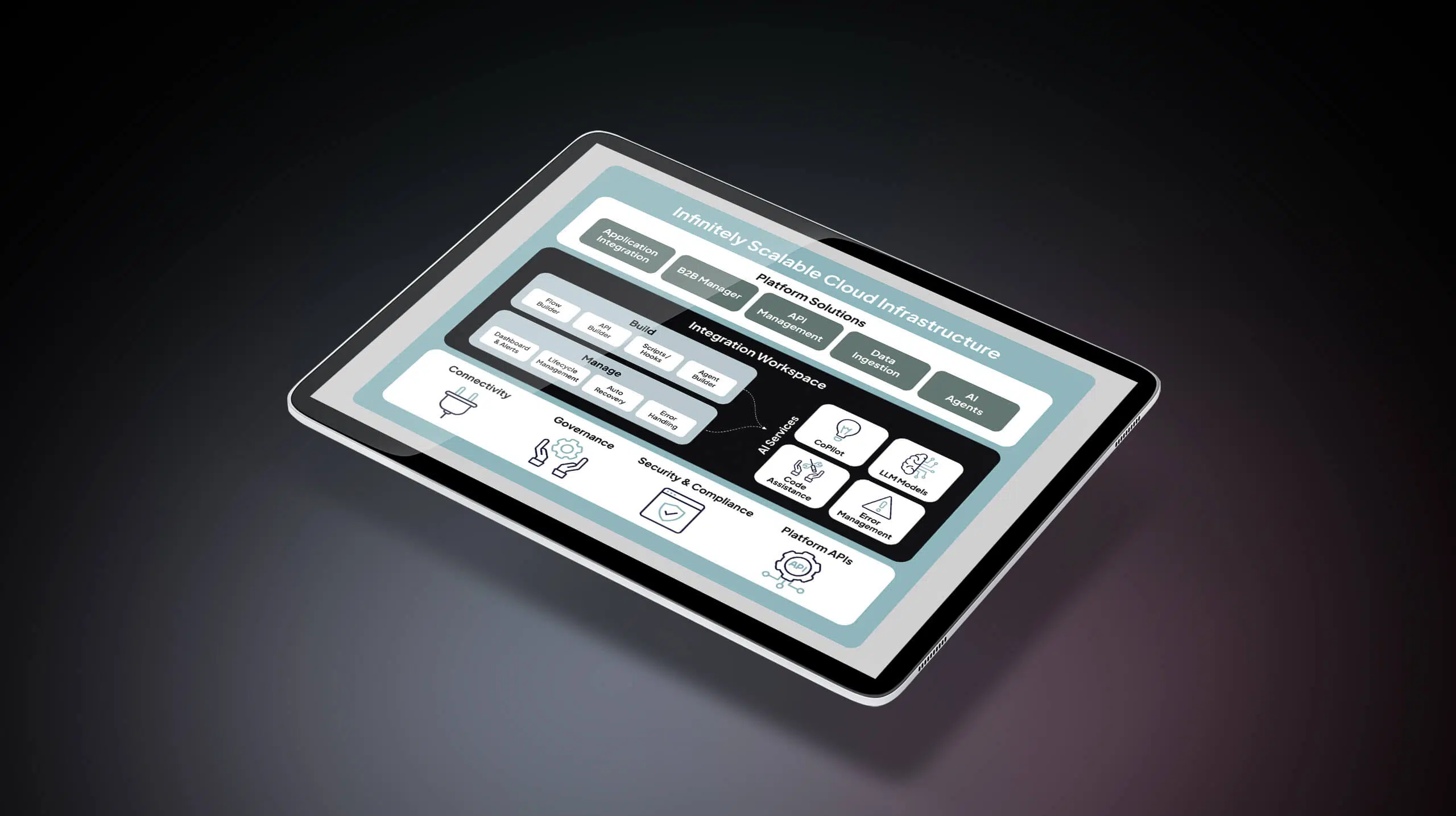
Celigo is an intelligent automation platform designed for fast-growing and enterprise companies, with built-in AI capabilities. The platform supports predictable workflow automation, complex, multi-system processes, and agent-driven use cases.
Key features
- Low-code/no-code interface with a robust architecture for complex use cases
- Reusable components for scalable workflow automation
- 1,000+ prebuilt integrations and templates
- Supports iPaaS, API management, EDI, and data ingestion in one platform
Pros
- Designed to automate end-to-end business processes, not just task-based workflows
- Built-in, autonomous exception handling that resolves ~95% of errors
- Accessible for non-IT teams while supporting advanced technical requirements
- Endpoint-based pricing model that supports predictable scaling and ROI
Cons
- No support for a fully open-source or self-hosted model
- Not a white-label embedded iPaaS. Product teams needing fully embedded branding may prefer purpose-built white-label tools.
Celigo vs Workato
- Celigo focuses on full business process automation across ERP, CRM, ecommerce, API, and EDI environments, while Workato evolved from task-based recipe automation.
- Celigo includes built-in exception handling; Workato typically requires building these controls within individual recipes.
- Workato may appeal to teams prioritizing quick departmental workflows, while Celigo is often selected for high-volume, cross-functional, business-critical automation designed to deliver predictable pricing and long-term ROI.
Related: Celigo vs Workato
Boomi

Boomi is one of the earlier iPaaS platforms in the market, traditionally geared toward technical integration teams. Over time, it has added low-code features to broaden accessibility, but it remains well-suited for IT-led integration teams. The platform supports application integration, data integration, API management, and EDI across both cloud and on-premise systems, making it suitable for hybrid enterprise architectures.
Key features
- App integration, workflow automation, APIM, MDM, B2B/EDI in one
- Pricing based on the connector with consumption limits
- Hybrid deployment support to connect cloud and on-premise systems
- Designed for developer-centric users
Pros
- Strong support for hybrid integration environments
- Mature ETL and data management capabilities
- Enterprise-grade governance and controls
Cons
- Legacy interface can feel complex for new users
- May require technical expertise to manage effectively
- Concerns around surprise renewals, and rigid contracts
Boomi vs Workato
- Boomi supports broader integration capabilities compared to Workato
- Boomi may be better suited for organizations with hybrid infrastructure, while
- Workato may appeal to teams prioritizing SaaS-based workflow automation.
- Workato offers a more modern low-code user experience, whereas Boomi is typically stronger for developer use.
MuleSoft (owned by Salesforce)
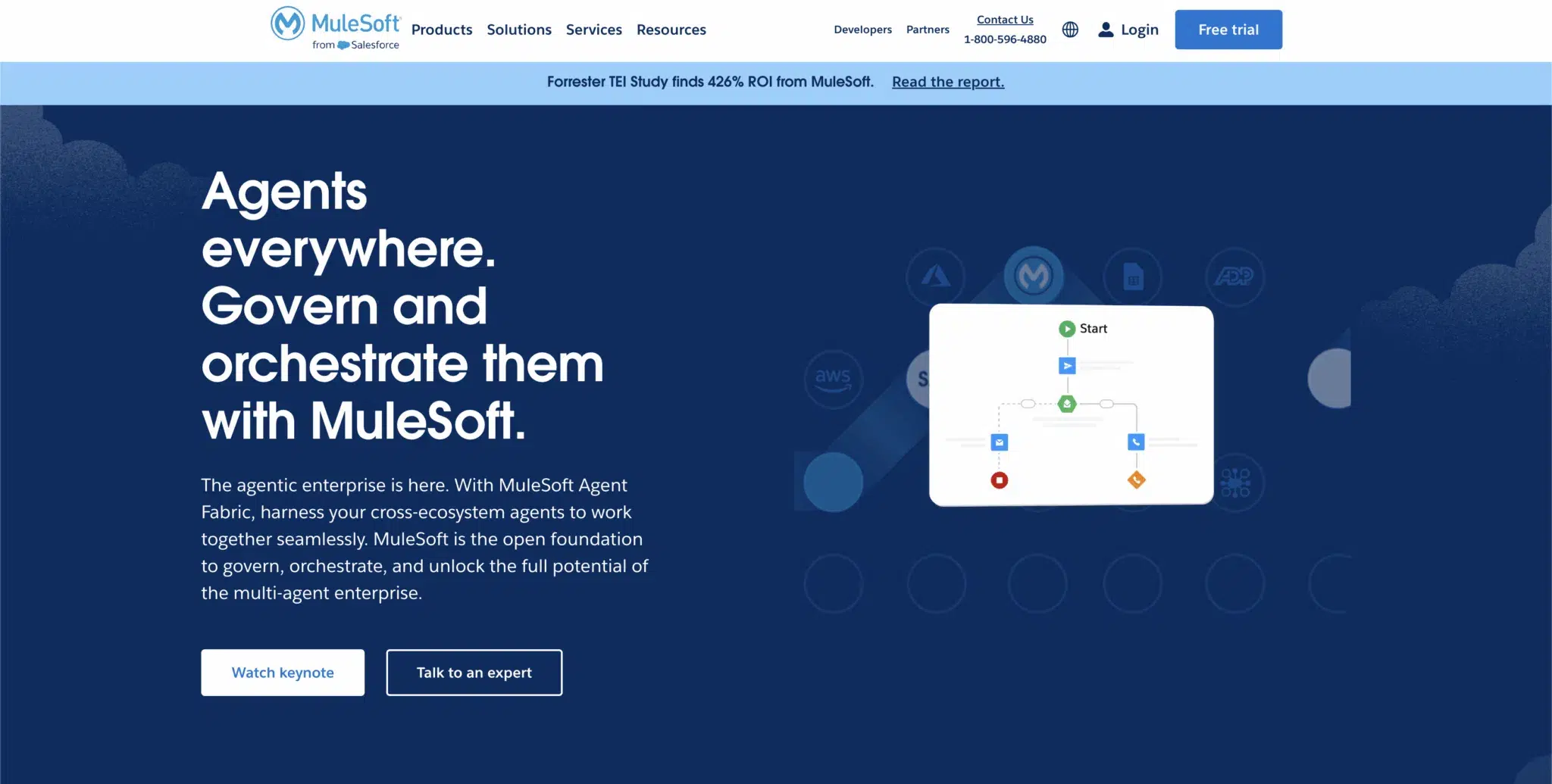
Like Boomi, MuleSoft is also one of the earlier iPaaS platforms that evolved into an API-led integration solution for complex enterprise architectures. It is used by large enterprises with dedicated integration teams that require strong governance, security, and API lifecycle management. Popular use cases include building reusable APIs, integrating core enterprise systems, mostly in sectors like insurance and healthcare.
Key features
- API-led architecture to design and manage reusable APIs
- Hybrid deployment support to connect cloud and on-premise systems
- Robust data transformation capabilities for complex integrations
- Salesforce ecosystem alignment for enterprises invested in Salesforce
Pros
- API-centric governance and lifecycle management
- Advanced data transformation with proprietary language DataWeave
- Highly customizable platform
Cons
- Requires specialized developers or dependency on consultants
- High cost of ownership
- Slow customer support
MuleSoft vs Workato
- MuleSoft is API-first and developer-centric, while Workato is a low-code workflow automation platform.
- Workato may be easier for business teams to adopt for departmental automation.
- MuleSoft is preferred by enterprises needing deep API governance and highly customized integration architecture.
Jitterbit
Jitterbit is an iPaaS platform that evolved from an on-premise solution into a broader integration offering that includes API integration and EDI (through its eBridge acquisition). It is commonly used by mid-market and enterprise organizations that require hybrid connectivity.
Popular use cases include ERP and CRM integration, data synchronization between legacy and cloud systems, and exposing APIs for internal and partner applications.
Key features
- iPaaS, API, and EDI integration platform
- Drag-and-drop workflow design
- Prebuilt templates and connectors for popular SaaS and ERP systems
- Cloud and hybrid deployment
Pros
- Strong support for hybrid IT environments
- Built for citizen integrators and developers
- Prebuilt connectors to accelerate implementation
Cons
- Interface may feel less modern compared to newer platforms
- Advanced use cases may require technical expertise
Jitterbit vs Workato
- Jitterbit leans toward more unified iPaaS with API & EDI, while Workato focuses majorly on workflow automation.
- Jitterbit may suit hybrid, data-heavy environments, while Workato may appeal to SaaS-centric automation use cases.
Tray.ai
Tray.ai is a low-code automation platform preferred by growth-stage teams that need to automate complex workflows across SaaS applications. Its key differentiator is a visual builder combined with deep API access, allowing for highly customizable automation.
Popular use cases include lead routing, customer onboarding automation, internal process automation, and embedded integrations for SaaS products.
Key features
- Supports visual builder, API connectivity, and embedded
- Connector library with HTTP connector access for custom integrations
- Suitable for business technologists, advanced functions need developer oversight
- Embedded integration capabilities for product teams
Pros
- Modern interface and workflow visibility
- Cost-effective for lighter automation
- Flexibility for IT teams to build deep, custom integrations
Cons
- Limited performance at a very high scale
- Requires technical expertise to manage effectively
Tray.ai vs Workato
- Tray.ai offers deeper API customization to build complex integrations, while
- Workato emphasizes recipe-based workflow automation.
- Tray.ai may suit technical teams needing flexibility, while Workato may appeal to organizations prioritizing faster SaaS automation setup.
Make (formerly Integromat)
Make is an automation platform that allows users to build workflows using a drag-and-drop interface, with dominance in European countries. Instead of writing code, users create “scenarios” — flowchart-style diagrams that connect apps and actions step by step, making it easier to see how data moves and what happens next. It is popular among startups and technically inclined business users who want more flexibility than basic trigger-action tools.
Popular automation use cases include lead management, social media scheduling and publishing, contract generation, and multi-step marketing workflows.
Key features
- Visual “scenario” builder with drag-and-drop interface
- Advanced routing and conditional logic to support multi-step automation
3,000+ pre-built apps and templates - Supports embed capabilities
- AI agents to help build automations
Pros
- Flexible visual interface for designing workflows
- More affordable pricing for moderate-volume workflows
- Strong community with shared templates and scenarios
Cons
- Not suitable for enterprise-grade automations
- Limited error handling and debugging capabilities
- Struggles with high-volume workflows
Make vs Workato
- Make’s visual workflow flexibility is preferred for its user-friendliness and cost-effectiveness, making it a solid choice for small businesses.
- Make may suit technically savvy teams seeking flexibility; Workato is better for organizations requiring more advanced capabilities.
Zapier

Zapier is a lightweight automation commonly used by startups and SMBs that need fast, no-code automation across SaaS tools without complex configuration. Its key differentiator is simplicity, enabling users to create “zaps” quickly without technical expertise.
Common use cases include automatically sending new form submissions to Slack, routing leads from TikTok or Meta into Google Sheets, or triggering basic notifications between apps.
Key features
- 8,000+ app integrations to connect a wide range of SaaS tools
- Simple trigger-action builder to launch automations in minutes
- No-code workflow setup for non-technical users
- Multi-step zaps to chain basic actions together
- Prebuilt automation templates to speed up setup
Pros
- Extremely easy to learn and use
- Fast deployment for simple workflows
- Affordable entry-level pricing
Cons
- Not built for high-volume or enterprise-scale automation
- Limited support for complex data integration or ETL
- Limited error handling
Zapier vs Workato
- Zapier is widely valued for its ease of use and quick setup, especially for automating simple, repetitive tasks, while Workato may involve a steeper learning curve.
- Workato is recognized for strong support resources and structured workflow capabilities, while Zapier is typically preferred for speed and simplicity in smaller-scale use cases.
Integrately
Integrately is a lightweight automation tool designed for small businesses that need to automate simpler workflows. It focuses on one-click automation setups offering ease of getting started at a lower price point. Popular use cases include syncing leads between marketing tools, sending notifications across apps, and automating simple data transfers between SaaS systems.
Key features
- One-click automation setup to launch workflows quickly
- 1200+ pre-built connectors
- Simple no-code interface for non-technical users
Pros
- Budget-friendly pricing
- Very easy to use
- Fast setup for simple automations
Cons
- Limited scalability for complex or high-volume workflows
- Not built for enterprise-grade data integration or governance
Integrately vs Workato
- Integrately targets small teams with simple automation needs, while Workato serves mid-market and enterprise users.
- Integrately may suit budget-conscious teams; Workato may be better for growing organizations with complex automation requirements.
Considering Celigo as a Workato alternative
There’s no one-size-fits-all. The right choice depends on your team size, technical depth, and the complexity of your integration needs. If you’re looking for lightweight, process-level automation, tools like Zapier or Tray may be a better fit. If you need a more comprehensive iPaaS platform, solutions like Celigo or Boomi may be more appropriate.
Teams that choose Celigo over Workato often do so for deeper, more customizable integrations across multiple systems. Customers also cite lower operational overhead through built-in AI-driven error management, stable performance as transaction volumes increase, and more predictable pricing that supports long-term total cost of ownership.
→ Book a demo to see how Celigo compares to Workato for your integration scenario.