How to build scalable Microsoft Dynamics 365 EDI integrations
 Updated Jan 28, 2026

Implementing a reliable Microsoft Dynamics 365 EDI integration is crucial for organizations that need to scale their supply chain operations and meet the complex requirements of their trading partners.
While Microsoft Dynamics 365 Supply Chain Management (SCM) offers robust ERP capabilities, it does not natively support EDI standards such as X12 and EDIFACT.
As a result, many businesses struggle with fragmented systems, manual processes, and brittle custom scripts.
Here we’ll discuss how a modern Microsoft Dynamics 365 EDI integration solution helps automate EDI workflows, improve data accuracy, and eliminate reliance on managed services, enabling full control and visibility across B2B transactions.
Watch the video demo
EDI integration for Microsoft Dynamics 365 Supply Chain Management
Celigo’s B2B Manager for EDI runs natively within your existing integration architecture via the Celigo Integration Platform (iPaaS). It’s not a bolt-on tool or a managed service. It’s embedded, giving your internal team full visibility and control across all EDI workflows.
This is a critical distinction.
Black-box third-party managed services or bolt-on middleware typically sit outside your integration architecture. They often require vendor involvement for changes, limit your ability to troubleshoot or optimize flows, and add complexity to your tech stack.
By contrast, a self-service, embedded integration platform like Celigo enables your team to configure, monitor, and scale EDI workflows directly, without relying on external vendors or custom scripts.
-
No external queues
-
No hand-coded logic
-
No third-party maintenance dependencies
The Celigo platform also supports secure protocols, including AS2, FTP, SFTP, and VAN, for seamless, standards-compliant communication with trading partners.
Scalable EDI integration features
Below are the key capabilities that enable teams to build, manage, and scale EDI workflows within Microsoft Dynamics 365 Supply Chain Management, without relying on custom code or outsourced managed services.
Reusable EDI integration components
One of the key strengths of Celigo’s B2B Manager is its reusability. Core integration components (such as mappings, exports, and transformation steps) can be configured once and reused across multiple trading partners and document types. This reduces duplication, improves consistency, and accelerates deployment.
Example: An export step from an 850 Purchase Order flow configured for Amazon can be reused for other trading partners, such as Target or Costco, thereby minimizing time and effort during onboarding.
Centralized trading partner profile management
Each trading partner is configured using a dedicated profile, which includes:
- EDI formats (X12, EDIFACT)
- Qualifiers and identifiers
- Control numbers and validation rules
This profile-based approach simplifies onboarding and ensures compliance without custom scripting.
Accelerated trading partner onboarding
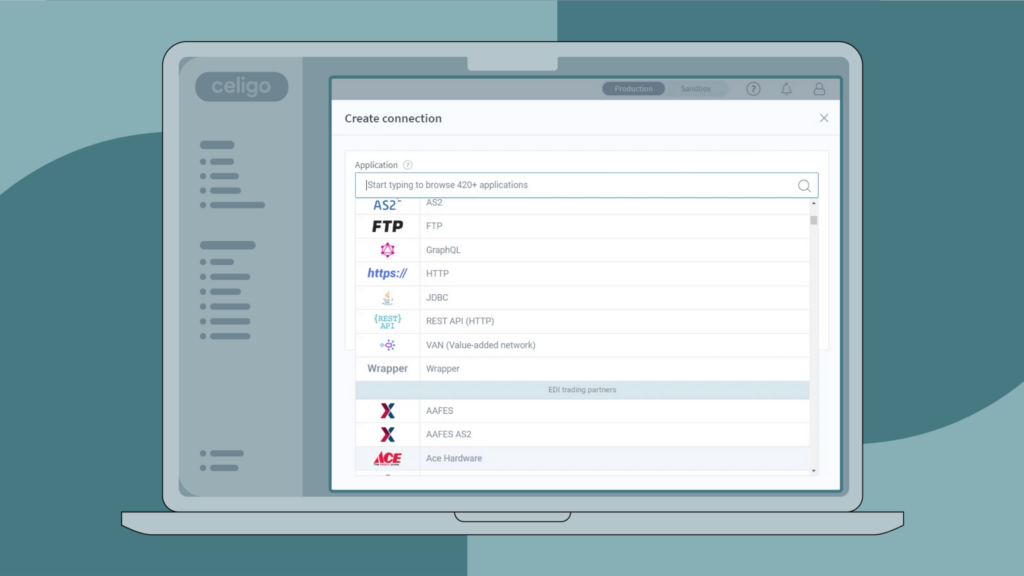
One of the most time-consuming aspects of managing EDI is the manual setup required for each new trading partner. With Celigo’s Microsoft Dynamics 365 EDI integration, onboarding is dramatically simplified through a library of prebuilt connectors and pre-mapped EDI transaction sets.
Celigo supports major retailers and distributors out of the box, including:
-
Amazon
-
Walmart
-
Target
-
Costco
-
And many more
Each connector comes with ready-to-use mappings for common document types—such as 850 purchase orders, 856 advanced ship notices, and 810 invoices, aligned to each retailer’s specific formatting and validation requirements.
Trading partners are configured using standardized profiles, which streamline setup by defining:
-
EDI versions (X12, EDIFACT, etc.)
-
Qualifiers and identifiers
-
Control numbers, acknowledgment rules, and validation logic
This profile-driven approach eliminates the need to recreate business logic or perform repetitive data mapping for every new partner.
As a result, integration teams can quickly onboard new retailers and suppliers without needing to write custom scripts or escalate to managed service providers.
By reducing manual configuration and leveraging reusable components, businesses can scale their EDI operations efficiently, without adding technical headcount.
Real-time EDI validation and field mapping
Celigo includes a built-in EDI parser that validates both inbound and outbound documents in real time, before they are processed by Microsoft Dynamics 365 or other target systems.
Key features:
-
Live and sample file testing
-
Structured JSON preview of EDI documents
-
Drag-and-drop mapping interface for field-level configuration
Supported document types include:
-
850 – Purchase Orders
-
997 – Functional Acknowledgments
-
856 – Advanced Shipment Notices (ASN)
-
810 – Invoices
Celigo B2B Manager for EDI
Celigo’s B2B Manager for EDI is a modern, self-service EDI integration solution designed for companies using Microsoft Dynamics 365 Finance and Supply Chain Management (F&SCM).
Unlike legacy EDI systems, B2B Manager enables real-time, bi-directional exchange of EDI documents directly between Dynamics 365 and your trading partners, without relying on external syncs, file transfers, or managed service queues.
Key capabilities
- Unified support for both EDI and API-based B2B workflows
- Prebuilt trading partner connectors and reusable logic
- Low-code mapping and transformation customization
- Real-time monitoring, validation, and exception resolution
The architecture allows IT teams to manage EDI workflows in-house with complete visibility and control. EDI transactions are automatically validated, mapped, and processed according to each trading partner’s requirements, eliminating manual bottlenecks and reducing the risk of errors across the supply chain.
Benefits of Microsoft Dynamics 365 EDI integration
Celigo’s B2B Manager for EDI delivers strategic value across every phase of your supply chain automation:
Faster partner onboarding
Launch new integrations quickly using prebuilt connectors and reusable logic.
Lower maintenance overhead
Centralize updates—no need to manually adjust individual flows.
Enhanced visibility and control
Monitor every transaction, trace errors to specific segments, and reprocess directly in-platform.
Self-service ownership
Empower your internal integration team—no reliance on managed services or custom scripts.
Governance and compliance
Track every change with role-based access, centralized version control, and audit logs.
Ready to eliminate EDI silos and take complete control of your B2B workflows?
Schedule a personalized demo to see how self-service EDI integration can streamline operations, reduce costs, and scale with your business.
Integration insights
Expand your knowledge on all things integration and automation. Discover expert guidance, tips, and best practices with these resources.