Create an EDI profile from a sample file
 Updated Jan 26, 2026

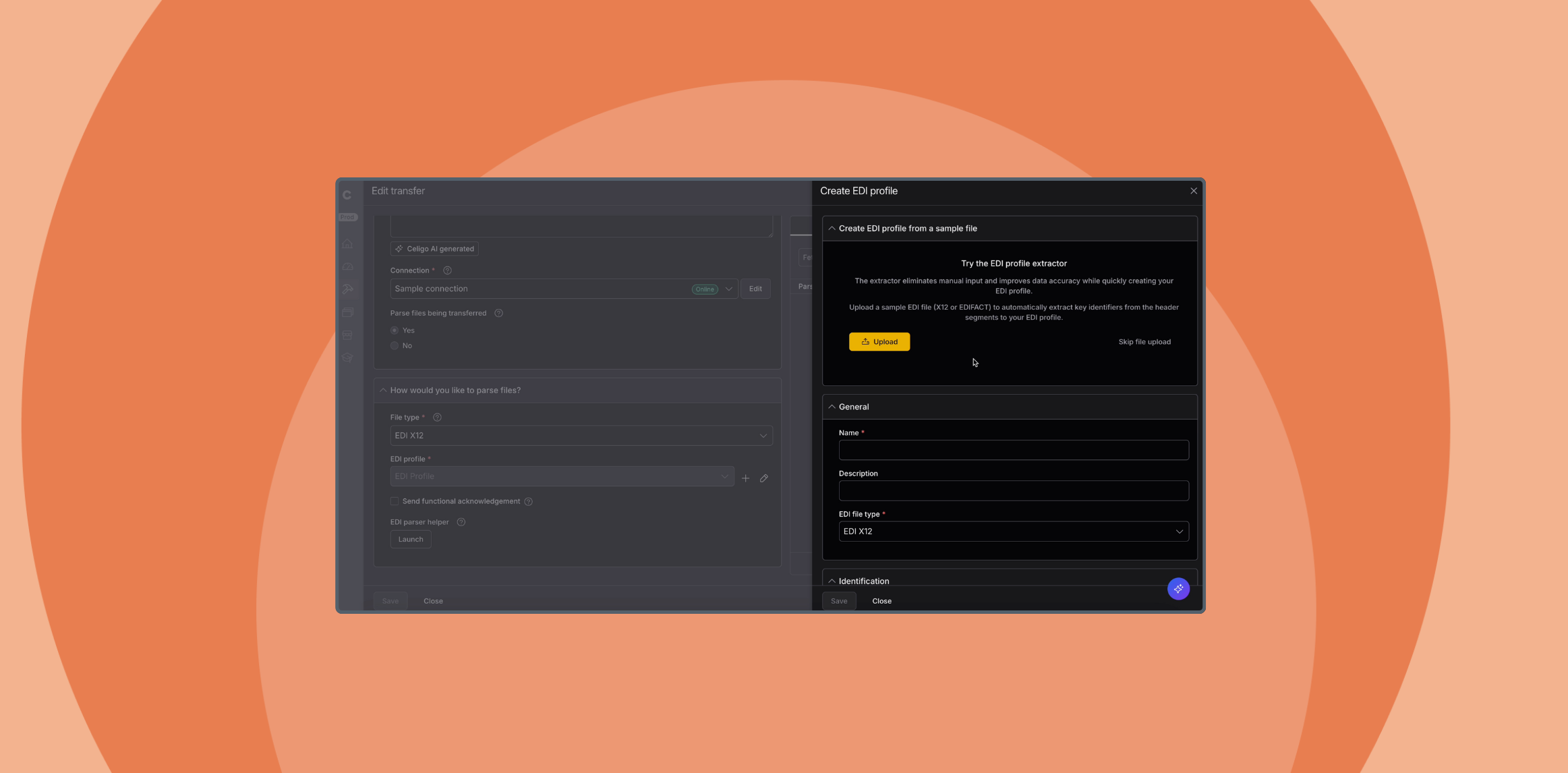
We’ve introduced a new way to create EDI profiles in B2B Manager by uploading a sample EDI file. This enhancement helps users move faster and reduce manual setup by automatically populating key fields based on the uploaded file’s structure.
It’s beneficial during onboarding or when configuring multiple profiles, where small setup mistakes can lead to time-consuming rework.
By auto-filling values and guiding users through a streamlined interface, this update improves both speed and accuracy, whether you’re creating a single profile or scaling across many trading partners.
What’s new
- New “Create from Sample File” interface
- Automatic parsing of EDI X12 or EDIFACT files to populate profile fields
- Optional replace + re-analyze capability for updating the sample file
- Available from both the EDI Profiles list and within flows
Watch the demo
How it works
- From the EDI profiles screen or a flow, click Create EDI profile
- Upload a well-formed sample file (EDI X12 or EDIFACT)
- The system analyzes the file and auto-fills the required fields
- Enter a profile name and optionally replace the file if needed
- Click Save & close to finish
You can also create profiles within flow steps (Import or Export) using the (+) icon next to the EDI Profile field—ideal when configuring flows during design.
Who it’s for
-
B2B teams working with EDI X12 or EDIFACT standards
-
Organizations setting up or scaling EDI trading partner profiles
-
Users aiming to reduce manual data entry and accelerate onboarding
-
Partners building reusable EDI flow templates across customers
Available now
This feature is live in B2B Manager. You can access it today via the EDI Profiles section or directly within any integration flow.
Integration insights
Expand your knowledge on all things integration and automation. Discover expert guidance, tips, and best practices with these resources.