Celigo September 2025 Release
 Updated Jan 27, 2026

This release introduces Celigo AI Copilot, a new connector for reusing platform APIs, multi-instance flows for managing variations without duplication, over 30 new Handlebars helpers, and more.
Platform
Introducing Celigo AI Copilot
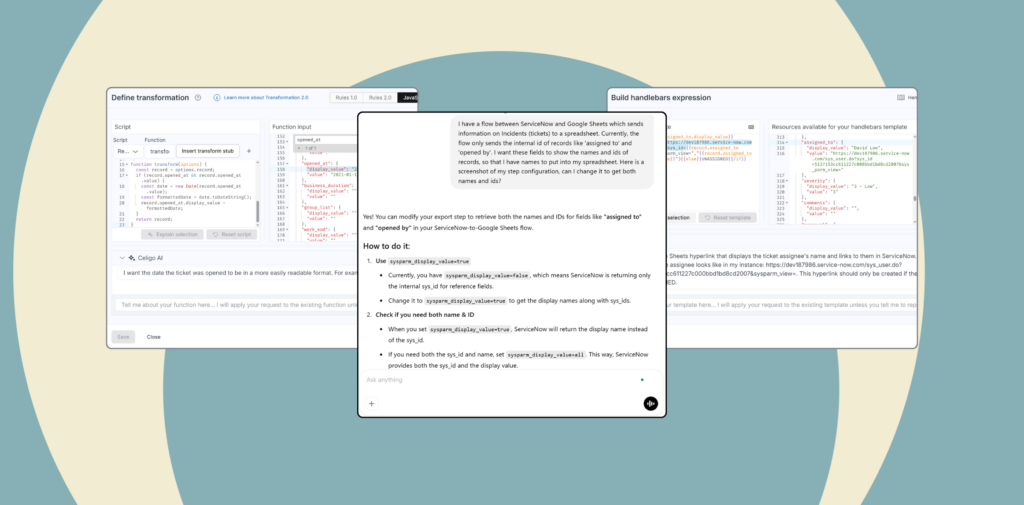
Copilot is a built-in AI assistant with a conversational interface that delivers the Knowledge Bot experience in a context-aware floating panel. It provides real-time guidance across flow building, connector setup, and troubleshooting.
Copilot offers suggestions, remembers your session history, and supports code-based tasks, helping you resolve issues and access information without leaving your workflow.
Key features:
- Unified Knowledge Bot
- Context-aware guidance
- Help and documentation access
- Session-based chat history

Expanded Handlebars library
We’ve added 30 new built-in Handlebars helpers to help you write cleaner, more powerful expressions for transforming, validating, and formatting data across your flows.
Handlebars helpers are reusable functions that simplify how you manipulate data, without custom scripting. They’re available across the platform for use in mappings, filters, API templates, and flow configurations.
These new helpers make it easier to:
- Format and clean text
- Control conditional rendering
- Work with arrays and lists
- Parse and evaluate data types
- Reduce complex logic and avoid JavaScript workarounds
We’re planning to release 14 additional helpers in an upcoming September patch.
New: Multi-instance flows
Coming in the October maintenance release, we’re introducing multi-instance flows, a more scalable way to manage similar integrations across regions, brands, or business units, without duplicating logic or increasing maintenance.
Managing hundreds of near-identical flows can be error-prone. With multi-instance flows, you define core logic once in a base flow and generate lightweight instances that store only what’s different—such as connection IDs, mappings, or export steps.
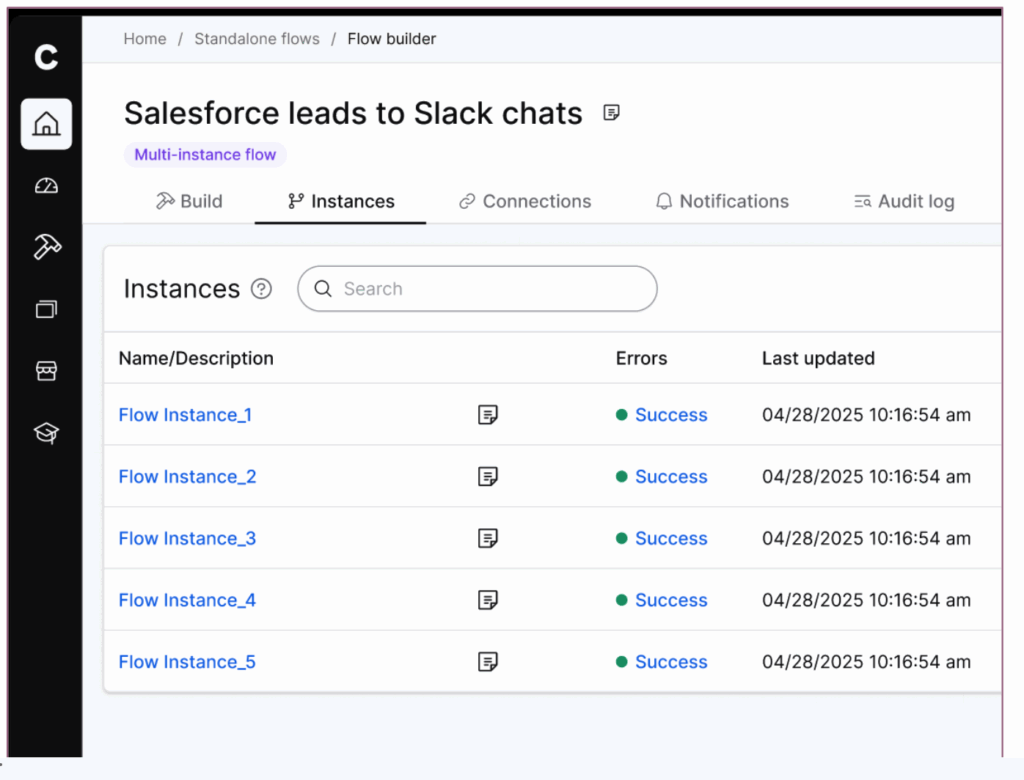
Key benefits:
- Define once: Create a single base flow that captures your primary business process
- Configure only what changes: Use instance-level overrides for properties like connections, field mappings, or logic
- Operate independently: Run, schedule, and monitor each instance separately
- Update at scale: Apply changes across all instances by modifying the base flow
Multi-instance flows are available on Professional and Enterprise editions.
Form builder UX enhancements
We’ve introduced several improvements to make form customization more flexible, dynamic, and responsive, especially for complex integration configurations and connector development.
- Native field support: Add fields from core export/import/lookup steps directly to custom forms
- Conditional logic: Use removeWhen, deleteWhen, removeWhenAll, and deleteWhenAll to show or hide settings based on user input
- Dynamic references: Reference other settings using Handlebars to build conditional option lists
- Type-ahead search: Dynamically fetch dropdown options based on user input in real time
- Multi-column layout: staticMap now supports more than two columns
- Sort options: Use orderBy and order to define sort rules for dropdown lists
- Store additional properties: Enable storeAdditionalProperties on Select, MultiSelect, ExportSelect, StaticMap, Toggle, and RadioGroup fields
These changes reduce manual configuration effort, improve clarity for end users, and support more scalable connector and form design. You can now create cleaner, more intuitive experiences that adapt to runtime context.
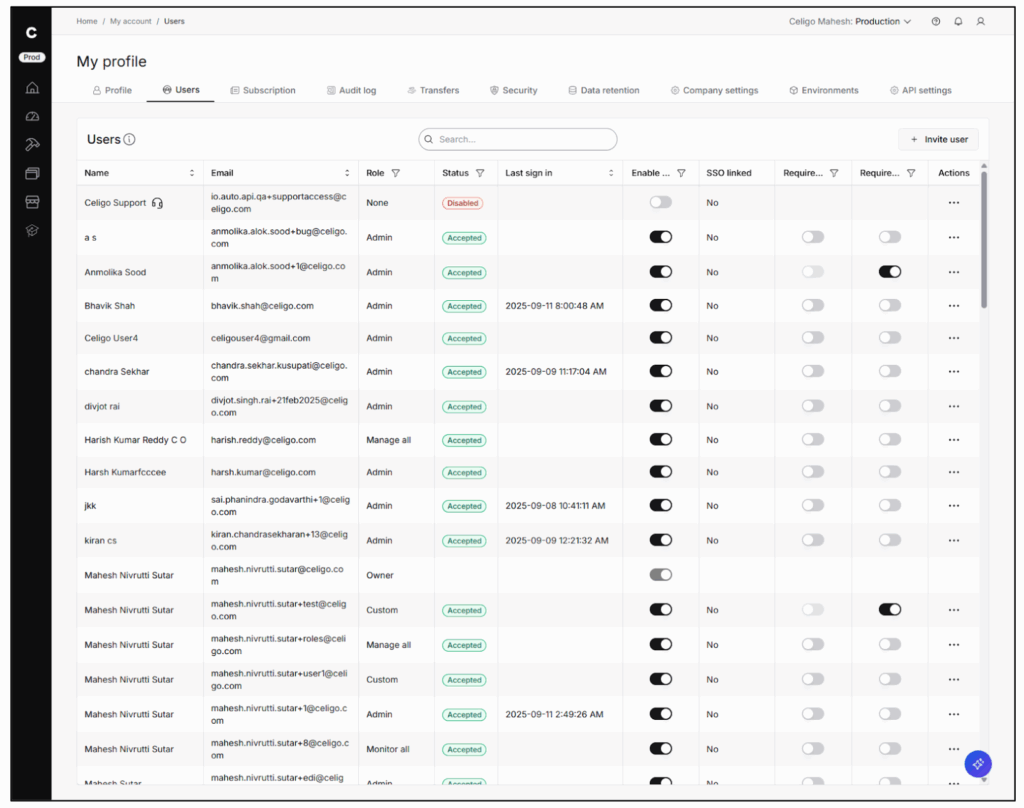
UI enhancements: Table updates across the platform
We’ve redesigned tables throughout the platform to improve usability, visibility, and performance—especially for admin and high-volume user workflows.
What’s new:
- Sort and filter controls added to more tables
- Improved pagination and scrolling for easier navigation
- Faster load times and more efficient rendering
- New data columns, including last sign-in date in the User table for better user activity tracking
These updates improve consistency across the UI and reduce the effort required to find and act on data across flows, users, and resources.
Additional platform updates
Mapper 2.0: Ignore records with empty outputs
- Records that result in empty objects, arrays, or null values are now automatically excluded from processing. This applies to file-based flows, database imports, and HTTP destinations—reducing errors, unnecessary processing, and improving overall flow performance.
Deprecation of the Old Builder UI (Effective October 9):
- The legacy UI toggle will be removed. All users should transition to the new Builder UI.
Standardized connection concurrency limits
- Feature gating for connection concurrency will be removed across all platform editions. Previously, concurrency levels varied by subscription tier; now, all customers will benefit from a consistent, higher concurrency limit.
This change will take effect in a maintenance release later in October.
UTC Time Zone Support:
- Flows can now be scheduled and transformed using UTC, improving consistency across time zones and avoiding DST-related issues.
Pre-save Page Hook Behavior (on Lookups):
- The preSavePage hook now only triggers when filter criteria are met, improving flow efficiency and reducing unnecessary processing.
→ Read the full release notes in the KB
API Management
New: Celigo APIs Connector
The new APIs Connector makes it easier to reuse service endpoints built on the Celigo Platform, including APIs created in API Builder, JavaScript, and Celigo’s standard platform APIs.
What you can do:
- Reuse internal APIs and listeners across flows
- Send data to listeners in other flows as addressable endpoints
- Programmatically manage flows, connections, and exports using Celigo’s standard APIs
This connector supports a modular, API-led integration strategy, allowing teams to design once and reuse APIs across projects. Builders get faster development cycles, reduced duplication, and centralized governance over how APIs are used and managed.
B2B Manager
Download EDI files directly from the activity dashboard
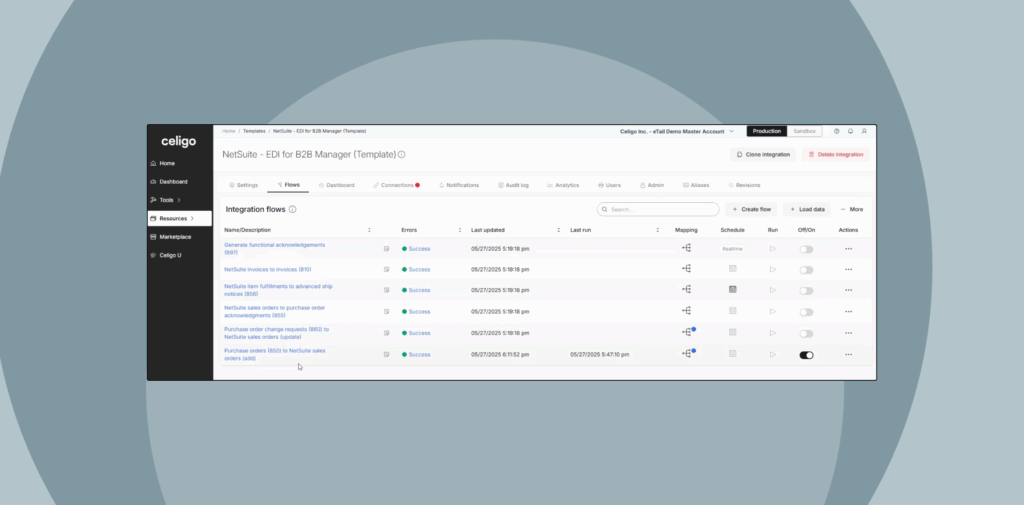
You can now download inbound and outbound EDI files directly from the Activity Dashboard, without navigating to the flow run history.
- Download Capability: EDI files can be downloaded directly from the EDI activity (dashboard).
- Inbound to IO: Stores the received EDI file that is being parsed.
- Outbound from IO: Stores the outbound EDI file that is generated.
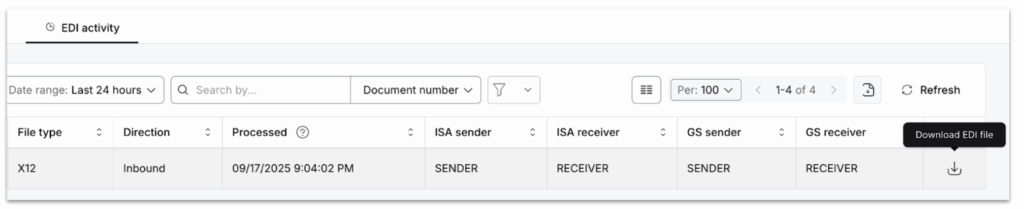
This enhancement streamlines access to EDI transactions, improves traceability, and removes friction for users managing high volumes of B2B activity.
Integration Apps
Configurable concurrency for HTTP 2.0 connections
Concurrency limits can now be adjusted for Integration Apps using HTTP 2.0 connections—restoring a level of control that was previously limited.
- Customers can now configure concurrency settings on HTTP 2.0-based integration app connections
- Available under the Advanced section of connection settings
This update supports use cases with high-volume or time-sensitive processing needs, especially during seasonal spikes.
Customers can now tune throughput based on load, ensuring performance without waiting for system-side changes.
Integration Marketplace
Check out the new TP and HTTP connectors available in the Integration Marketplace.
Connectivity
Support for batch requests in HTTP connector (plain text)
The HTTP connector now supports batch requests with plain text media types, enabling more flexible API interactions such as multipart form submissions or sending large batches of records in a single request.
Optional response path for batch responses
You can now leave the path to records field blank when handling batch responses.
- If specified, Celigo will map responses per record.
- If left blank, the full response will be applied to each record—helpful when endpoints return a single status without item-level feedback.
These updates improve compatibility with APIs that don’t return structured batch responses and provide greater control over request construction for high-volume workflows.
Looking for more?
For more on integration strategies and real-world applications, Builder’s Hub provides tutorials and video demos for builders and IT teams.
Access step-by-step tutorials, product demos, and review best practices for building, managing, and scaling integrations.
Have feedback or questions? Share them on our community forum, Celigo Connective.
We’d love to hear what you think!
Integration insights
Expand your knowledge on all things integration and automation. Discover expert guidance, tips, and best practices with these resources.