Quickly clone APIs for easier versioning and environment promotion
 Updated Feb 13, 2026


As your organization scales its use of APIs, maintaining version integrity and migrating APIs across environments can become a time-consuming and error-prone process. Whether you’re testing new updates or preparing for a production release, every configuration detail matters.
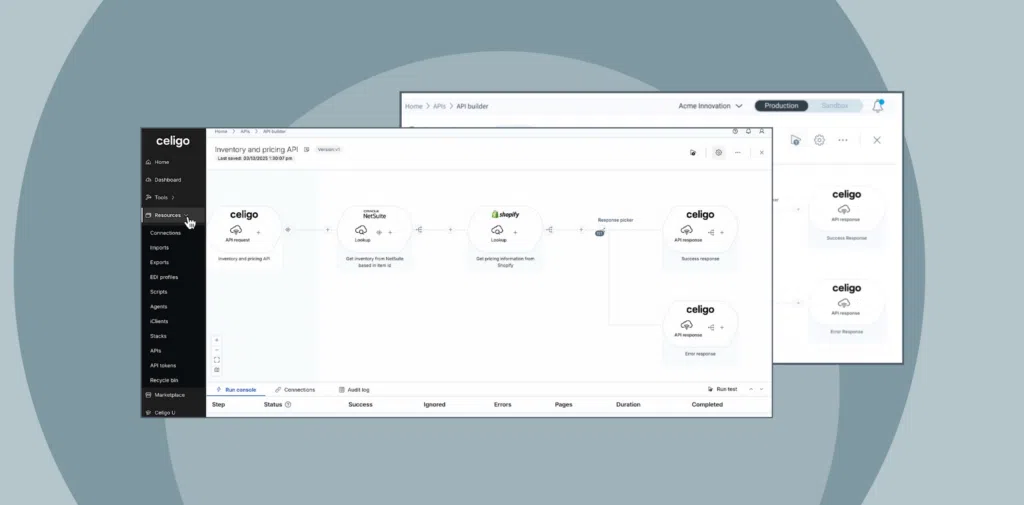
With Celigo’s latest release, you can now clone APIs directly within API Builder, making it faster and easier to manage versions and promote APIs between environments, all without starting from scratch.
Watch the quick demo
Why we built API cloning
APIs are dynamic by nature. As your business evolves, so do the workflows and systems that APIs connect to. However, managing these changes, especially across development, staging, and production environments, can be tedious. Manual configuration is risky.
Downtime from errors is costly. Ungoverned versioning can create long-term technical debt.
That’s where API cloning comes in. With just a few clicks, you can replicate a fully configured API, including its request schema, business logic, mock requests, and version metadata, without manually rebuilding it.
This helps you roll out changes faster, reduce manual setup, and maintain API governance at scale.
How it works
Whether you’re promoting an API from Development to Staging or creating a new version in the same environment, API cloning simplifies the process:
- Clone to a new environment: Move an API from one environment to another while retaining all configurations. It’s ideal for staging, UAT, or production prep—and avoids the risks of manual re-entry.
- Create parallel versions: Need to roll out breaking changes without affecting current users? Clone the API in-place, assign a new version, and safely iterate while keeping the previous version active.
Once the clone is complete, you can test it with mock requests, simulate traffic in Postman, or apply custom validations, just like you would with any new API.
Technical note: API Builder enforces version control by requiring unique combinations of HTTP method, version, and relative URI per environment, in the new multi-environment setup. However, in the case of the existing Sandbox-Production environment setup, the unique combination is enforced across both environments, as API tokens are shared between these environments.
These safeguards help prevent accidental conflicts during promotion and deployment.
How teams use API cloning
- Developers: Create new API versions to introduce breaking changes safely. Clone existing APIs within the same environment, iterate on version 2, and deprecate version 1 only after consumers have migrated.
- Testers: Promote APIs from development to staging or UAT without reconfiguring the mock API request required for testing an API.
- Integration architects and platform owners: Maintain clean version histories and reduce manual rework by using cloning as a standard practice for environment promotion.
- Solution teams and partners: Build reusable API templates for repeatable use cases, then clone and customize per environment or client without duplicating effort.
Pro tip: Keep older API versions active during migrations. Once consumers have transitioned, retire previous versions to preserve stability and maintain a clean version history.
Benefits
- Clean version history
- Faster deployments
- Fewer manual errors
- Environment-specific governance
- Built-in operational safeguards for multi-environment token reuse
As your API catalog grows, cloning becomes a repeatable pattern that reduces overhead and improves agility, turning version control into a core part of your API strategy.
Ready to try it?
Explore Celigo’s API Builder and see how easy it is to version and promote APIs across environments.
Get a demo › to learn more about Celigo’s API management solutions.
Integration insights
Expand your knowledge on all things integration and automation. Discover expert guidance, tips, and best practices with these resources.