Celigo July 2025 Release
 Updated Jan 16, 2026

The July release helps teams resolve issues faster, streamline API versioning, and expand connectivity. Highlights include trace key visibility in export previews, API cloning for efficient version control, and EDIFACT support to enable international EDI workflows.
Note: Starting July 21, 2025, we will begin rolling out the latest version for IA customers. You will receive a notification once your account has been upgraded.
Platform
Simplified Celigo Support access
Account admins and authorized users can now grant Celigo Support representatives secure, controlled, and time-bound access to their environments. This feature streamlines the support process while giving you full control over when access is granted, how long it lasts, and who can approve it.
Track and resolve errors faster with trace keys
Export previews now display trace keys in the parsed output, making it easier to trace individual records during error resolution. When enabled, trace keys are essential for identifying records and supporting Celigo’s auto-resolution capabilities.
Trace keys provide teams with immediate insight into how individual records will be tracked throughout the automation lifecycle. This makes it easier to pinpoint and resolve errors quickly.
To enable, simply check the “Show trace keys” box:
Improved flow cloning behavior
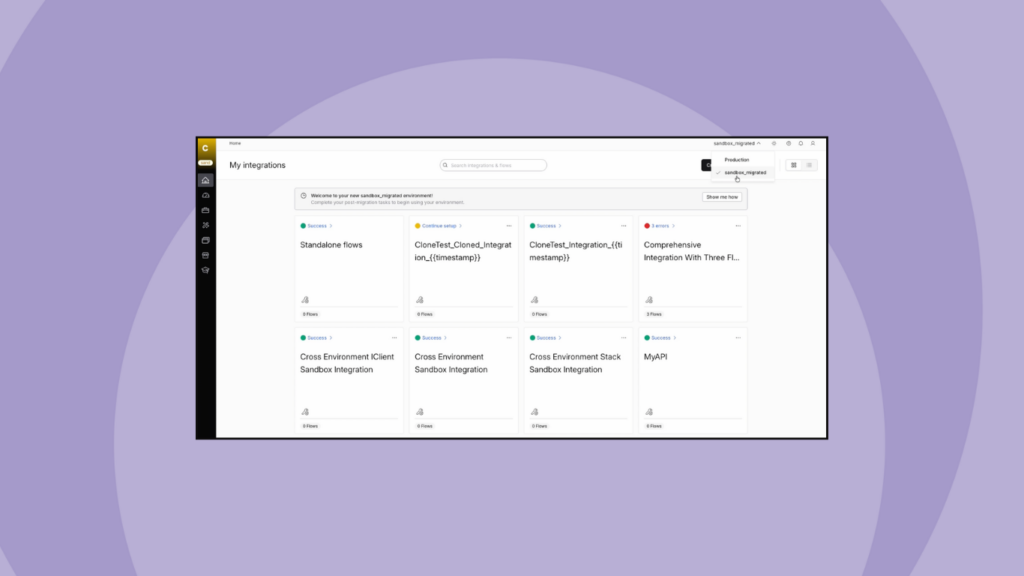
Cloning a flow is now faster and more intuitive. The integration and flow group from the original flow are preselected during setup, and connections default to the original when available. Additionally, after cloning, you’re redirected to the selected flow group.
Upgraded Webhook Listener for realistic testing
The July release brings an upgraded Webhook Listener configuration UI, featuring optional Sample headers and Sample query parameters. You can now simulate webhook requests more accurately during export previews.
This improvement significantly boosts your capabilities with Transformation 2.0, enabling you to route data based on headers or implement conditional logic using query parameters. With this upgrade, you can easily model various scenarios, validate mappings, and thoroughly test your flows without the need to wait for live data.
Universal User ID for OIDC authentication across regions
We added a universal user ID to support OIDC authentication across North America, Europe, and future regions. This value ensures that all customers can sign in to the Celigo Help Center, Celigo Connective Community, Celigo U, and the Partner Portal, regardless of where their account was originally created, thereby avoiding authentication failures and enabling true cross-region identity continuity.
See last updated date/time for scripts in drop-down lists
We’ve enhanced all script-accessing drop-downs to display the last updated date and time next to each script. This feature helps you quickly identify the most recent version, even when there are multiple scripts with the same name.
When reusing scripts across different steps, you can use the timestamp to identify the relevant one. This update saves time, avoids errors, and ensures your integrations remain up to date.
API Management
Clone APIs to simplify versioning and migration between environment
Celigo now enables you to quickly clone APIs created with API Builder, making version control and environment promotion simpler and more efficient.
With API cloning, you can:
- Manage API versions efficiently: Create new versions of your APIs while keeping previous versions active. Introduce updates smoothly without impacting current API users.
- Move APIs between environments: Move APIs reliably between environments, such as from QA to Staging or Staging to Production, without manually reconfiguring settings. This reduces errors and ensures consistency across your environments.
This update enhances your ability to maintain clean version histories, accelerate deployment cycles, and enforce environment-specific governance without unnecessary overhead.
B2B Manager
EDIFACT support is now available!
We’ve released EDIFACT support for Celigo B2B Manager for EDI, expanding global EDI capabilities by enabling integration with international trading partners (TPs).
What’s included:
- EDIFACT parser and generator definitions: Prebuilt rules to parse and generate EDIFACT documents based on each TP’s specific EDI standards
- Prebuilt TP connectors: Easily deployable, EDIFACT-compliant TP connectors built for the NetSuite B2B Manager template.
- EDI dashboard enhancements: View, filter, and monitor EDIFACT transactions with improved visibility and control.
- EDI profile support: Enable flexible mapping across both ANSI X12 and EDIFACT standards.
Integration Apps
Shopify B2B – NetSuite Template
Celigo is excited to announce the availability of its new prebuilt Shopify B2B-NetSuite integration, designed to automate order-to-cash processes by seamlessly synchronizing critical Shopify B2B ecommerce and NetSuite ERP data.
Key flows
These flows synchronize key B2B data, including:
- Companies
- Locations
- Contacts
- Orders
- Shipments
- Refunds
- Catalogs & Pricing
- Payments
→ See the Shopify B2B – NetSuite Integration demo
NetSuite to Shopify – enhanced split carts and subscriptions using GraphQL
A new GraphQL-based fulfillment flow, NetSuite fulfillment to Shopify fulfillment (add), is now available under Flows > Fulfillment. This enhanced flow leverages the GraphQL API, unlike the previous flow that uses REST, providing robust support for complex fulfillment scenarios.
Key benefits
- GraphQL integration: Utilizes Shopify’s GraphQL API, enabling more flexible data handling.
- Supports complex scenarios:
- Split carts
- Subscriptions
- Multi-location and partial fulfillments
To fully leverage Shopify’s latest and upcoming features, we recommend migrating to the new GraphQL flow.
Connectivity
New in the Workday connector: Simple view for export queries
We’ve introduced Simple View, a new visual builder in the Workday Connector that makes it easier to create export queries. Whether you’re a Workday expert or just getting started, this enhancement speeds up development and broadens access across teams.
You now have two flexible ways to build export queries:
- Simple View: a user-friendly, visual interface for building queries without SQL
- SQL View: still available for advanced users who prefer to write queries manually
Key Benefits:
- Faster query creation with a drag-and-drop interface
- Easily select data columns and define conditions without writing SQL
- Flexible filtering using AND, OR, and NOT logic
- Accessible to both technical and non-technical users
Also new in the Workday Connector: Run SQL Query Once Per Page of Records
The Workday Connector now includes a new import setting: “Use SQL query once per page of records.” This feature allows you to execute a custom SQL query once per page during imports, reducing overhead and improving performance, especially when working with large datasets.
Access export and lookup HTTP response headers within Transformation 2.0
You can now access HTTP response headers from exports and lookups directly in Transformation 2.0. This is especially useful for APIs that rely on headers for conditional logic, like extracting an ETag from a GET response and passing it as an If-Match header in a follow-up request, or working with APIs that include versioning or status metadata in response headers.
Optimize MongoDB performance with new concurrency settings
We’ve introduced a new Concurrency panel in the Advanced settings of your MongoDB connections, allowing you to fine-tune performance. You can now adjust the concurrency levels setting both a desired target and a maximum concurrency limit, to optimize how your connections handle data.
You can also enable automatic recovery from rate-limit errors or even borrow concurrency settings from another connection to simplify management. By default, new MongoDB connections start with automatic recovery enabled and a target concurrency of 5, while existing connections maintain conservative defaults with auto-recovery off and concurrency set at 1.
Integration Marketplace
Explore the latest HTTP and Trading Partner connectors now available in the July release.
We want to hear from you!
Have feedback or questions? Share them on our community forum, Celigo Connective.
Integration insights
Expand your knowledge on all things integration and automation. Discover expert guidance, tips, and best practices with these resources.