Visual editor for multi-instance flows
 Updated Jan 29, 2026

Managing storefront integrations across multiple ecommerce channels shouldn’t mean cloning and tweaking the same flow hundreds of times. When you’re operating across dozens or hundreds of storefronts (by brand, region, or customer), small changes to integration logic can quickly become a maintenance bottleneck from repetitive rework.
Multi-instance flows provide a scalable way to manage shared integration patterns.
Multi-instance flows let you define a single base flow and reuse it across multiple variations—whether for different storefronts, regions, business units, or environments—without duplicating logic. The visual editor and a property picker make it easier to manage instance-specific configurations at scale.
Simply select the fields that vary between instances (such as connections, mappings, or filters), and define values for those fields when creating each instance.
Watch the demo
See how to configure a base flow, pick customizable properties, and create instances for separate storefronts in this walkthrough video.
Cloning flows: why it doesn’t scale
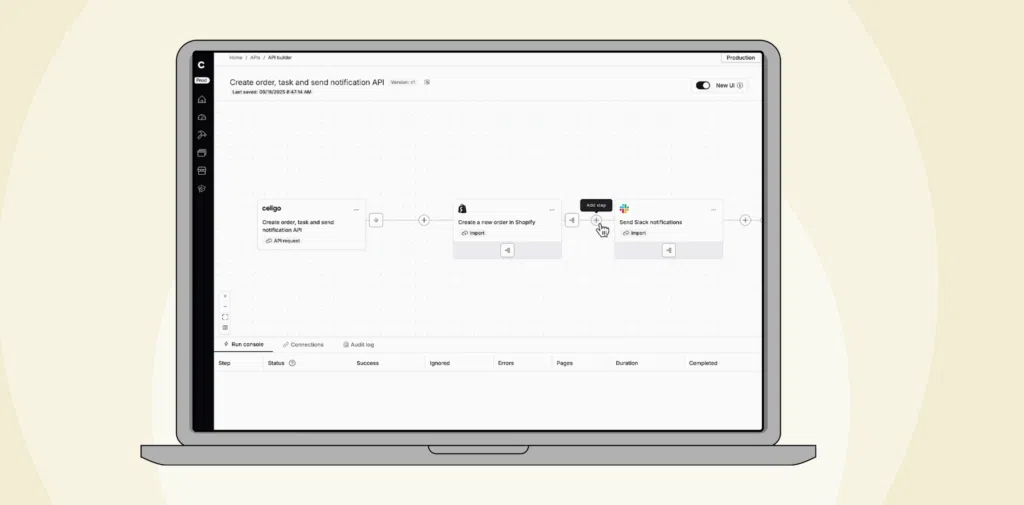
The visual editor
Multi-instance flows are ideal when the process is consistent, but configuration needs to vary—for example, syncing orders from multiple Shopify stores to different NetSuite subsidiaries, or routing employee data from different HR environments into a central system.
The multi-instance UX lets you treat a single flow as the base pattern and configure multiple instances from it without duplicating the entire design.
Each instance runs independently, with its own schedule and error handling, while remaining linked to a centralized base flow. When shared logic changes, you update the base once to apply changes across all instances, while still preserving the ability to make unique adjustments where needed.
With multi-instance flows, you can:
Define the primary business logic
Create a single base flow that captures the core integration scenario (for example, “Shopify orders → NetSuite”) and mark it as ready to support instances.
Select which properties can vary per instance
Use the Property picker to choose which properties from the base flow are customizable, such as connections, mappings, or other configuration elements that differ by storefront or region.
Create instances with only the differences
For each instance, you provide values only for the selected customizable properties (for example, a different Shopify connection and a different mapping for each storefront).
Operate each instance independently
Run, schedule, and manage errors per instance, while still keeping everything tied back to a single, unified design.
Simplify maintenance at scale
Roll out common changes across all instances by updating the base flow, while retaining the ability to make instance-specific adjustments where needed.
How it works
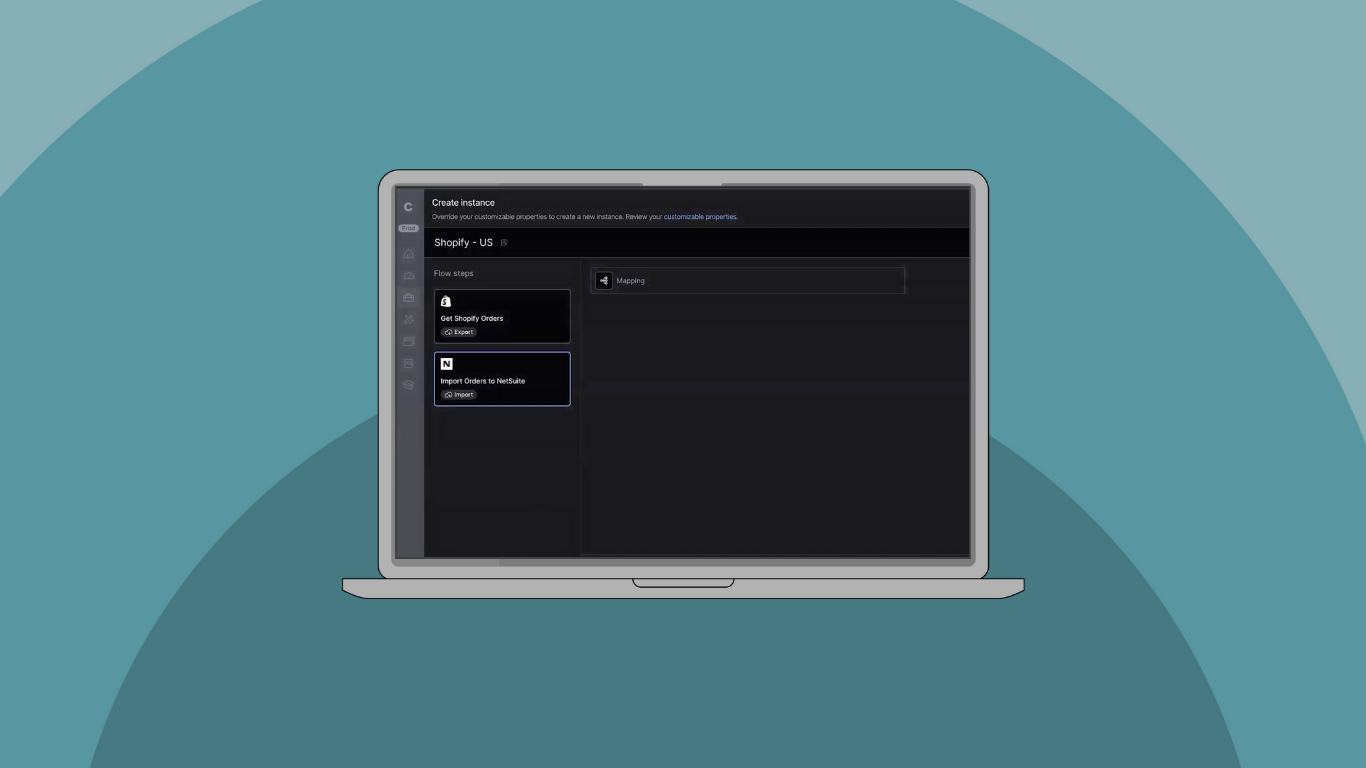
In the above demo, a merchant runs two Shopify storefronts: one for the US and one for Canada. The integration scenario is the same for both—sync Shopify orders to NetSuite—but each storefront needs its own connection and its own order mapping.
With the new UX:
- Base flow: You design the “Shopify orders → NetSuite” flow once as the base integration scenario.
- Select customizable properties: In the visual editor, you use the property selection experience to indicate which parts should vary per instance.
In this example, we’ll use:
- A Shopify connection
- A NetSuite import mapping
- Create instances
- For Shopify US, you assign the US storefront connection and the mapping you want for US orders.
- For Shopify Canada, you assign the Canada storefront connection and a Canada-specific mapping.
- You don’t rebuild the flow; you only configure what changes for that storefront.
- Run and operate storefronts independently
Each storefront runs as its own instance.
You can:
- Trigger runs per instance
- Review run history per instance
- Troubleshoot in the context of a specific storefront, keeping the US and Canada activities easy to distinguish
This lets you scale the same integration scenario across multiple storefronts by configuring only the differences, while the shared logic remains centralized in the base flow.
Use cases for multi-instance flows
Multi-instance flows are most useful when the core integration process is shared, but the configuration varies by storefront, region, or business unit. For example, different connections, mappings, or filters per instance.
3PLs and retail networks: many storefronts, one pattern
A 3PL or multi-brand retailer may run the same order sync for dozens or hundreds of stores. The process is consistent, but each store has its own configuration.
With multi-instance flows, you can define the order flow once and create an instance for each store, only changing what’s different. Updates to the shared logic are made once and applied everywhere, while each storefront still runs independently.
HR: onboarding across regions and subsidiaries
Global HR teams often follow a common onboarding process but connect to different systems or apply regional rules.
Multi-instance flows let you standardize the onboarding pattern in a single base flow and create regional instances that capture local variations. When you add a new compliance step or field, you update it once and roll it out across all regions.
Finance: consolidation across business units
Finance teams that consolidate data from many entities often run the same extraction and load pattern repeatedly.
With multi-instance flows, you define the consolidation flow once and spin up instances for each subsidiary or business unit. Each instance points to the right source and mappings, while schema changes and logic updates are managed centrally.
Marketing: campaign and lead sync across brands
Marketing organizations running multiple brands often use the same lead-syncing or lead-qualification process, even though each brand has its own tools or data definitions.
Multi-instance flows let you capture that shared campaign or lead-processing pattern once, then create brand-specific instances for the variations. You can introduce new scoring or qualification logic into the base flow and apply it consistently across all brands without rebuilding anything.
Getting started with multi-instance flows
To start using the new multi-instance flows UX:
- Build or open the flow you want to use as your base flow.
- Mark it as ready to support instances.
- Use the Property picker to select which properties are customizable per instance (for example, connections and mappings).
- Create instances and provide values only for those selected properties.
- Run, schedule, and monitor each instance independently, while managing common logic centrally through the base flow.
Multi-instance flows give you a structured, maintainable way to scale repeatable integrations across multiple storefronts, regions, or business units, without the overhead and risk of managing a fleet of cloned flows.
Integration insights
Expand your knowledge on all things integration and automation. Discover expert guidance, tips, and best practices with these resources.