Salesforce
 MS Dynamics 365
 Oracle NetSuite
 SAP
SAP Walmart
 Amazon
 Shopify
 Snowflake
 Acumatica
Automating AR inquiry responses with AI agents

Not all business problems can be automated with the predefined rules and business logic that define classic task automations. In many cases, the inputs for a task arrive in unstructured formats and require nuanced interpretation by a human being before any action can be taken.
For example, in finance, accounts receivable frequently features nondeterministic business problems that require analysis and judgment. A large portion of AR work begins with inbound emails, where customers request information in different formats, tones, and levels of detail. Handling these requests consistently requires both understanding intent and retrieving the correct data.
At Celigo, we recognized this nondeterministic process as a business problem to be solved with agentic automation. Previously, we automated this process in a flow with an LLM step.
Using Agent Builder, we simplified the implementation while improving the outcome:
Identifying the opportunity
An internal review of AR inbox activity showed that a significant share of incoming messages followed a small set of repeatable patterns. Roughly 30 percent of emails were requests for one of the following:
- Invoices
- Account statements
- W-9 forms
- Billing information updates
Although these requests were straightforward, they were handled manually. Each message required someone to read the email, determine what was being asked, locate the relevant information in the ERP or file storage, and draft a response.
Individually, these tasks took about 10 to 15 minutes. Across dozens of requests per day, this created a consistent operational burden.
Structuring the workflow
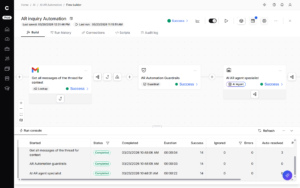
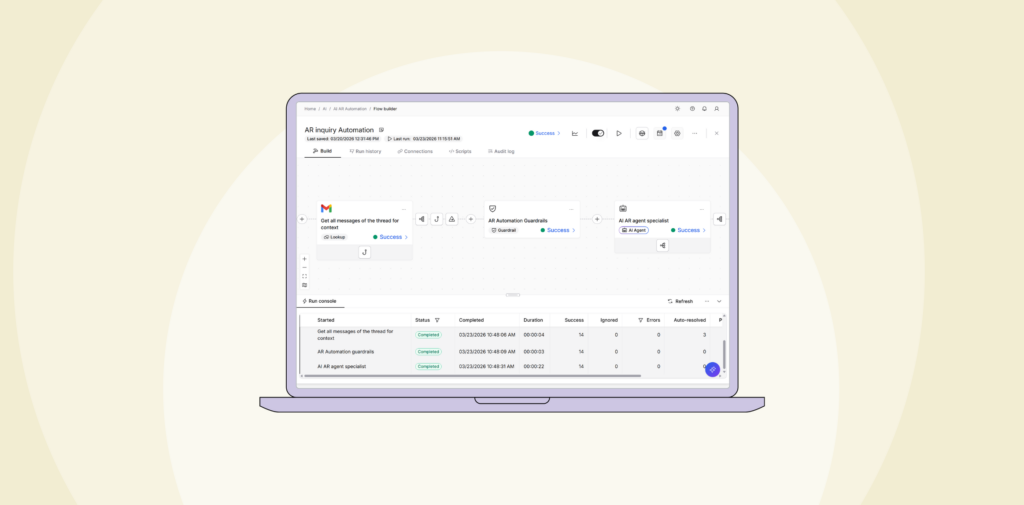
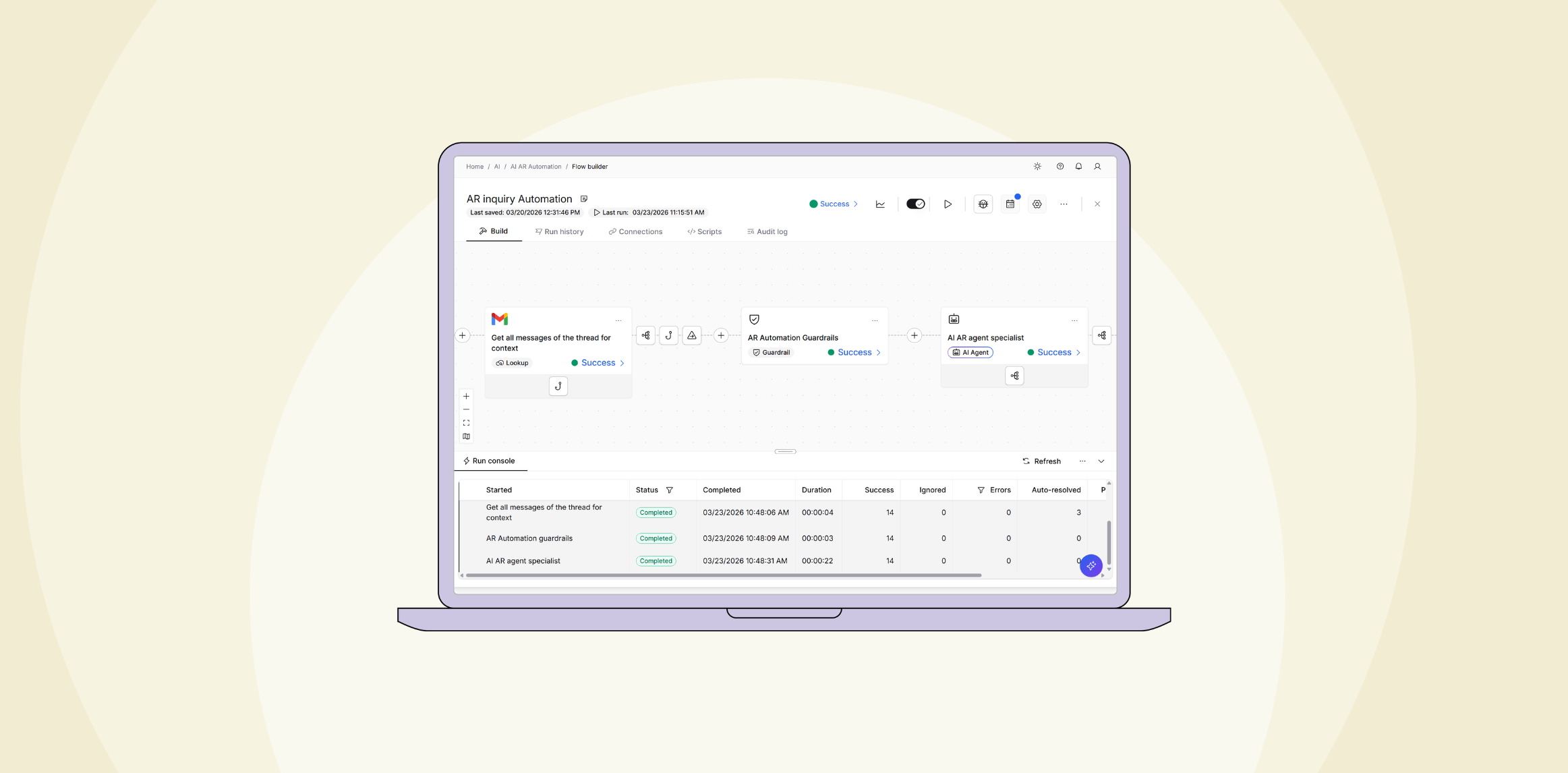
To address this, the team built a workflow that begins by monitoring the company’s shared AR inbox. When a new email arrives, it is captured and passed into an AI agent for analysis.
Unlike rule-based parsing, the agent evaluates the content of the message to determine intent. This allows it to handle variation in how requests are written, rather than relying on fixed keywords or formats.
Defining agent behavior
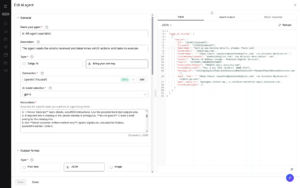
The agent is configured with a clear objective: to interpret incoming emails and prepare the appropriate response.
Instructions define how the agent should:
- Classify the type of request
- Extract key details such as customer identity or invoice references
- Structure its output for use in later steps
This configuration uses natural language rather than rigid logic, which makes it easier to adjust behavior over time.
Connecting agents with tools
To act on a request, the agent needs access to the same systems a human operator would use.
These include:
- ERP records for invoices and customer data
- File storage for documents such as W-9 forms
- Supporting systems for financial and account information
The agent gets the access it needs and reliably goes through the actions it needs to perform by accessing its tools. These tools, defined in an internal Model Context Protocol (MCP) server, are intelligently used by the agent to identify the customer and retrieve the correct records to address the inquiry.
Based on its interpretation of the email, the agent selects the appropriate tools from the MCP servers it connects to, calls the tools with their required input, and retrieves the required data to form a complete response.
Adding guardrails
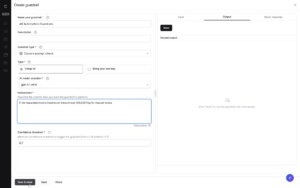
Because financial workflows often involve sensitive information, additional controls are built into the process in the form of guardrails.
Guardrails can be used to sanitize sensitive data like PII, seek out and remove harmful responses by the agent, or use their own agentic analysis to perform custom, prompt-dependent checks.
For example, requests tied to large transaction amounts can be flagged to be specially handled by a member of the AR team, instead of being processed automatically.
Reviewing responses
Once the necessary data is gathered, the agent prepares a response. Rather than sending emails directly, the workflow creates a draft message for review and labels it for easy access.
This step keeps a person in the loop while removing the repetitive work of gathering information and composing responses. The reviewer can quickly verify accuracy and send the email.
Operational impact
After implementation, the time required to handle common AR requests dropped from 10 to 15 minutes to less than one minute per request.
At typical volumes, this translates into a substantial reduction in manual effort. Work that previously consumed hundreds of hours each month is now handled as part of an automated flow, with limited time spent on review.
Response times also improved. Requests that once sat in queues can now be processed shortly after they are received.
This approach is not limited to AR. It applies to any workflow where:
- Inputs arrive as unstructured data
- Actions depend on interpreting intent
- Multiple systems must be accessed to complete a task
By combining intent analysis with system access and defined controls, AI agents can take on tasks that previously required manual judgment.
Agent Builder provides a framework for implementing this pattern, allowing teams to introduce reasoning into workflows without removing oversight or governance.
→ Get a demo to see how Celigo can power agentic workflows for Finance by connecting AI to the systems that keep transactions moving.