Operationalizing AI in finance: How to build an AR inquiry response agent
 Updated Jan 29, 2026

Operationalizing AI in finance often begins in a very practical place: the AR inbox, where the same customer billing questions arrive day after day.
Most finance teams see a steady stream of familiar requests:
-
“Can you send me a copy of this invoice?”
-
“We need your W-9 and banking details.”
-
“Please update our billing contact.”
-
“Can I get a statement of account?”
Individually, these look simple. At scale, they create hours of manual triage: searching NetSuite, digging through shared drives for PDFs, copying data into Gmail, and trying not to miss anything when the inbox gets busy.
This is exactly the kind of work where operationalizing AI in finance can deliver fast, measurable impact.
AR inquiry automation
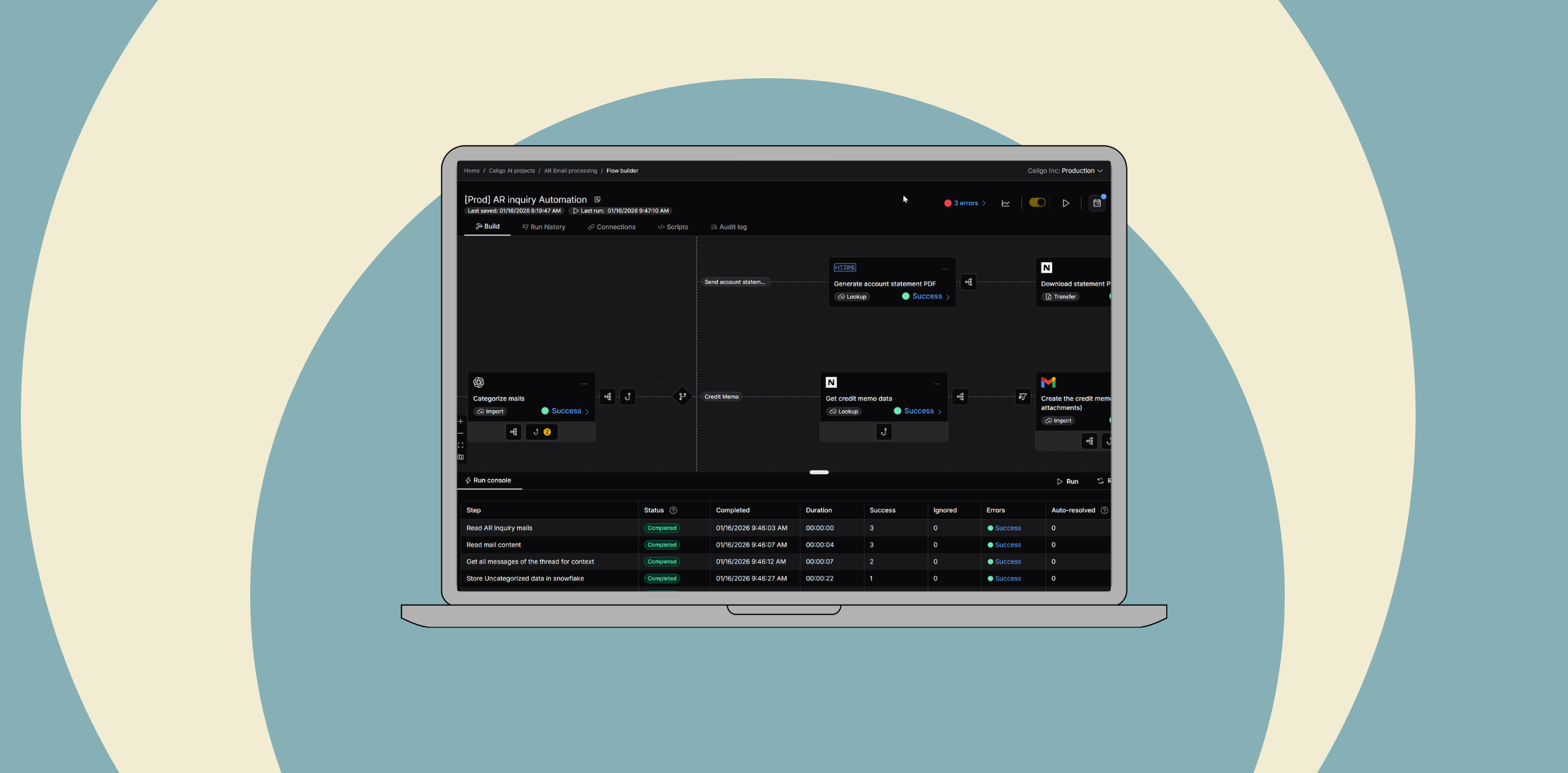
In this accounts receivable (AR) automation example, Celigo uses an AI-driven, agentic flow to analyze, categorize, and draft responses to common customer billing emails, turning a noisy AR inbox into a structured, governed process.
When a customer emails the AR inquiry address, Celigo:
-
Reads the message from Gmail
-
Uses OpenAI to understand the intent in natural language
-
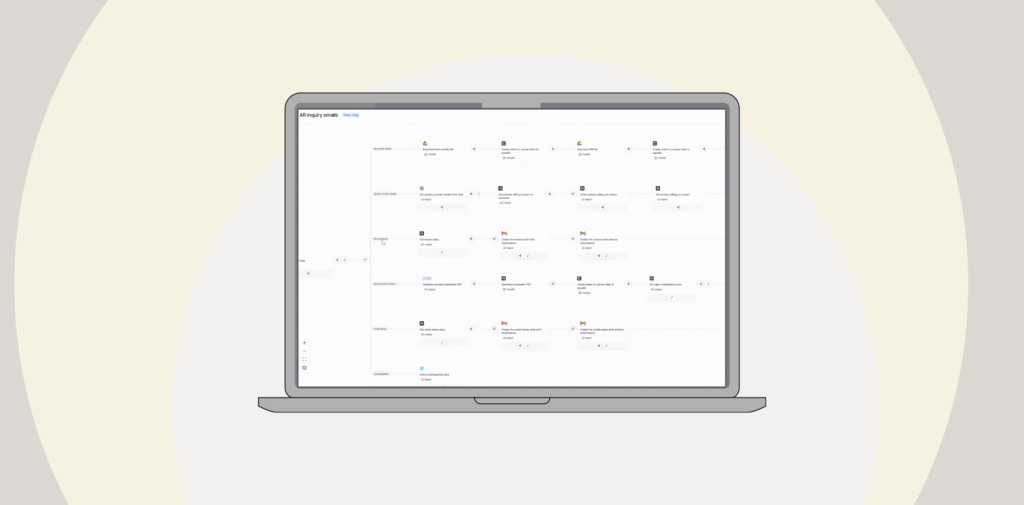
Routes the inquiry down the correct branch of an agentic flow
-
Connects to NetSuite, Snowflake, and Google Drive to retrieve the right data
-
Drafts a personalized reply that threads into the original email in Gmail
Whether the customer is asking for invoices, account statements, banking details, W-9s, credit memos, or contact updates, the flow orchestrates Gmail, NetSuite, Snowflake, and Google Drive so the finance team doesn’t have to.
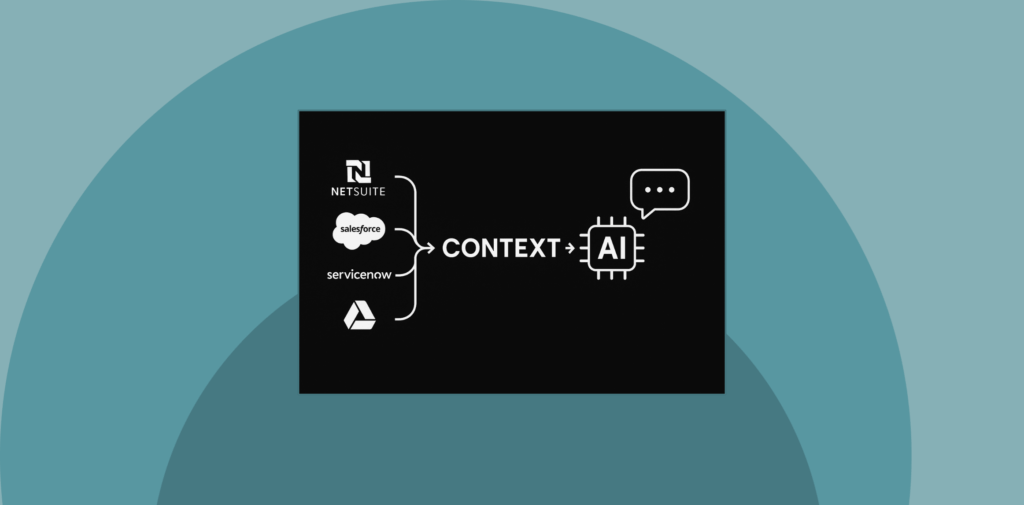
Instead of a standalone chatbot, AI is embedded inside an end-to-end AR process with clear governance and human oversight.
How the AR inquiry response agent works
OpenAI is used for classification and extraction, not free-form decision-making:
-
It classifies each email into simple categories (e.g., bank details, invoices, account statements, credit memos, contact updates, uncategorized).
-
It extracts key details such as the customer’s domain or invoice numbers from the email body.
Celigo then orchestrates the work across systems:
-
Looks up the right customer in Snowflake / NetSuite
-
Calls NetSuite Restlets to generate statements and retrieve invoices or credit memos
-
Pulls W-9s and banking details from Google Drive
-
Encodes and attaches PDFs where needed
-
Drafts a Gmail response with the correct content and attachments
Each branch ends by creating a Gmail draft instead of auto-sending, so the finance team keeps final control. If a file is missing, corrupted, or too large, the flow automatically falls back to a “no attachment” draft that a human can adjust—keeping the process resilient while still saving significant time.
All processed inquiries are labeled in Gmail and logged to Snowflake with details such as sender, category, and whether a draft was created. Over time, this provides finance leaders with visibility into volumes, patterns, and the coverage of automation for AR inquiries.
Accounts receivable AI agent benefits
-
Automated draft responses for an estimated 30–40% of common AR inquiries
-
Faster resolution times and fewer missed or delayed replies
-
Consistent, professional communication grounded in NetSuite as the source of truth
-
More time for the AR team to focus on higher-value analysis instead of inbox triage
Implementing the AR inquiry response agent
This section walks through how the agent uses AI and Celigo to analyze, categorize, and draft responses to common AR emails using data from NetSuite, Snowflake, Gmail, and Google Drive.
Connected Endpoints
- Google Drive – Retrieve banking details and W9 for customers
- Gmail – Retrieve inquiry emails and draft responses
- Snowflake – Look up data on Customers; store emails and uncategorized questions
- NetSuite – Send requested data from finance’s source of truth and update customer info
- OpenAI – Categorize the email’s request and retrieve customer details from the email
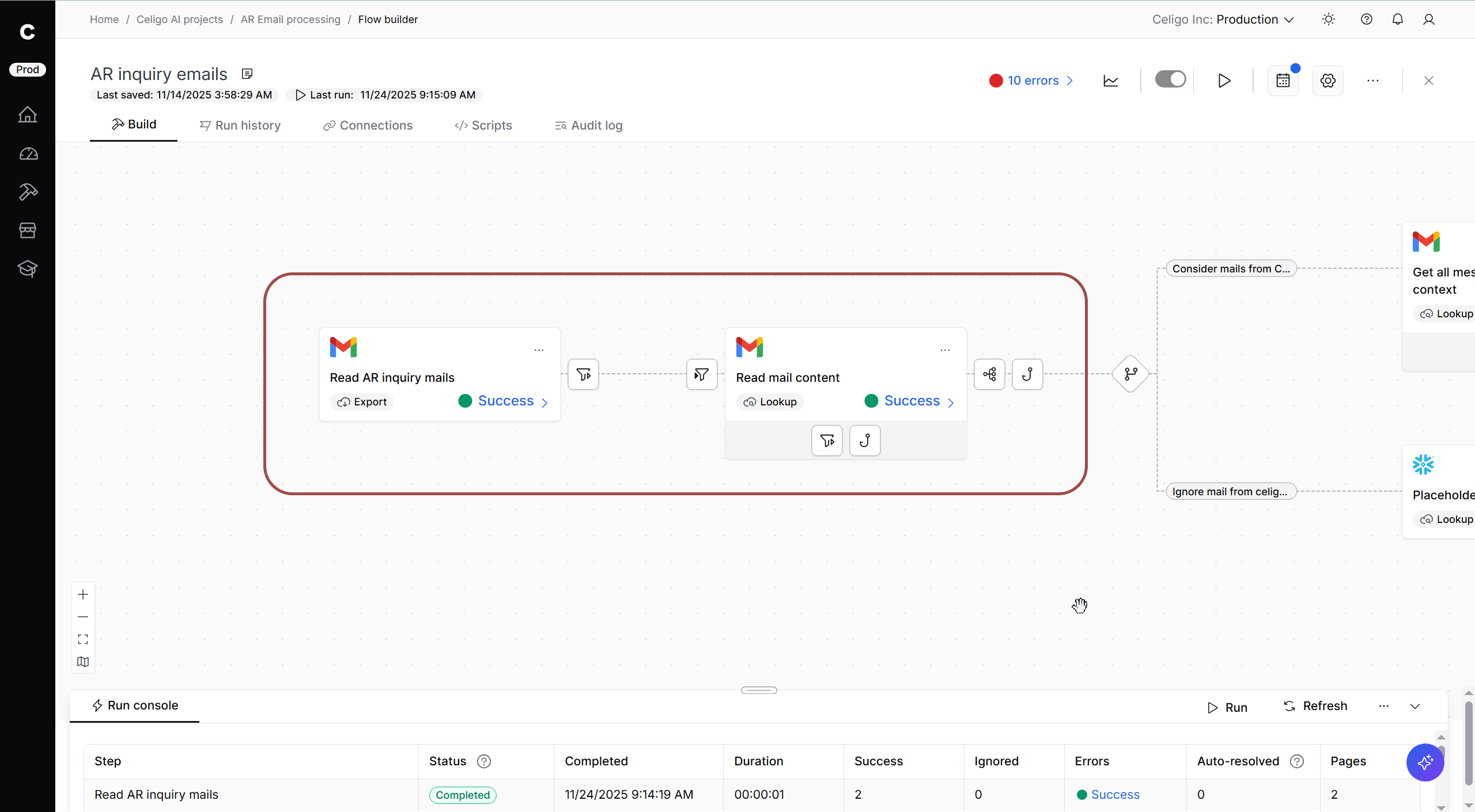
Step 1: Receive customer email
Customer:
A customer sends an email to Celigo’s designated AR inquiry email address.
Celigo:
- On a scheduled basis, retrieve emails from the AR inquiry inbox
- Use a lookup to retrieve the text of emails
- Filter out internal emails, pass all other customer inquiry emails to the rest of the flow
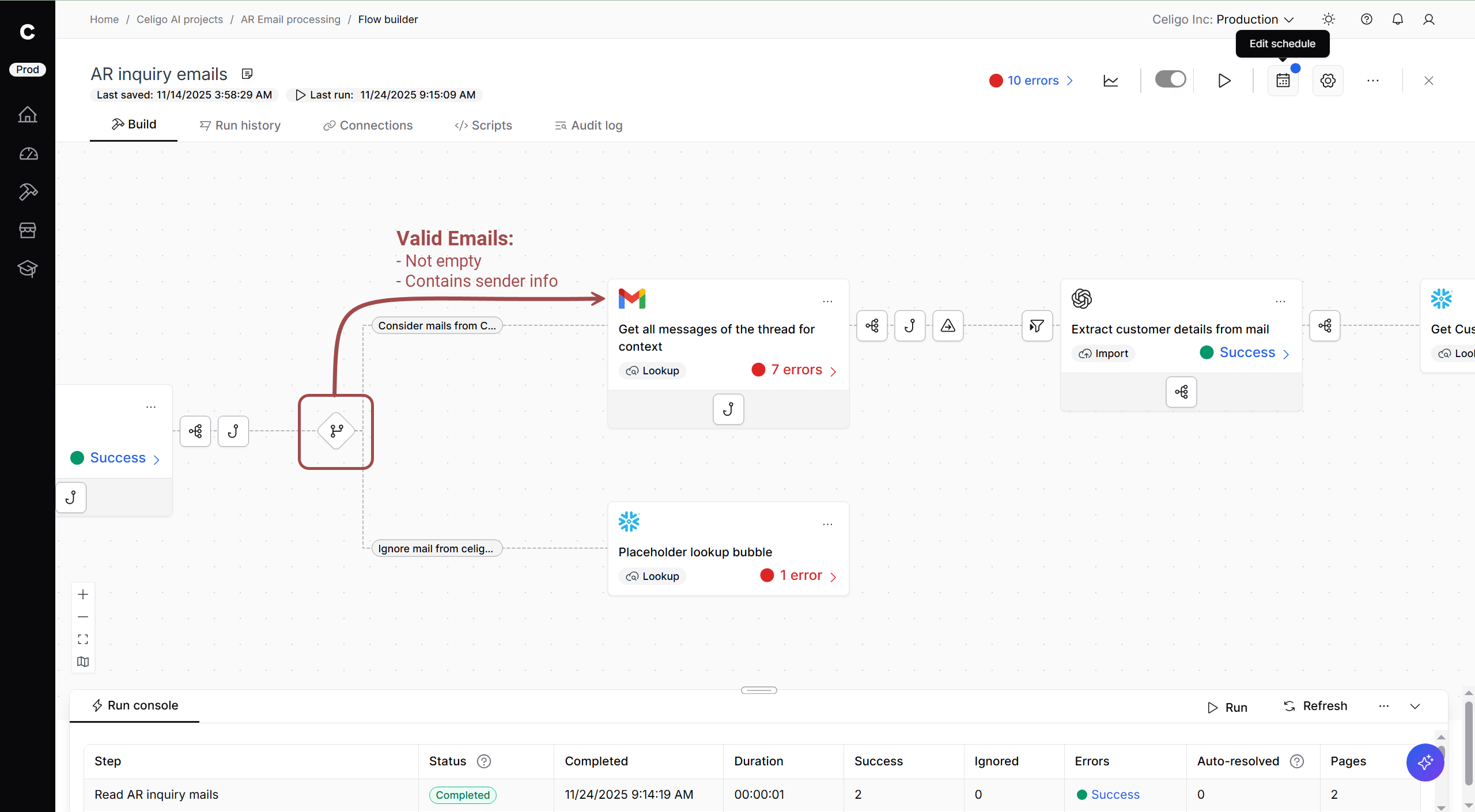
Step 2: Determine email validity
Celigo:
Branching is used to sort valid emails. If an email is identified as valid, it is sent to the top branch.
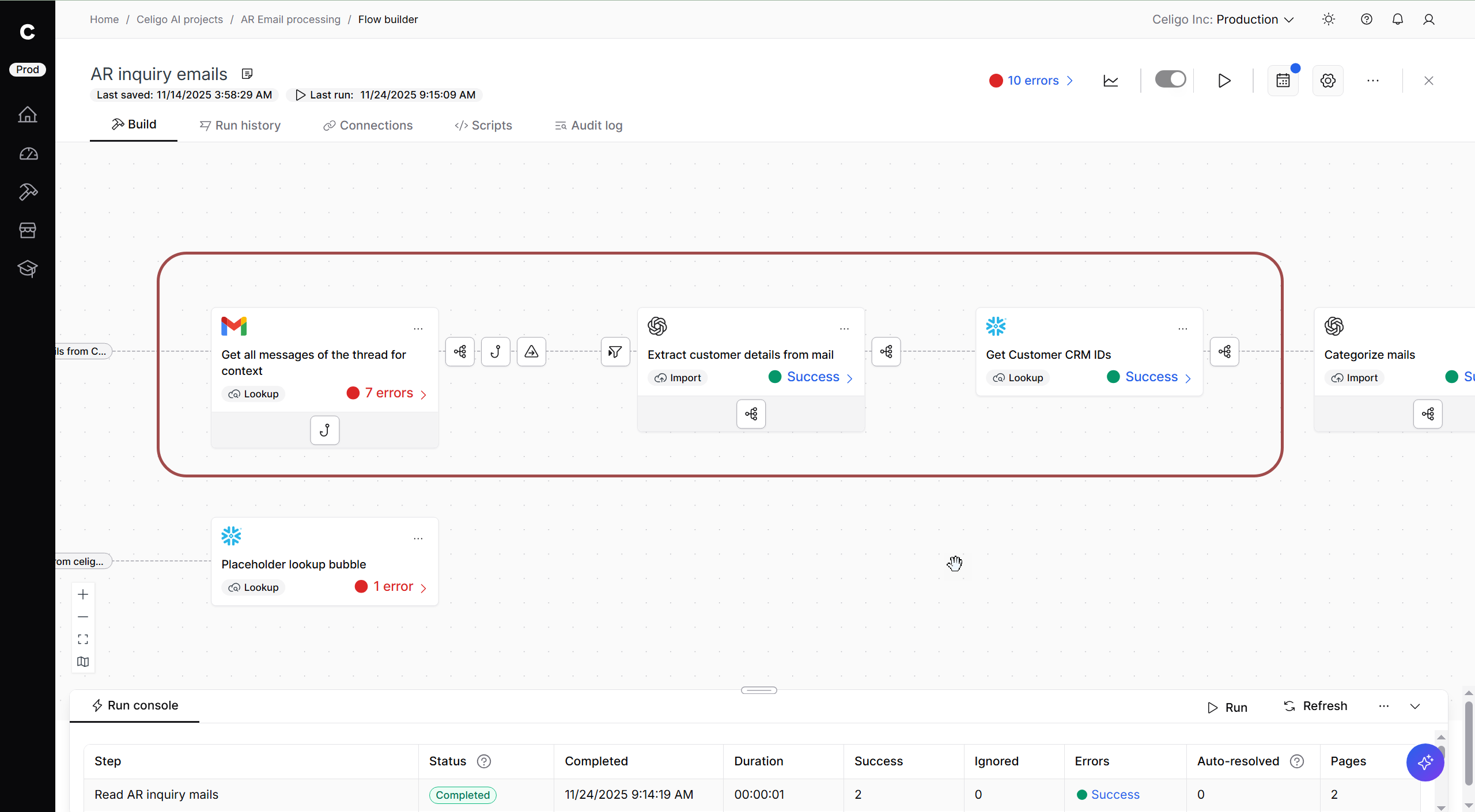
Step 3: Get context and customer details
Celigo:
- Look up previous messages, in case the email is part of a thread
- Use OpenAI to extract the customer’s email domain
- Query Snowflake for the NetSuite Customer ID, using the customer’s domain as the Customer’s identifying info
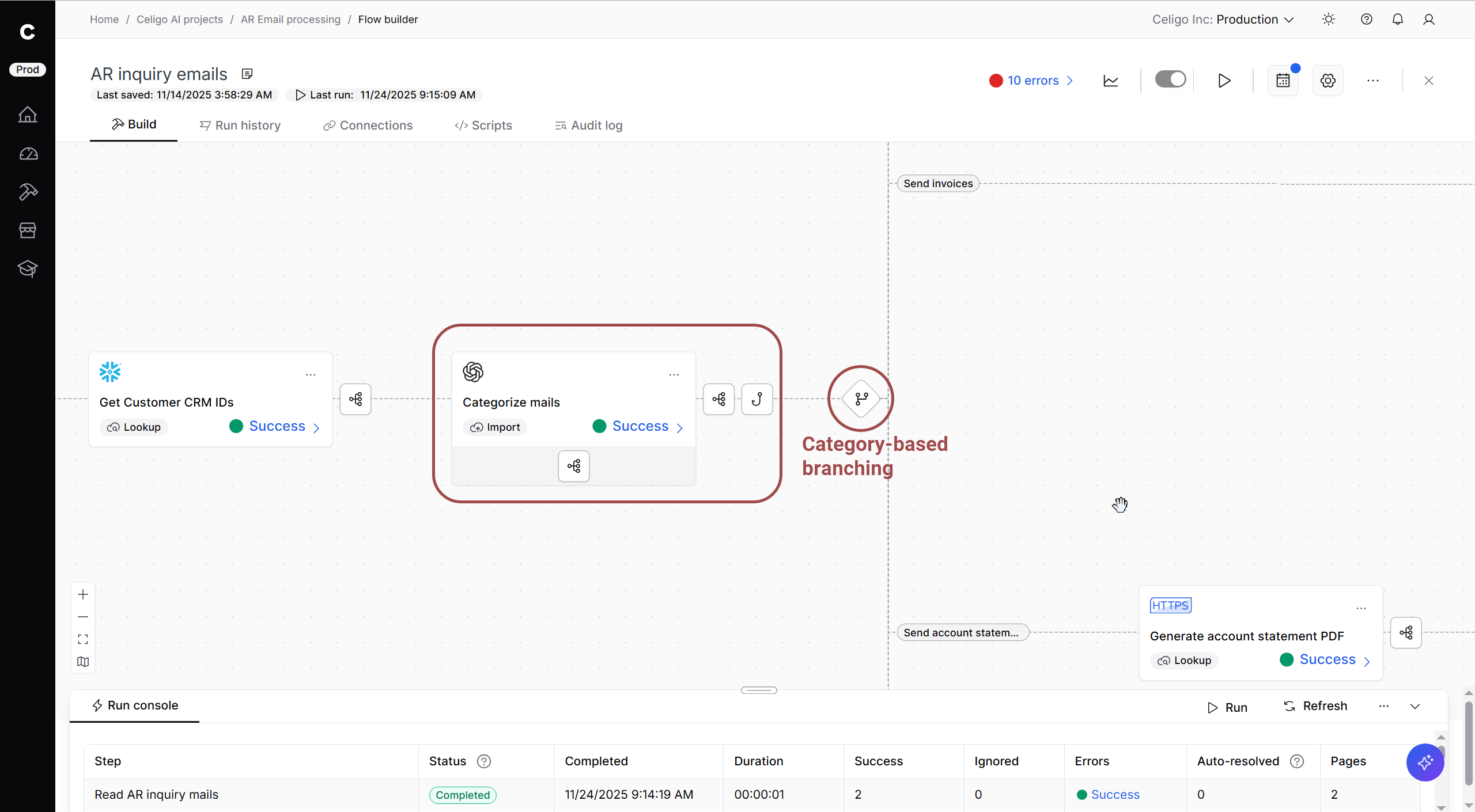
Step 4: Categorize Email
Celigo:
Using previous email patterns, OpenAI compares the email body to known patterns and returns a simple category from a set of acceptable categories.
Step 5: Conditional branching based on category
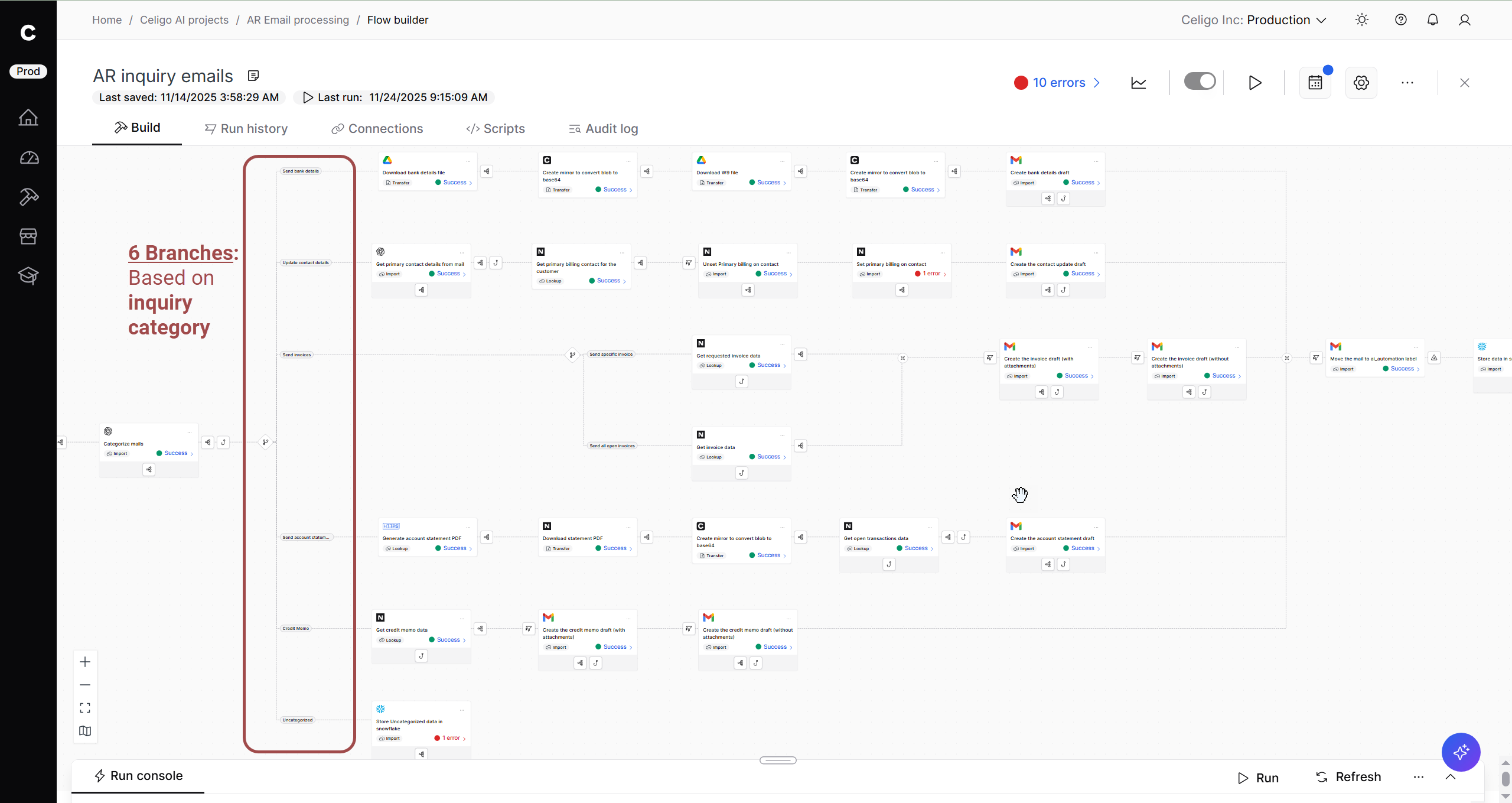
Branching based on the inquiry category handles the email as it fits with one of 6 categories:
- Celigo bank details: Request for Celigo’s banking details
- Contact update: Request to update their contact details
- Invoices: The customer wants a specific invoice or all open invoices
- Account statement: The customer has requested their statement
- Credit memo: Request for follow-up on a credit memo
- Uncategorized: Any email that doesn’t fit a recognized category
Outcome
The flow uses AI agency to classify AR inquiries according to the commonly identified, simple AR requests. Branching allows us to generate dynamic responses with customer-specific info to these boilerplate inquiries.
Branch 1: Send bank details
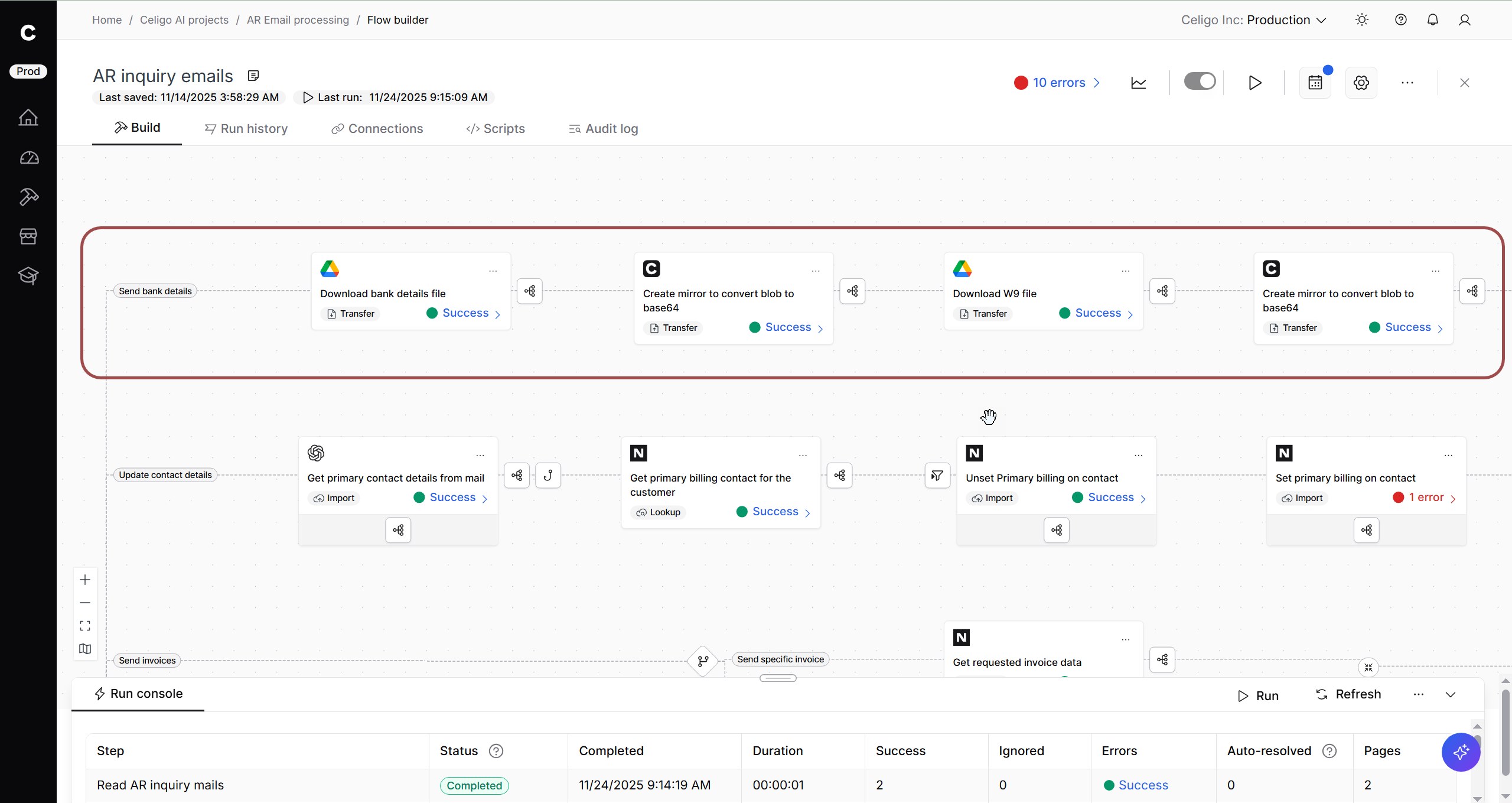
Celigo:
- Retrieve Celigo’s banking details and W9 as files from an internal Google Drive folder
- Convert blob format of bank detail files to base64 for use in Gmail draft
Branch 2: Update Contact Details
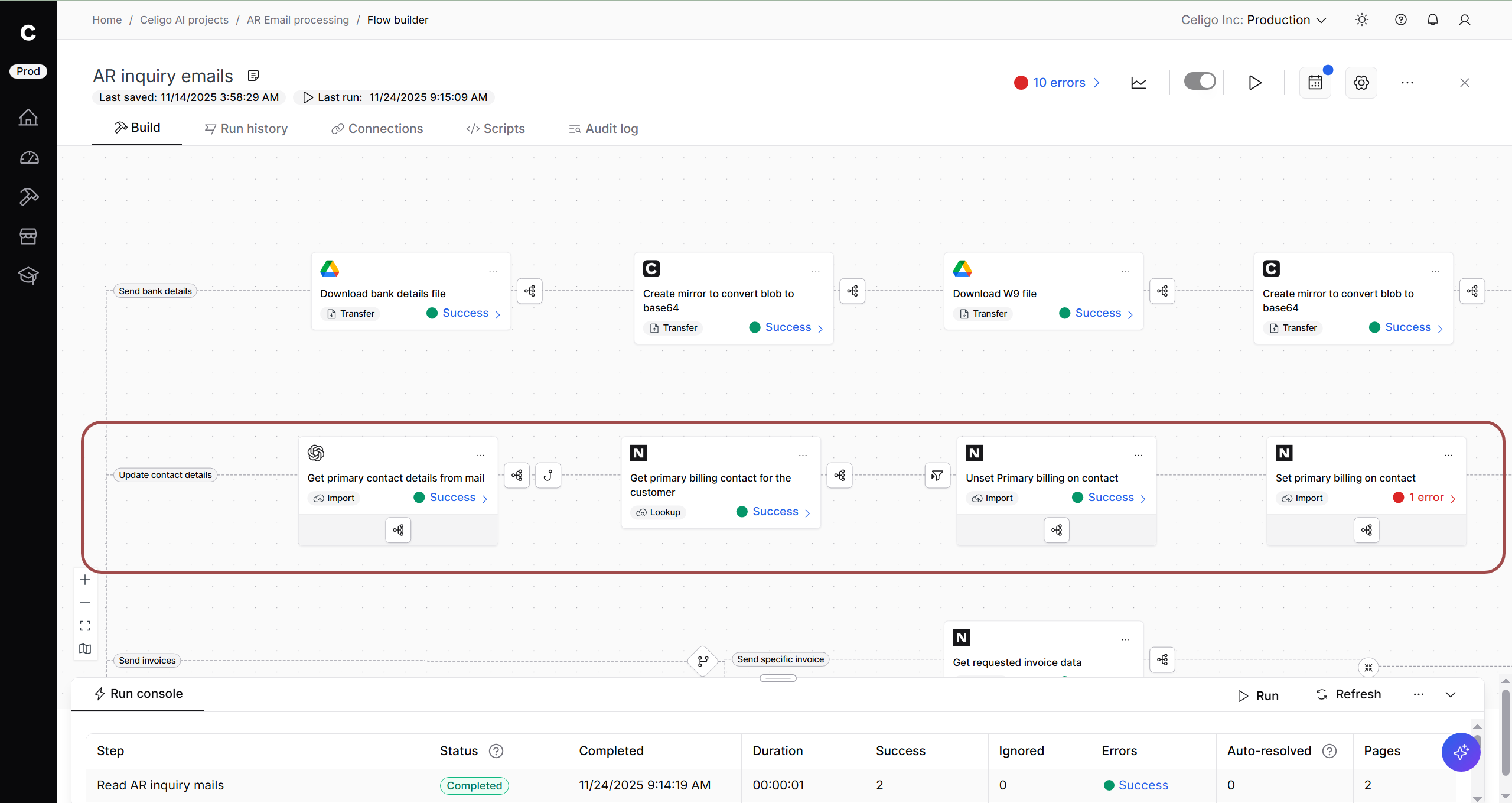
Celigo:
Uses an OpenAI step to analyze the email and extract contact details, prioritizing the primary billing contact
Branch 3: Send invoices
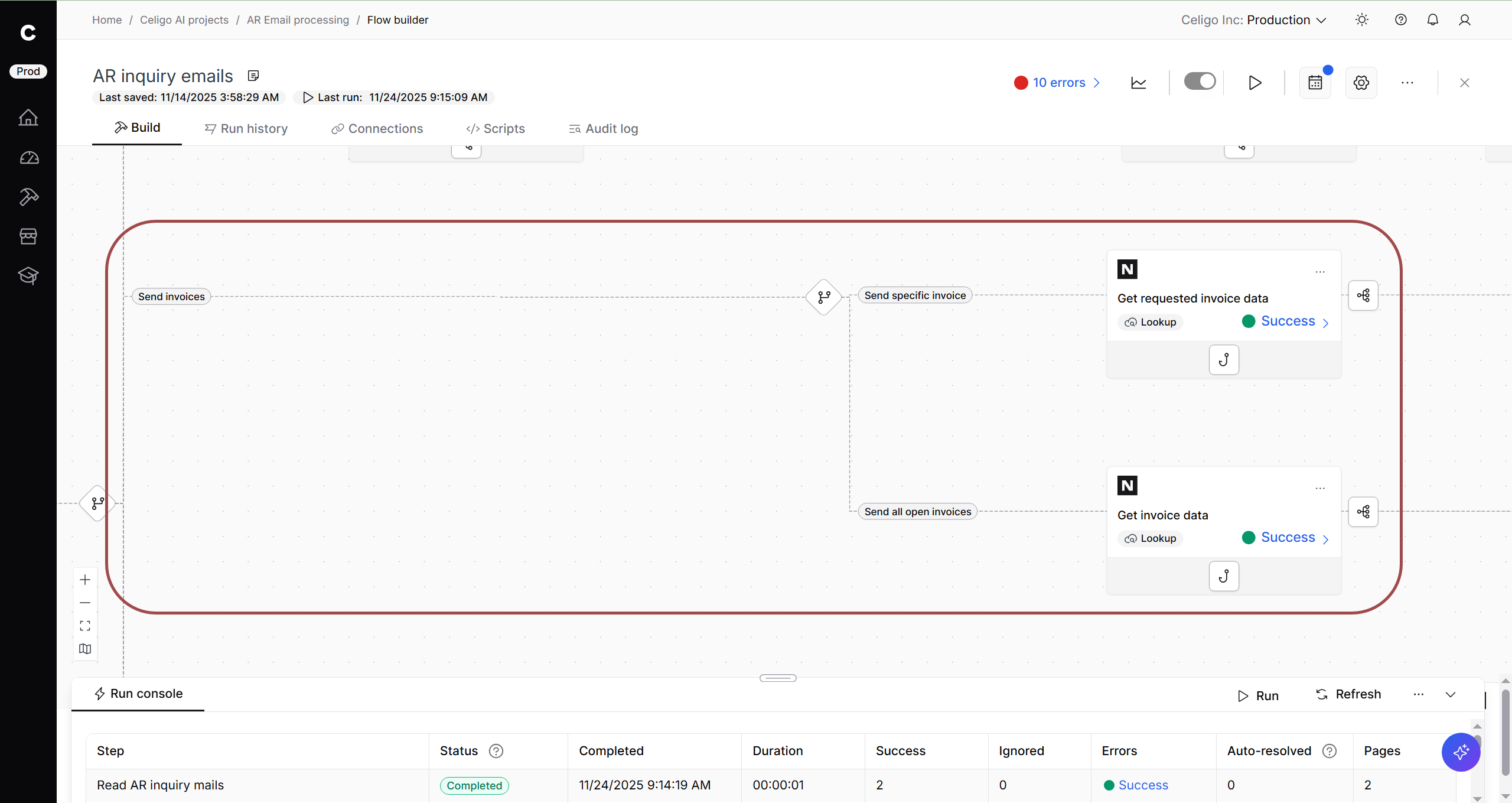
Celigo:
- Returns a single invoice or all invoices for closed transactions from NetSuite
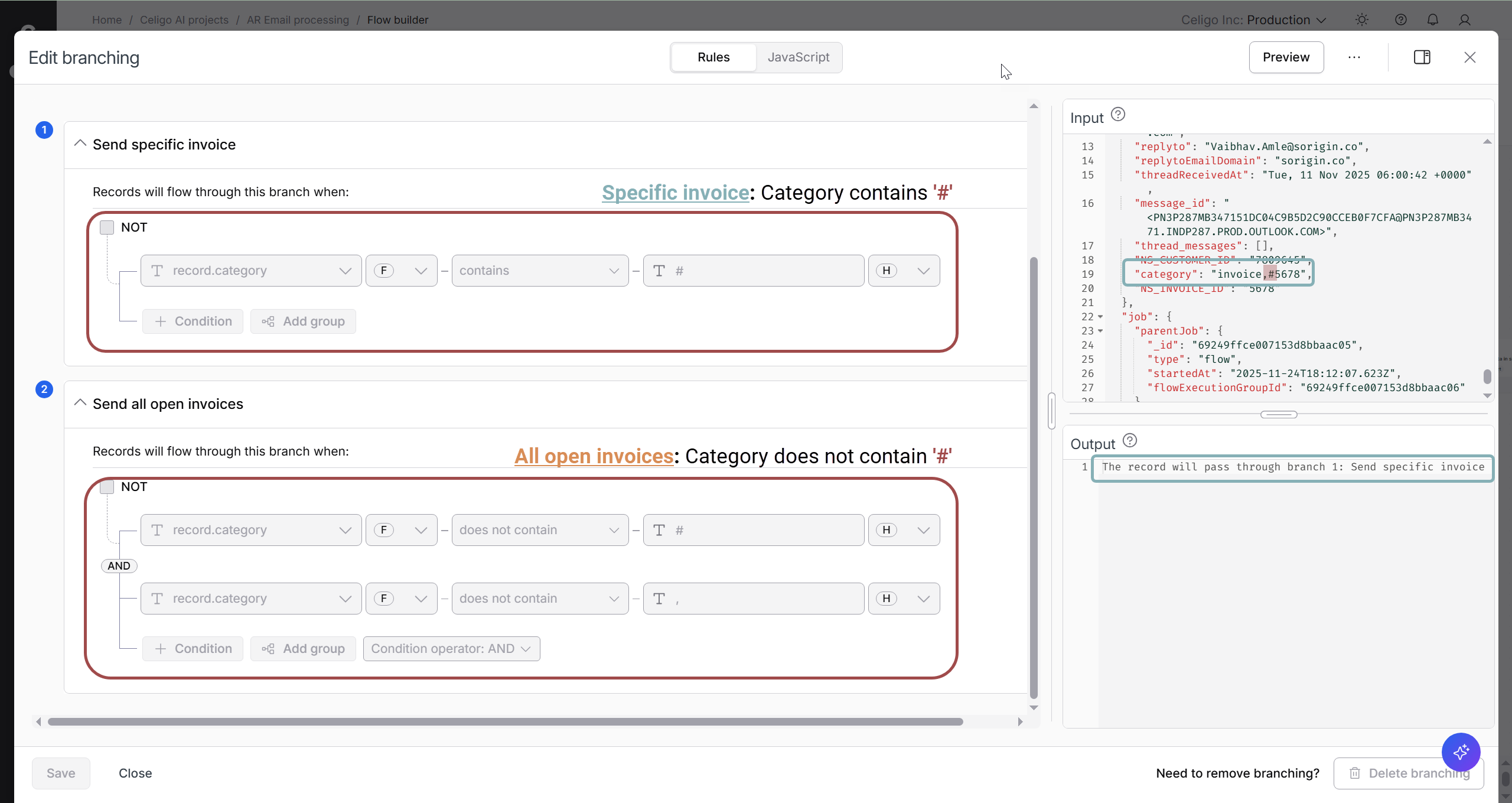
- Uses branching on the category to decide whether to send a specific invoice or all open invoices
Outcome:
Based on the simple category from the earlier OpenAI categorization, a branch is selected. If the inquiry seeks a specific invoice, OpenAI indicates it with a ‘#’, and the specified invoice is sent. Otherwise, all customer invoices are sent.
Branch 4: Send Account Statement
Celigo:
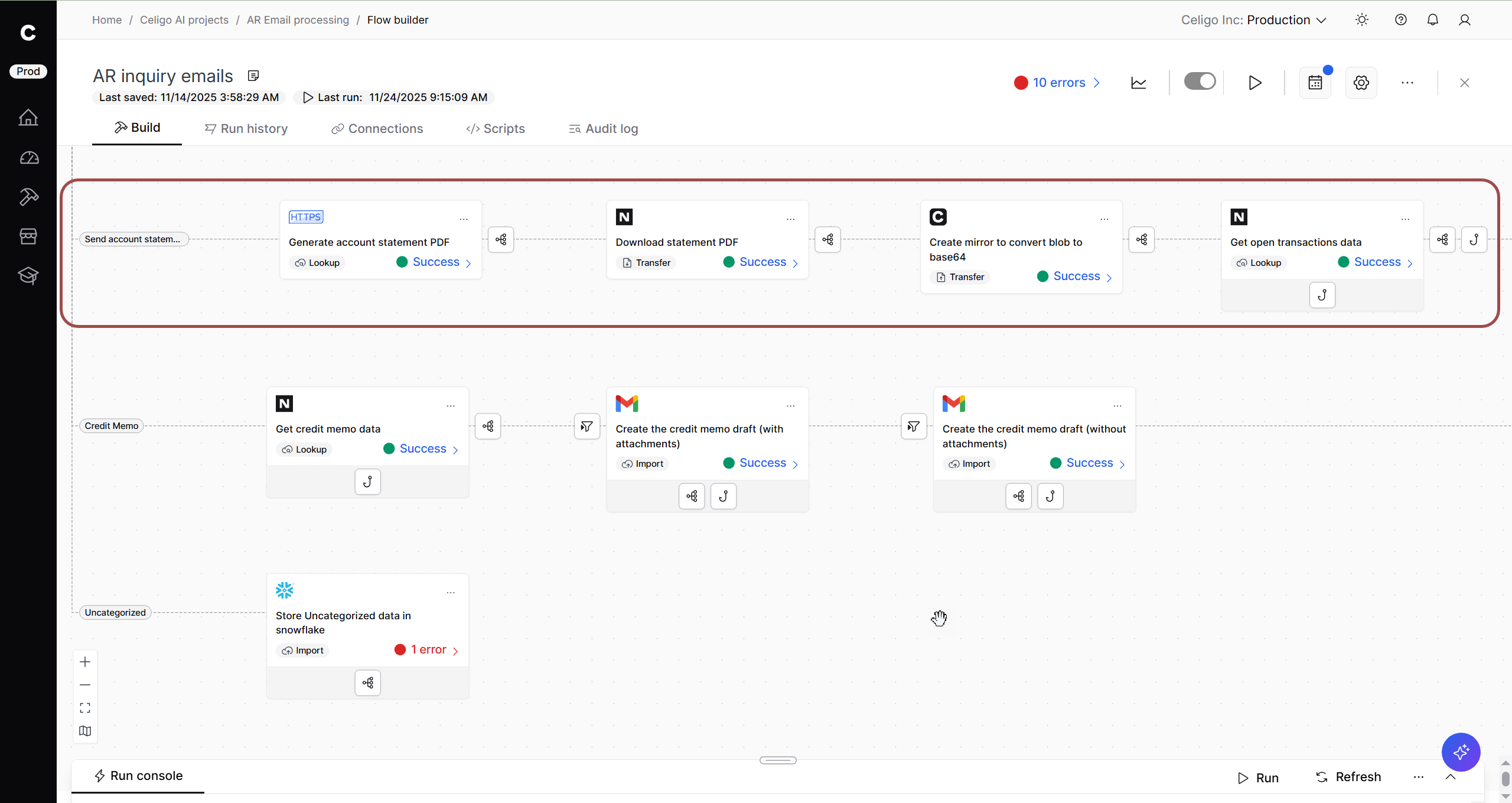
- Calls a custom script to generate the customer’s account statement as a PDF, using an HTTPS step connecting to NetSuite
- Downloads the PDF file from NetSuite
- Converts PDF file as blob to base64 for Gmail compatibility
- Grabs the customer’s open transactions from NetSuite and uses a JavaScript hook to add these to the final file returned in the Gmail response
Branch 5: Credit memo
Celigo:
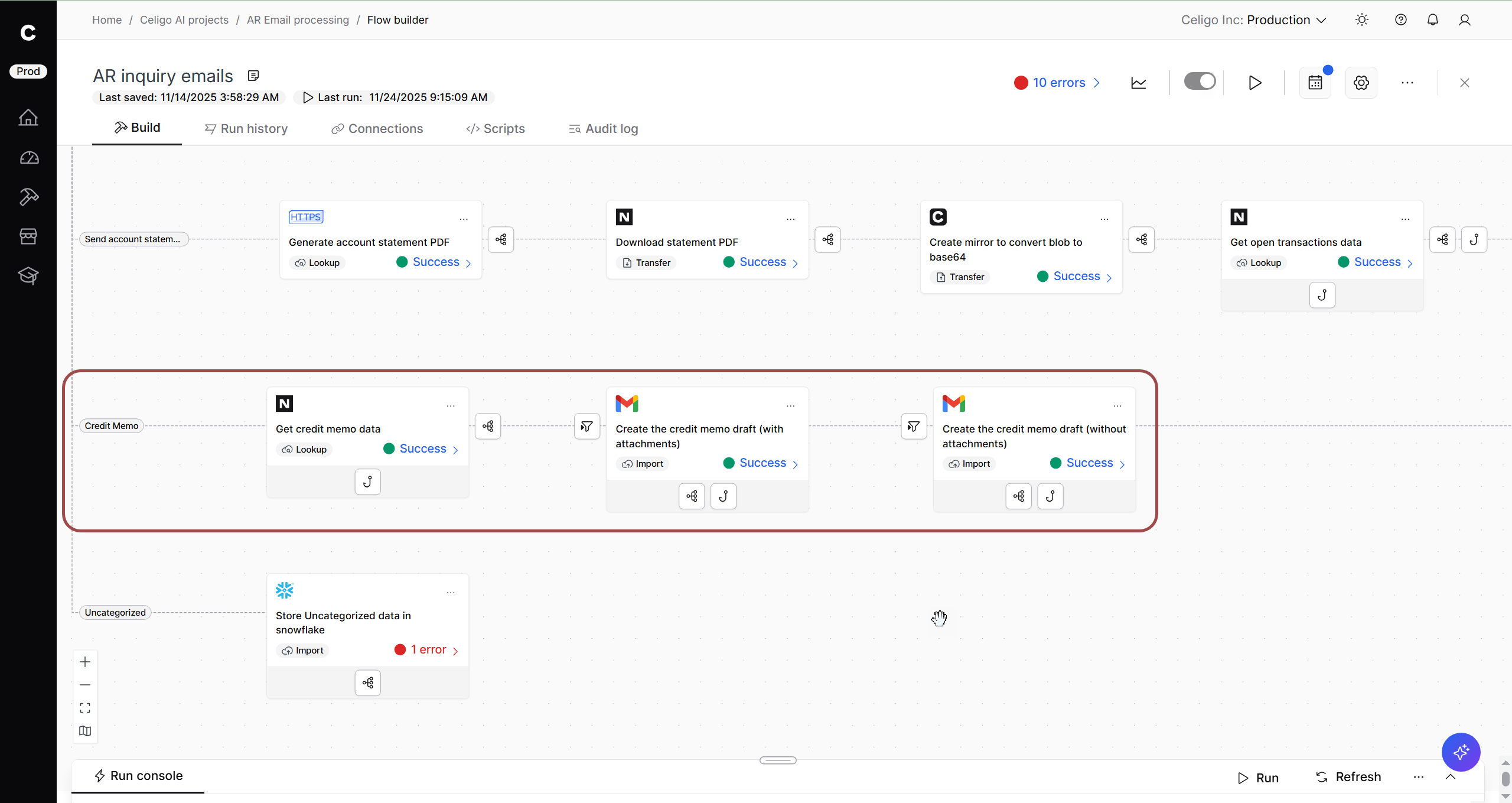
- Looks up customer’s open credit memo data from NetSuite
- Prepares data for Gmail draft
Branch 6: Uncategorized
Celigo:
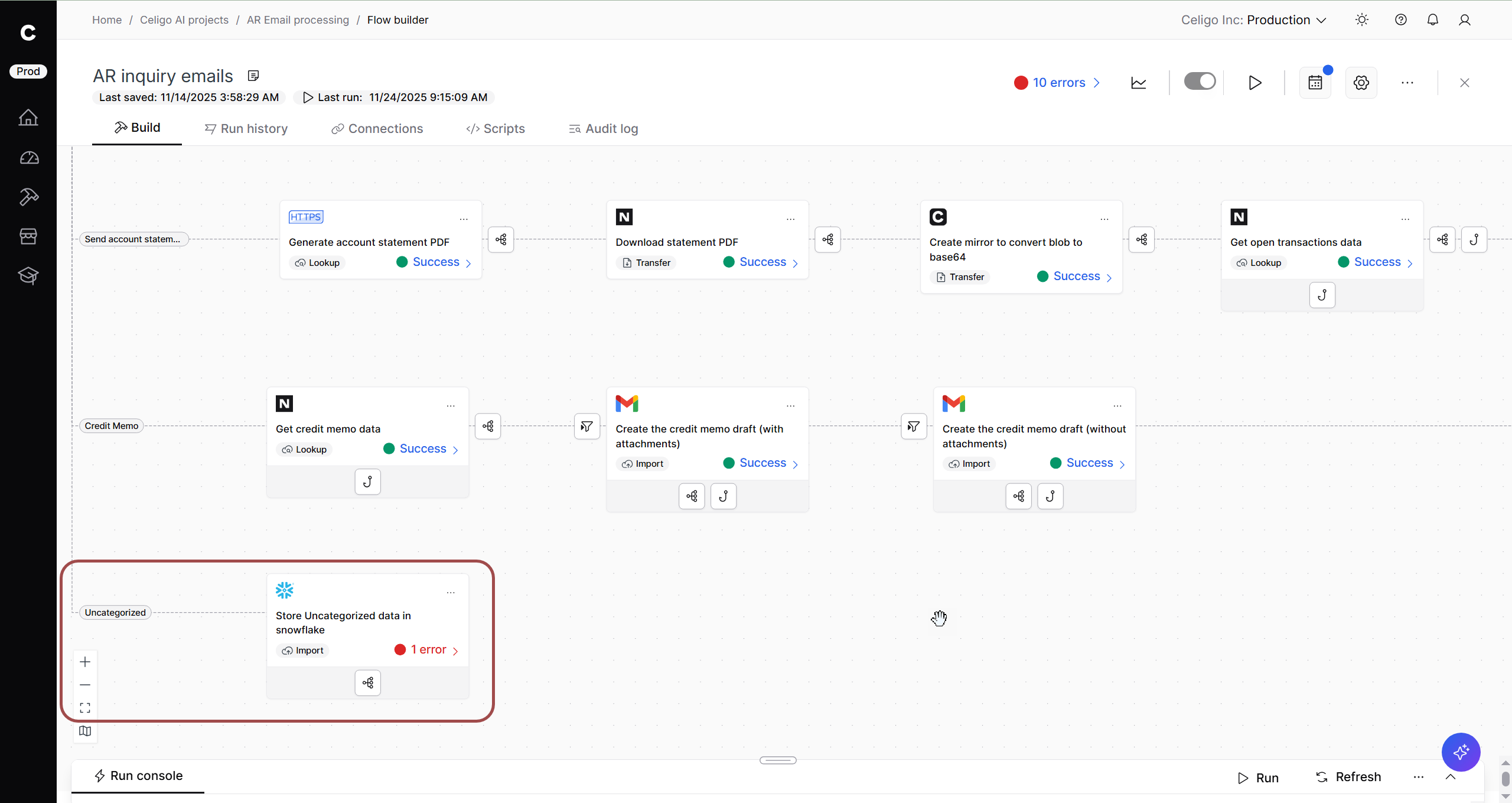
- Any inquiries that did not correspond to previous categories identified by OpenAI travel down this branch
- Stores email to a Snowflake table, tracking details (sender, email body, customer’s NetSuite ID, etc.)
Step 7: Create email draft (with/without attachments)
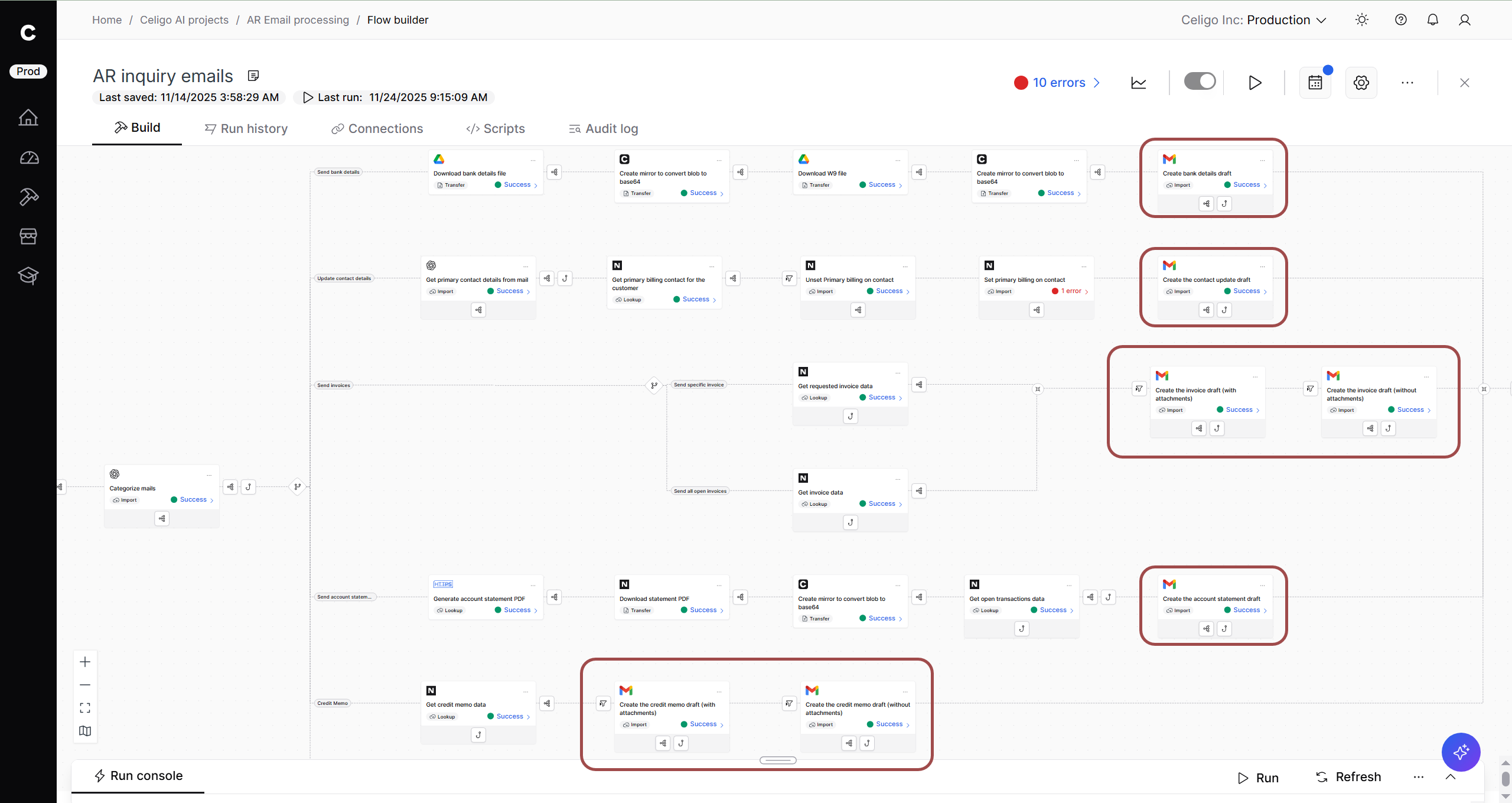
Celigo:
- Ends each branch (besides the uncategorized branch) by creating a draft response in Gmail
- Creates a Gmail draft with attachments and another without attachments as a fallback for branches that rely on attachments (“Send invoices” and “Credit memo”).
Outcome:
Based on their category, a contextually-accurate draft is created. For emails that rely on a file attachment, a fallback step creates a draft with no attachments in case the file requested cannot be found, the file is too large to be attached, the file is corrupted, etc. This allows a human-in-the-loop to review the draft to potentially find a workaround to give the customer the file, by amending the email without an attachment or otherwise.
Step 8: Conditional branching based on category
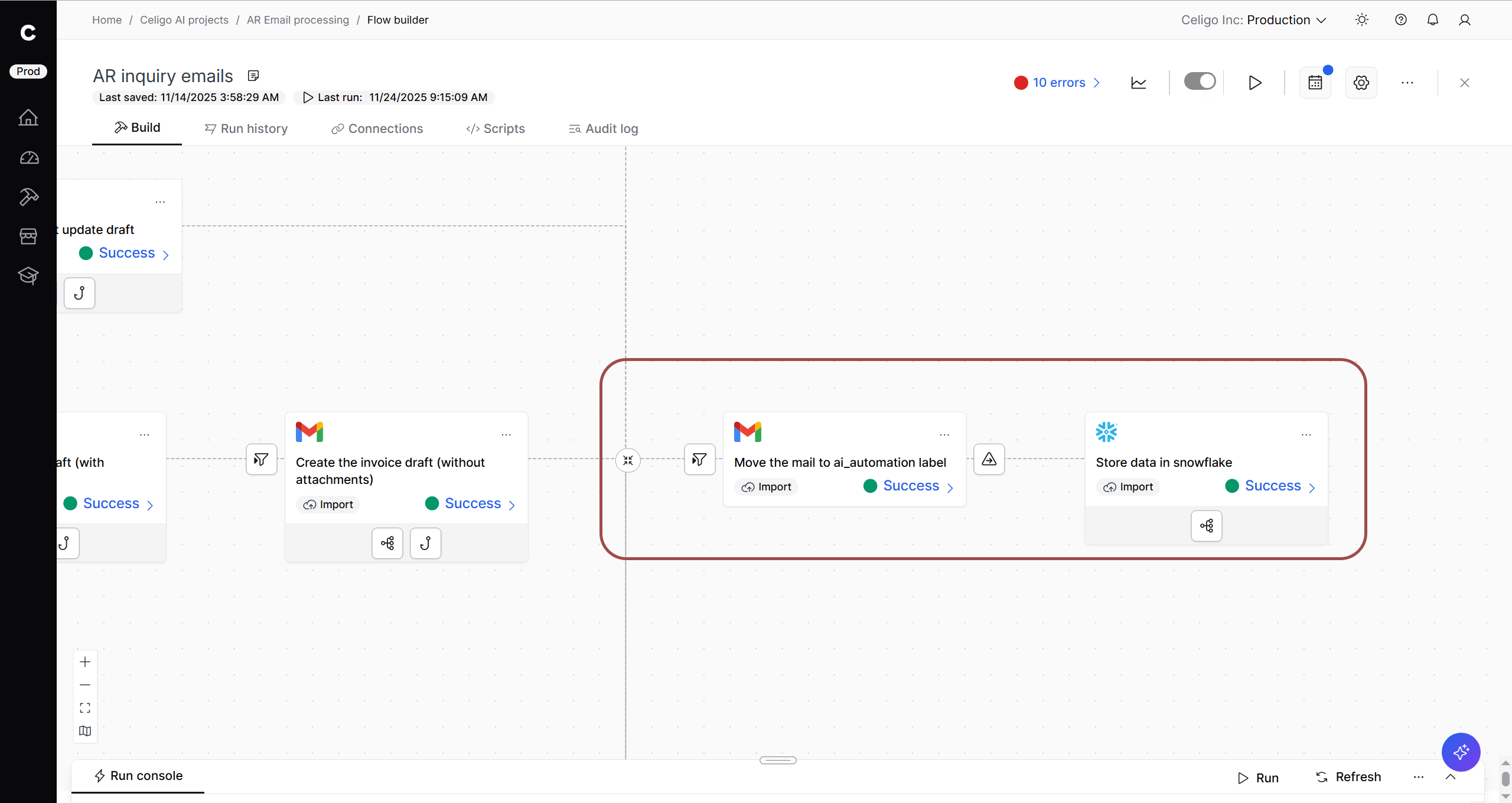
Celigo:
- Moves inquiry emails that have been processed to a descriptive Gmail label, if they were not already under that label already.
- Stores information on inquiry emails to a Snowflake table, noting details like the sender, category, body content, and whether a draft was created.
Outcome:
The finance team automates draft responses for emails in the AR inquiry Gmail inbox. This agentic flow uses AI to analyze emails and categorize them among common cases (estimated to be 30-40% of inquiries).
Drafts respond with contextual accuracy and rely on our financial source of truth (NetSuite) to provide relevant details and attachments. A human-in-the-loop reviews these drafts before sending them.
This flow saves time responding to boilerplate questions and ensures a consistent tone, while also allowing the team control over what reaches customers.
Automate AR email responses with AI and Celigo
This automation replaces hours of manual triage and coordination with a structured, intelligent process that ensures every AR inquiry is addressed accurately and promptly.
By combining AI-driven classification with Celigo’s orchestration and data connectivity, the AR team gains a fully automated response pipeline that shortens resolution times, reduces manual errors, and guarantees consistent customer communication.
Whether responding to a request for a W-9, sending an overdue invoice, or sharing a reconciled account statement, this approach transforms traditional AR processing into a responsive, self-correcting workflow—freeing finance teams to focus on higher-value analysis rather than inbox management.
→ Get a demo to see how you can operationalize AI with integration.
Integration insights
Expand your knowledge on all things integration and automation. Discover expert guidance, tips, and best practices with these resources.