
Microsoft Dynamics 365 EDI integration for supply chains
 Updated Oct 9, 2025

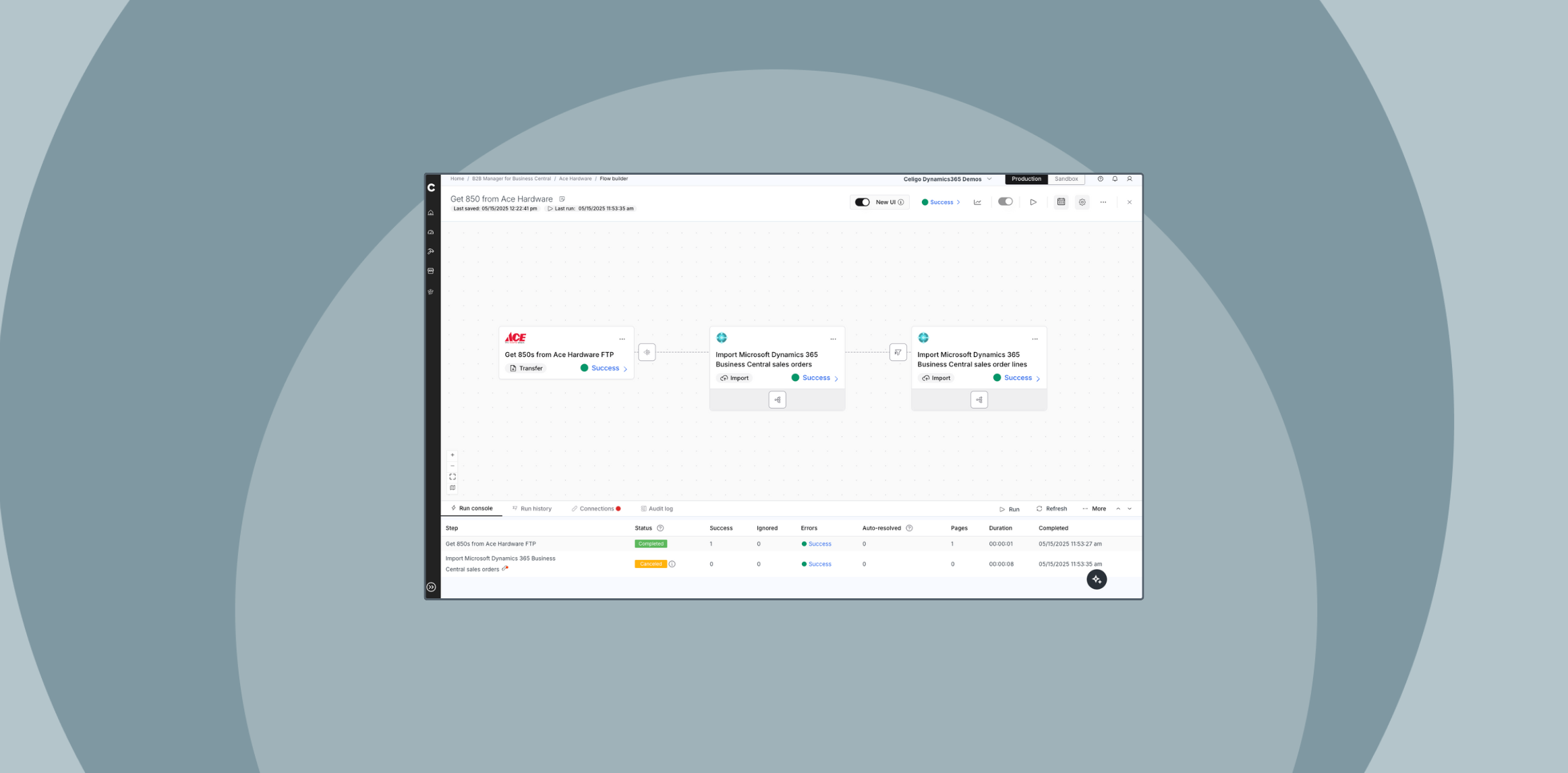
EDI integration for Microsoft Dynamics 365 Supply Chain Management (SCM) enables the automated, real-time exchange of structured B2B documents, such as purchase orders (850), invoices (810), and advance ship notices (856), between your ERP system and trading partners.
Without native EDI support, organizations must rely on manual entry, flat-file transfers, or disconnected middleware to handle these standard transactions.
This introduces delays, increases error rates, and adds operational overhead, particularly for businesses that manage high volumes of B2B interactions with retailers, distributors, or 3PLs.
Why EDI integration is necessary for Dynamics 365 SCM
Microsoft Dynamics 365 SCM does not natively support EDI for business-to-business communication.
Limitations include:
-
Lack of scalable support for multi-trading partner, multi-document EDI workflows
-
No centralized management interface for EDI monitoring, validation, or exception handling
-
Dependence on custom development or third-party middleware for critical functionality
These architectural gaps affect core transaction cycles, particularly order-to-cash and procure-to-pay, resulting in slower processes, limited visibility, and higher costs.
How modern EDI integration supports Dynamics 365 SCM
As supply chains evolve, Microsoft Dynamics 365 EDI integration becomes essential for organizations seeking to automate document exchange, reduce errors, and scale partner operations effectively.
With a modern EDI integration solution in place, organizations can:
-
Parse and transform standard EDI formats such as X12 and EDIFACT
-
Apply partner-specific mapping rules, validations, and compliance logic to meet diverse trading requirements
-
Manage real-time acknowledgments, error detection, and exception handling for seamless operations
-
Connect bi-directionally with Microsoft Dynamics 365 using native APIs or file-based interfaces
What to look for in an EDI integration solution
For organizations that rely on Microsoft Dynamics 365 SCM, effective EDI integration should include:
-
Prebuilt connectors for Microsoft Dynamics 365 and major trading partners
-
Support for structured EDI formats like X12 and EDIFACT
-
Tools for error management, exception handling, and alerts
-
Ability to scale with growing transaction volumes and trading partner networks
-
Dashboards to monitor document status and throughput
How modern EDI integration improves order-to-cash and procure-to-pay cycles
Modern EDI integration for Microsoft Dynamics 365 SCM plays a critical role in optimizing business operations across both order-to-cash and procure-to-pay cycles.
By automating the exchange of standard EDI documents, organizations can reduce manual effort, eliminate delays, and improve visibility across trading partner networks.
Order-to-cash automation
In the order-to-cash cycle, EDI integration automates key outbound and inbound document flows, such as:
-
850 – Purchase order
-
855 – Purchase order acknowledgment
-
856 – Advance ship notice (ASN)
-
810 – Invoice (outbound to customers)
These documents move seamlessly between systems, eliminating manual data entry and reducing common issues like fulfillment delays, inaccurate shipping notifications, and invoice mismatches.
As a result, businesses can accelerate response times, improve customer satisfaction, and shorten time to revenue.
Procure-to-pay automation
On the procurement side, EDI streamlines inbound transactions with suppliers, including:
-
830 – Planning schedule
-
860 – Purchase order change request
-
862 – Shipping schedule
-
810 – Invoice (from suppliers)
By automating these transactions, organizations reduce reconciliation workload, minimize data entry errors, and improve inventory accuracy.
This also leads to more reliable cash flow forecasting and stronger supplier relationships.
Seamless format handling and system integration
Trading partners may use different EDI standards (most commonly X12 in North America and EDIFACT internationally). However, Microsoft Dynamics 365 Supply Chain Management does not natively support these formats.
A modern EDI integration solution manages the translation, validation, and transformation of these documents into structured formats that Dynamics 365 can generate or consume.
With this approach, Dynamics 365 Supply Chain Management continues to serve as the system of record, while enabling scalable, automated, and compliant B2B document exchange across the supply chain.
The result is greater operational efficiency, faster transaction cycles, and stronger collaboration with trading partners.
Industries driving value from EDI integration
These automated workflows are especially critical in industries where Dynamics 365 Supply Chain Management is at the center of complex, high-volume operations:
- Retail and consumer goods: Automates high-volume order, shipment, and invoicing workflows across large retail networks
- Manufacturing and distribution: Coordinates multi-tier supply chains and 3PLs with precise fulfillment and inventory control
- Wholesale and B2B commerce: Supports large-scale replenishment cycles with accurate order-to-invoice automation
- Logistics and 3PLs: Integrates warehouse orders, shipping confirmations, and inventory data at scale
In these industries, EDI integration with Dynamics 365 isn’t just a modernization tactic; it’s mission-critical infrastructure.
Key benefits of Microsoft Dynamics 365 EDI integration
EDI integration with Microsoft Dynamics 365 delivers measurable value across both operations and finance, particularly for organizations handling high volumes of B2B transactions.
Benefits include:
-
Reduced manual effort and labor costs
Documents such as purchase orders, advance ship notices (ASNs), and invoices flow directly between systems, eliminating the need for data reentry, flat-file uploads, or manual validations. -
Fewer chargebacks and compliance issues
Built-in validations and partner-specific rules help prevent formatting errors, enforce required fields, and ensure adherence to EDI timing requirements. -
Faster fulfillment and cash flow
Real-time document exchange reduces delays across the order-to-cash cycle—from order placement to shipment and invoicing—leading to quicker payments and improved working capital. -
Centralized visibility and control
EDI solutions offer dashboards for monitoring document status, handling exceptions, and tracking acknowledgments—all from a unified interface. -
Scalable trading partner and document onboarding
Reusable mappings and trading partner profiles enable teams to support new partners and EDI transaction types without reengineering existing workflows. -
Consolidated systems and reduced IT overhead
Modern EDI integration removes the need for fragmented tools and ad hoc scripts, simplifying vendor management and reducing maintenance costs.
Celigo B2B Manager for EDI
Celigo’s B2B Manager for EDI is a modern, self-service EDI integration solution designed for companies using Microsoft Dynamics 365 Finance and Supply Chain Management (F&SCM).
Unlike legacy EDI systems, B2B Manager enables real-time, bi-directional exchange of EDI documents directly between Dynamics 365 and your trading partners, without relying on external syncs, file transfers, or managed service queues.
Key capabilities
- Unified support for both EDI and API-based B2B workflows
- Prebuilt trading partner connectors and reusable logic
- Low-code mapping and transformation customization
- Real-time monitoring, validation, and exception resolution
The architecture allows IT teams to manage EDI workflows in-house with complete visibility and control. EDI transactions are automatically validated, mapped, and processed according to each trading partner’s requirements, eliminating manual bottlenecks and reducing the risk of errors across the supply chain.
Ready to eliminate EDI silos and take complete control of your B2B workflows?
Schedule a personalized demo to see how self-service EDI integration can streamline operations, reduce costs, and scale with your business.
Integration insights
Expand your knowledge on all things integration and automation. Discover expert guidance, tips, and best practices with these resources.


