
Boomi vs Workato: 2026 comparison with expanded alternatives
 Updated Dec 16, 2025

If you’re an IT leader, you’ve probably felt it: the integration backlog never ends, costs keep rising, and every “modern” iPaaS seems to trade power for simplicity.
Boomi and Workato both promised seamless automation for modern businesses, but if you’re evaluating iPaaS platforms, you’ll notice both come with trade-offs:
- Boomi is powerful but heavy, built for developer-led teams that can dedicate full-time resources. It’s complex, costly, and increasingly unpredictable with each renewal.
- Workato feels modern and approachable, yet it struggles with high-volume workloads and unpredictable, task-based pricing.
- And both fall short where it matters most, keeping automations running reliably, day after day, without constant IT intervention.
That’s why more IT teams are choosing Celigo over Boomi and Workato.
We will go into more detail in later sections.
Key takeaways
Choose Boomi if you:
- Have a large, developer-heavy IT organization
- Depend on legacy or on-prem systems
- Operate as a $10B+ enterprise with custom architecture needs
Choose Workato if you:
- Focus on marketing and sales automation workflows
- Need embedded iPaaS capabilities for your software products
- Have simple, low-volume task automation needs
Choose Celigo if you:
- Want IT and business users to build and manage automations together
- Run complex, high-volume ecommerce, ERP, or EDI workflows
- Need built-in AI error management and mission-critical reliability
- Value flat-rate, transparent pricing that grows with you with no usage spikes, no surprise renewals
→ Want to see how Celigo handles your specific use cases? Book your demo
Boomi vs Workato: general overview
The big differences
At first glance, Boomi and Workato look similar since they both connect systems and automate workflows. But under the hood, their philosophies couldn’t be more different.
Boomi was built for IT developers. It’s robust and flexible, but that strength comes at a cost. Every integration and update demands developer resources, and every renewal risks another surprise price jump.
Add to that a declining support experience with reported long response times unless you pay more, limited post-sale help, and extra fees for onboarding assistance. Enterprise-grade quickly starts to feel like “enterprise-overhead.
Workato, on the other hand, leans into its low-code promise. It’s intuitive and approachable for business users, ideal for quick wins in marketing or sales automation. If your needs are simple and departmental, Workato is a great solution.
But when data volumes grow, workflows get complex, or you need mission-critical reliability, teams run into issues that they either need to work around or increase developer staff to manage the Workato platform.
With frustrating hidden performance gaps and consumption-based pricing that turns every task run into a charge, many customers find they cannot scale as planned with Workato.
Both Boomi and Workato perform well in their lanes.
Boomi suits IT teams that want full control and are ready to manage every integration daily. Workato fits teams that can afford to code complex workflows (using Ruby) and aren’t budget-constrained.
But most IT teams today face fixed budgets, limited developers, and growing automation demands. With either platform, they still battle rising costs, backlogs, and brittle automations.
Celigo takes a different path. It is built for reliable operations from day one, with AI-powered error management and AI-assisted design that empower both IT and business users to automate anything—from apps and data to B2B/EDI and APIs—on one unified platform.
That’s why IT leaders choose Celigo to transform how they manage automation and AI, not just add another tool to the pile.
Boomi deep dive

What it is: An Integration platform focused on complex multi-system architectures and able to support resource-heavy developer-centric workflows.
Who it’s for: Enterprises with strong developer resources and complex requirements.
Key characteristics:
- Flexible for developers: Powerful and highly flexible, but it requires developer resources
- Expansive features: Broad platform that supports API, EDI, and workflow automation
Workato deep dive
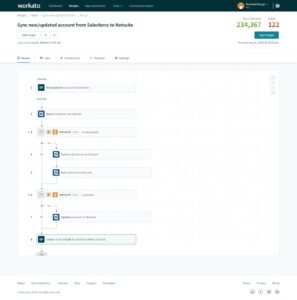
What it is: Low-code automation platform emphasizing task automation and embedded iPaaS capabilities.
Who it’s for: Business users and operations teams seeking quick-win automation, particularly for marketing automation and sales processes.
Key characteristics:
- Task automation focus: Optimized for simple, low-volume workflows rather than high-throughput data integration
- Connector library: 1000+ connectors, though approximately more than half are community connectors, so not supported by Workato or covered by Workato SLAs
- Embedded capabilities: Option for software companies wanting to offer native-looking integrations to their customers
Why should you choose Celigo over Boomi and Workato
While Boomi and Workato both have their strengths, IT leaders are choosing Celigo for one reason — it delivers the power of an enterprise platform without the complexity and cost of one.
Celigo bridges Boomi’s developer-heavy complexity and Workato’s scalability limits, creating one intelligent automation platform built for both IT and business users. It handles high-volume, complex integrations without sacrificing speed, control, or accessibility, and does it all with transparent, predictable pricing and customer-centric experience.
1. Empower every team, governed by IT
Celigo gives every team the freedom to build powerful automations — within the guardrails IT defines. It’s a shared model that blends autonomy with accountability, something Boomi and Workato still struggle to balance.
- Low-code visual builder: Every team, from finance to operations, can build and manage integrations without relying on developers.
- Reusable, prebuilt connectors and templates: With 1,000+ ready-to-use connectors, teams configure and deploy automations using an intuitive interface with AI-assisted setup.
- Role-based access and governance: IT sets clear boundaries around who can build, edit, and monitor workflows without slowing progress.
- Complete audit trails: Every action is logged for transparency, compliance, and trust across the business.
What this means: Business users move faster, solving their own integration needs, while IT keeps full visibility and confidence in how everything runs — no tickets, no bottlenecks, just progress built together.
2. Error management built in
Unlike Boomi and Workato, Celigo understands that the real challenge after building automations is to keep them running. That’s why Celigo builds reliability into the platform itself, with AI-powered error resolution that keeps workflows operational automatically. No other iPaaS offers this capability.
- Automatic error capture and classification: Every error is automatically caught, categorized, and logged, with no manual checkpoints needed.
- AI-powered auto-resolution: 95% of common errors are automatically resolved, keeping critical workflows operational without human intervention.
- Actionable error dashboard: Errors surface with clear descriptions that business users can understand, and they can modify data and retry directly from the interface.
- Assignment and workflow management: Route errors to appropriate team members with full audit trails.
What this means for you: Give the capability to truly democratize integrations. Business users can manage day-to-day issues, and IT can step in only for critical errors. Integrations stay operational without constant IT support.
3. Predictable economics that scale
Unlike Boomi and Workato, Celigo’s pricing is simple and predictable — based on endpoints (connected applications) and flows (integrations), not transaction volume or task counts.
- Zero transaction fees: Process 100 orders or 100,000 orders at the same price.
- No seasonal penalties: Peak seasons like Prime Day volumes don’t trigger overage charges.
- Predictable budgeting: Finance teams can forecast integration costs accurately without worrying about usage surprises.
What this means for you: No need to worry about going over the limit when building integrations or handing off to other teams. Celigo eliminates budget uncertainty. You get what you see only – no hidden costs, no surprise overages.
4. One platform for every workflow
The biggest issue with Boomi and Workato is fragmentation. Boomi’s APIM and DI were acquired, creating a patchwork experience. Workato’s API tools are limited, and its EDI capabilities rely on third-party add-ons, forcing IT teams to juggle multiple systems, increasing governance gaps and operational overhead.
Celigo is different. It’s a unified platform built to handle every type of integration need, all in one place.
- Application integration: AI flow builder, 1000+ prebuilt connectors for ERP, CRM, e-commerce, and more
- AI agents: Agent Builder to build AI/Agentic workflows that analyze data, reason with context, and take autonomous action across systems
- B2B/EDI integration: Native, full-fledged EDI capabilities for trading partner connections and X12/EDIFACT document exchange
- Data integration: High-throughput ELT and reverse ETL pipelines with warehouse connectors
- API management: Full lifecycle API governance for building, securing, and monitoring APIs
What this means for you: You can consolidate multiple integration tools into a single reliable platform. IT reduces complexity and maintenance overhead, while every team operates from a single, governed environment with shared visibility and predictable costs.
Boomi vs Workato vs Celigo comparison table
| Category | Boomi | Workato | Celigo |
|---|---|---|---|
| Customer experience Recognition | #4 in G2 | #2 in G2 | #1 ranked iPaaS on G2 (7 quarters)
The only “Customer’s Choice” iPaaS in Gartner VoC quadrant (Top Right) |
| Ease of use | Developer-centric, steep learning curve | Intuitive at first, complex at scale | Low-code, visual builder supports both business and technical users |
| Error handling | Manual configuration required for each integration | Manual configuration required for each recipe, all retries counted towards usage | Built-in AI-powered error management, auto-resolves 95% of issues |
| Prebuilt connectors | 200+ connectors, fully supported | 1000+ connectors, more than half are community-built, not officially supported | 1,000+ connectors, all maintained and fully supported by Celigo |
| Pricing | Capacity-based, surprise renewal increases, and additional fees for onboarding | Usage-based pricing, metrics vary across products, eg, recipe has task, API has API calls, and so on – making it too complex to predict | Endpoints + flows, no transaction fees, predictable scaling |
| Best for | Large enterprises with dedicated integration teams | Marketing/sales automation, embedded iPaaS, simple task workflows | Organizations of any size needing scalable, governed automation across ERP, EDI, ecommerce, and data flows |
Boomi: features, pricing, pros & cons
Key features
Hybrid and on-premise integration: Capabilities for connecting legacy systems and on-premise applications with cloud services, making it suitable for large organizations with primarily on-premise infrastructure.
Broad platform portfolio: Offers integration, API management, EDI, and workflow automation capabilities across separate modules. However, several of these capabilities are either acquired, such as Flow and APIM, or archaic, like MDM.
Pricing
- New model where each connector comes with throughput caps, making forecasting difficult during business growth or seasonal peaks
- Unless you are spending a certain threshold (~100k USD), you might not get access to onboarding managers
- Limits on volume, support tickets, and data processed through public cloud, which adds to the overall cost
Important notes: Boomi offers heavy initial discounting. But during renewal pricing increases substantially. Moreover, the capacity caps in new pricing models have led to 50-100% price jumps for some customers.
Pros
- Comprehensive capabilities across API management, master data management, and more
- Mature platform with proven scalability for large-scale implementations.
Cons
- Requires full-time technical resources, creating hidden labor costs.
- Each integration needs custom exception logic, adding engineering overhead.
- Customers report slow response times and additional fees for onboarding or technical help.
- Frequent renewal hikes make the total cost of ownership hard to control.
Workato: features, pricing, pros & cons
Key features
- Recipe-based workflow automation: Workato’s visual interface uses trigger-action logic, allowing users to automate multiple tasks without technical experience
- Extensive connector marketplace: Workato has 1000+ connectors, of which 2/3rd are community-built connectors that are not officially supported by Workato.
- Embedded iPaaS capabilities: Provides a white-labeled OEM option for software companies that want to embed native-looking integrations into their own products
Pricing
Here’s how Workato’s pricing model works:
- Typically structured around workspaces and usage
- Workspace is the base cost, which can vary between $10 to $50K based on tier, followed by usage
- Moreover, nuances like loop steps counted twice further double the task usage.
Important notes: Peak seasons or business growth can trigger significant overage charges. Add-on capabilities may require additional fees.
Pros
- Intuitive interface with recipe-based workflows feels approachable for non-technical business users.
- Strong embedded iPaaS capabilities with white-labeling and multi-tenant architecture for software companies.
- Large connector ecosystem
Cons
- Missing key integration capabilities like pagination, insert vs. update logic, and support for multiple triggers or multi-instances in a single flow.
- Struggles to scale efficiently for high-volume or complex workflows.
- Task-based pricing makes long-term costs unpredictable, further escalating with loop multiplication.
- Requires manual error handling for each recipe, adding ongoing IT overhead.
Boomi vs Workato (including Celigo): use-case comparison
Here’s how the three platforms address two of the most revenue-critical, cross-departmental integration scenarios.
Order-to-cash (eCommerce)
Stack: Shopify/Amazon/3PL → ERP → WMS → BI
Teams involved: Ecommerce, Operations, Finance, IT
Boomi
Boomi offers eCommerce and supply-chain integrations that can streamline order-to-cash processes.
Teams typically configure mappings, data transformations, exception handling, and trading-partner logic directly within the platform.
For many organizations this offers flexibility, but it does require more hands-on design and ongoing IT involvement as channels, products, or retail requirements evolve.
Workato
Workato provides ecommerce connectors and recipe-based automations that can help accelerate initial integrations.
As volume grows, teams often need to distribute workloads across multiple recipes and tune concurrency or timeout settings to maintain throughput. EDI workflows are usually implemented with a combination of Workato’s native tools and external EDI partners, which can introduce additional components to manage.
Celigo
Celigo delivers end-to-end, enterprise-grade order-to-cash automation through prebuilt Integration Applications for NetSuite–Shopify, NetSuite–Amazon, and NetSuite–BigCommerce — designed specifically for sustained, high-volume ecommerce.
Celigo supports complex flows across multiple departments:
- Storefront → ERP: orders, customers, fulfillment, inventory synchronization
- ERP → 3PL/WMS: pick/pack/ship, multi-location inventory, shipping confirmations
- Retailer Compliance (EDI): built-in B2B Manager for ASNs, purchase orders, invoices, and retail partner validations
- Finance & BI: settlements, payouts, SKU performance, and financial reconciliation
Because Celigo manages ecommerce, supply chain, and EDI on a single platform, organizations can operate a cross-departmental O2C system without stitching together separate middleware components.
Overall, Celigo offers broader, deeper order-to-cash automation than Boomi or Workato, making it the stronger choice for retailers and ecommerce companies running complex operations.
Quote-to-cash (SaaS + finance automation)
Stack: Salesforce/HubSpot → Billing System → ERP → Data Warehouse
Teams involved: Sales, RevOps, Finance, IT
Accurate quote, order, and invoice synchronization is critical for subscription revenue, forecasting, and financial close.
Boomi
Boomi integrates CRM, billing, and ERP systems using a flexible process builder and supports complex, multi-entity financial flows.
Configuration and data modeling typically occur inside the Boomi platform, giving teams control but requiring technical resources as pricing models, revenue rules, or entity structures change.
Workato
Workato supports CRM-to-ERP quote-to-cash workflows using recipes and application connectors. It is frequently used for straightforward opportunity-to-invoice flows.
More complex data-update patterns, such as large-volume upserts or multi-step revenue events, often require additional recipes or custom logic to maintain consistency across systems.
Celigo
Celigo provides purpose-built Integration Applications for Salesforce/NetSuite quote-to-cash, designed for organizations that need alignment across Sales, RevOps, Finance, and IT.
Celigo automates the entire lifecycle:
- Opportunities → Quotes → Orders
- Order → Fulfillment → Invoicing → Revenue schedules
- Payments, credits, and adjustments back to CRM
- Data synchronization into BI/warehouse systems for revenue reporting
Because these flows run on Celigo’s unified integration and automation platform, teams can manage departmental workflows (Sales, Finance) and cross-departmental platform deals within a single system.
Overall, Celigo provides broader, deeper quote-to-cash automation than Boomi or Workato, making it the stronger choice for SaaS companies with complex revenue operations.
Migration from Boomi or Workato to Celigo
For many teams, moving from Boomi or Workato to Celigo isn’t just a migration but a reset in how IT operates. Fortunately, switching doesn’t have to be disruptive.
Customers have followed this proven migration path:
- Inventory flows and endpoints → Classify by risk and volume
- Pilot a high-impact flow (e.g., order sync) → Validate Celigo’s error handling, MTTR, and SLA alignment
- Run in parallel → Use alerting to compare MTTR, data quality, and operational overhead side-by-side
- Train teams → Cover retry, assignment, and resolution workflows; finalize operational runbooks
- Cut over → Decommission legacy connectors and flows with confidence
Celigo: The best enterprise-grade alternative to Boomi and Workato
Boomi can work well for organizations with dedicated developer teams and advanced API governance needs, but it comes with significant operational overhead and unpredictable pricing.
Workato delivers accessible automation for business users and solid embedded iPaaS capabilities, yet it struggles with high-volume processing and a task-based pricing model that makes scaling expensive.
Celigo eliminates these trade-offs by unifying your entire automation lifecycle on one intelligent platform. Its low-code, AI-assisted builder empowers every team to create and adapt powerful workflows within IT-defined guardrails. Once deployed, built-in AI error management resolves 95% of issues automatically, keeping operations smooth and uninterrupted.
And because every integration, workflow, and agent runs within a single environment — with centralized visibility, shared governance, and transparent pricing based on endpoints and flows — you can scale automation confidently without cost surprises or tool sprawl.
→ Ready to see how Celigo handles your specific use cases? Book your demo.
FAQs
How does Celigo’s error management compare to Boomi and Workato?
Celigo offers built-in, full-lifecycle error management powered by AI, automatically capturing and resolving up to 95% of common errors without human intervention.
In contrast, both Boomi and Workato require teams to manually design and maintain error handling for every integration — a process that quickly becomes a drain on IT time and introduces unnecessary risk.
Here’s what that means for builders working in Boomi or Workato:
- High setup effort: Every possible failure must be manually predicted and scripted in each recipe or flow.
- Deep knowledge: Teams need detailed knowledge of every app’s API and failure modes just to manage basic exception handling.
- Constant QA load on IT: When error handling is done incorrectly, workflows fail silently — and IT ends up diagnosing issues long after the fact.
- Hidden failures: Miss one error scenario, and flows can fail without alerts, creating silent data mismatches across systems.
- No centralized control: Errors are scattered across individual workflows, making visibility and root-cause analysis slow and fragmented.
- Growing IT burden: Each new integration adds another layer of maintenance, as only IT can troubleshoot and resolve issues
What are the pricing models for Boomi, Workato, and Celigo, and how do they impact long-term costs?
Both Boomi and Workato include consumption-based components that make costs unpredictable over time. In the first year, pricing can appear reasonable — often due to low initial usage or heavy discounting. But as your automation volume grows or discounts expire, the true costs surface. Year two and beyond often bring steep increases, effectively penalizing you for success and scale.
Celigo takes a completely different approach. We offer transparent, predictable pricing based on endpoints and flows. There are no hidden fees, no overage premiums, and no surprise renewals. Whether your team runs 100 workflows or 100,000, your pricing remains consistent.
In the long run, Celigo rewards growth rather than penalizing it. You scale automation freely, with confidence that your costs will always align with what you were promised.
Can Celigo handle high-volume data processing better than Boomi and Workato?
Yes, Celigo is designed to handle high-volume data efficiently with no practical limits, making it ideal for demanding, data-heavy use cases. Workato struggles with high-volume data processing, often facing limitations with concurrency and timeout restrictions. Boomi can handle high-volume workflows but requires significant custom development and also has certain limitations crossing which can incur additional cost.
How do Boomi and Workato compare in terms of ease of use for non-technical users?
Workato is known for its intuitive interface, making it accessible for non-technical business users, but it can become complex the moment you want to build something outside of the basics. Boomi, on the other hand, is developer-centric with a steep learning curve, requiring dedicated IT resources. Celigo offers a low-code platform that empowers business users to manage integrations while maintaining IT governance.
What are the main use cases where Celigo outperforms Boomi and Workato?
Celigo excels in high-volume ecommerce, ERP, and EDI workflows, providing pre-built integration apps and templates for rapid deployment. It supports complex, cross-platform integration strategies and offers robust error management and predictable pricing. Boomi is better for enterprises with strong developer resources and hybrid integration needs, while Workato is good for marketing and sales automation with simple task workflows.
Choose a platform that balances power, ease of use, and value.
Integration insights
Expand your knowledge on all things integration and automation. Discover expert guidance, tips, and best practices with these resources.


