Salesforce
 MS Dynamics 365
 Oracle NetSuite
 SAP
SAP Walmart
 Amazon
 Shopify
 Snowflake
 Acumatica
AI for process automation: A practical guide to real operational impact


Many organizations are exploring AI for process automation to improve how core operations run. The opportunity isn’t just to automate more tasks, but to make processes more adaptive, data-driven, and resilient.
Traditional business process automation (rules, scripts, and isolated workflows inside individual applications) can only go so far. These approaches work when data is clean, processes are repetitive and rarely change, and exceptions are limited. They struggle when inputs are unstructured, behavior shifts frequently, or decisions depend on signals from multiple systems.
AI expands what automation can handle, but it does not replace the need for solid process design. Using AI and implementing AI-powered processes delivers lasting value only when AI automation is wired into end-to-end processes that already run through ERP, CRM, ecommerce, finance, and IT systems.
On its own, a model can classify, predict, or summarize; AI for process automation begins when those outputs are routed through dependable integrations, incorporated into workflow logic, and operated with proper monitoring and control.
A practical question remains: what does “AI for process automation” look like in real workflows? Before turning to use cases and platforms, it is worth defining what we mean by the term and what we do not.
What is AI for business process automation?
AI for process automation uses artificial intelligence, including machine learning (ML), natural language processing (NLP), and large language models (LLMs), to handle parts of a workflow that previously required human judgment.
Instead of automating only clear, rule-based steps, AI-powered automation can:
- Understand unstructured inputs (emails, PDFs, tickets, chat)
- Extract key fields and entities
- Predict risks, outcomes, or priorities
- Recommend or select the next best action
- Summarize long records for faster review
In an automated process, these AI steps sit alongside deterministic logic and human approvals.
The real business impact comes when AI outputs trigger reliable actions across connected systems, backed by orchestration, monitoring, and governance.
What it is
- AI-powered decisioning embedded inside workflows (classify, extract, recommend, predict)
- AI automation that spans systems (ERP, CRM, ecommerce, ITSM, data platforms)
- A governed operating model with monitoring, audit trails, and access controls
What it isn’t
- Chatbots that sit outside business processes
- A one-off script that calls an LLM and emails the result
- A lab project that never reaches production or integrates with real systems
Why connectivity is the foundation of AI automation
Meaningful AI automation depends on connectivity and data integration. AI models need timely, consistent data from multiple systems, and their outputs must flow back into those same systems in a controlled way:
- Orders in ERP and ecommerce
- Invoices and payments in finance
- Customers and accounts in CRM
- Tickets and incidents in ITSM
- Events in data platforms
Without an integration layer, each AI pilot becomes its own technical island: custom connectors, one-off scripts, separate logging, and separate governance. Over time, this adds complexity instead of reducing it.
A connectivity-first approach treats AI automation as one layer in an enterprise automation stack:
- Workflow and rules
○ Deterministic steps, approvals, routing, and business logic. - Integration and data movement
○ Reliable connectivity across applications, data sources, and services. - AI services
○ Classification, extraction, prediction, and summarization are performed by ML/NLP/LLM components. - Governance and observability
○ Monitoring, audit logs, RBAC, error handling, and change control.
AI adds value most consistently when it is integrated into this stack, not bolted on as an add-on.
Benefits of AI business process automation
When AI is embedded into real AI workflows, it can transform how teams work every day. The biggest gains tend to show up in four areas.
1. Less manual handling, more time for real work
A lot of operational effort goes into “reading and routing” rather than actual decision-making. With AI-powered business process automation, systems can:
- Parse and route inbound emails, tickets, and forms
- Read invoices, orders, or claims and extract the fields you need
- Pre-fill records and suggest next steps for common scenarios
Because these steps happen inside integrated workflows, you see:
- Fewer manual touchpoints
- Less copy-paste between systems
- Less time spent figuring out who should handle what
Teams end up spending more time on edge cases and exceptions, and less time doing basic triage.
2. Decisions made faster, with more signal
Traditional automation relies on static rules and limited data. AI for business process automation can bring in more context:
- Risk scores based on history across ERP, CRM, and payments
- Demand or churn predictions that use multiple data sources
- Recommended “next best action” based on similar past cases
When these signals are written back into ERP, CRM, ecommerce, or ITSM and used by workflows:
- Work is prioritized more consistently
- High-impact items get attention sooner
- Decisions are less dependent on individual memory or spreadsheets
You move from reacting late to acting earlier, with more confidence.
3. Processes that hold up better under change
Most automations are fragile when something changes: a new product line, a policy tweak, a UI update, a spike in volume. AI on its own does not fix that, but when combined with a solid integration and orchestration layer, it can help processes adapt by:
- Handling more variation in inputs without breaking
- Flagging unusual patterns for review instead of failing silently
- Supporting different paths for different customer or transaction types
You still need retries, fallbacks, and clear exception flows. But with AI doing more of the interpretation and an integration platform managing the plumbing, workflows are less likely to collapse when conditions shift.
4. Shared visibility into where AI is actually helping
When AI automation is part of the same integration and monitoring stack as your other workflows, it’s easier to see:
- Where AI is used, and in which steps
- How it affects metrics like cycle time, error rate, DSO, SLA adherence, or MTTR
- How often humans need to override or correct AI-driven decisions
That level of visibility makes it easier to:
- Decide where to expand using AI (or rolling it back)
- Have informed conversations between IT and business teams
- Treat AI as part of the normal improvement cycle, not a black box
Over time, this turns AI from “a pilot we’re trying” into a visible part of how core processes run.
AI process automation use cases across business operations
High-impact AI automation operates inside connected processes, not isolated tasks.
A simple pattern to evaluate use cases is:
Trigger → AI step → Orchestrate across systems → Human checkpoint (if needed) → Metric improved.
Finance and operations
Accounts receivable (AR): cash application and dispute handling
- Trigger: Remittance emails and payment notices arrive with attachments and free-form notes.
- AI step: NLP classifies intent (payment, short-pay, dispute, inquiry) and extracts key fields (invoice IDs, amounts, dates).
- Orchestrate: The workflow matches the data to open invoices in ERP, updates records, and routes exceptions to collections queues or ticketing systems.
- Human checkpoint: Specialists review low-confidence matches and complex disputes.
- Metric improved: DSO, match rate, and exception resolution time.
Accounts payable (AP): invoice processing
- Trigger: Vendor invoices arrive as PDFs or scans via email or shared folders.
- AI step: Computer vision and NLP extract vendor details, amounts, tax, and line items; anomalies or duplicates are flagged.
- Orchestrate: The process creates or validates vendor bills in ERP, routes exceptions for approval, and syncs status to collaboration tools.
- Human checkpoint: AP reviews flagged invoices and edge cases.
- Metric improved: AP cycle time, exception rate, and duplicate payments.
Order-to-cash prioritization
- Trigger: New orders are created in ecommerce or order management systems.
- AI step: Models score orders for fraud, credit risk, or fulfillment priority using data from ecommerce, payments, and ERP.
- Orchestrate: Flows hold or release orders, notify finance and operations, and update order status across systems.
- Human checkpoint: Finance reviews high-risk orders.
- Metric improved: Revenue leakage, fraud exposure, fulfillment speed.
Supply chain and fulfillment
Demand forecasting and replenishment
- Trigger: Changes in sales velocity and inventory across channels.
- AI step: ML forecasts demand by SKU and location.
- Orchestrate: The system adjusts reorder points, creates purchase orders, and alerts planners for review.
- Human checkpoint: Planners approve or reject unusual recommendations.
- Metric improved: Stockouts, overstock, service-level performance.
Fulfillment exception management
- Trigger: Carrier updates or warehouse signals indicate delay risk.
- AI step: Models predict late deliveries and categorize risk severity.
- Orchestrate: Workflows update order status in ERP and ecommerce, notify customers, and reroute fulfillment when justified.
- Human checkpoint: Operations approves high-cost reroutes.
- Metric improved: On-time delivery, SLA adherence, customer satisfaction.
IT and service management
Ticket triage and routing
- Trigger: Tickets arrive via email, portals, or chat.
- AI step: NLP summarizes issues, classifies category and urgency, and suggests resolution steps.
- Orchestrate: The system updates ITSM priority and assignment, links related tickets, and notifies on-call teams.
- Human checkpoint: Service desk reviews ambiguous classifications.
- Metric improved: MTTR, first response time, escalation accuracy.
Knowledge retrieval and deflection
- Trigger: Ticket text or chat matches known patterns.
- AI step: AI recommends relevant knowledge articles and drafts suggested responses.
- Orchestrate: Suggestions appear directly in the service workflow; the system records which articles resolved issues.
- Human checkpoint: Agents confirm or edit responses as needed.
- Metric improved: Deflection rate, agent productivity, repeat incident rate.
Across all of these use cases, the underlying requirement is integration. AI needs consistent access to data across systems, and its outputs must flow back into those same systems; otherwise, it never becomes part of a reliable end-to-end process.
Challenges of implementing AI for process automation
Using AI for process automation at scale is less about models and more about how they fit into existing systems, controls, and teams.
Several challenges consistently appear in enterprise environments.
Integrating AI automation into existing systems
Proofs of concept are easy; making AI part of day-to-day operations is not. To operationalize AI, teams must:
- Pull the right data from ERP, CRM, ecommerce, ITSM, and data platforms
- Send that data to AI services securely and consistently
- Write AI outputs back into business systems with validation and error handling
When this is handled through ad hoc scripts or one-off connectors, you end up with integrations that are difficult to support, monitor, and govern across environments.
Data readiness and quality
AI automation is only as good as the data it runs on. That requires:
- Clean, timely data feeds
- Consistent definitions and schemas across systems
- Clear ownership and lineage for key entities (customers, orders, invoices, assets)
If data remains fragmented or conflicting, AI will often amplify those inconsistencies (surface the wrong customers, misprioritize work, or reinforce inaccurate metrics) rather than improving the process.
Governance, risk, and compliance
As AI starts to influence real processes, organizations need explicit guardrails around:
- Which decisions AI is allowed to influence or automate
- How AI-affected actions are logged and audited
- Who can deploy or change models, and how those changes are rolled out
- How access, privacy, and retention policies apply to data sent to AI services
Without these controls, AI can introduce operational, compliance, and reputational risk into core workflows faster than it delivers benefits.
Reliability and operational burden
AI components add new failure modes on top of the usual integration issues, including:
- Model downtime, API limits, and connectivity failures
- Low-confidence or out-of-distribution outputs
- Model drift over time as data and behavior change
- Schema or contract changes from upstream systems or AI providers
To keep processes reliable, orchestration needs built-in retries, fallbacks, and clear exception paths, so workflows continue to function even when AI components are degraded or temporarily unavailable.
Organizational change and trust
Even well-designed automations will stall if people don’t trust or understand them. AI initiatives struggle when:
- Teams don’t know when or how AI is being used in their processes
- Ownership of AI-enabled workflows is unclear (who maintains what)
- Human-in-the-loop roles aren’t defined for review, override, and escalation
It’s important to specify who approves which decisions, where humans intervene, and how operator feedback flows back into both the process design and the underlying models.
How to evaluate platforms for AI-driven process automation
When evaluating AI-driven process automation platforms, look beyond polished demos and focus on how they will integrate with your systems, scale with your workloads, and behave in production over time.
Orchestration across systems and processes
An integration platform should be able to:
- Connect to core systems (ERP, CRM, ecommerce, ITSM, data platforms) using robust, maintainable integrations
- Integrate with multiple AI services and models, without hard-coding to a single provider
- Design end-to-end workflows that combine rules, AI steps, data transformations, and human approvals
- Reuse components (connectors, mappings, subflows, policies) across different processes and teams
The objective is to build a coherent automation fabric in which workflows share patterns and infrastructure, rather than a collection of isolated automations tied to individual projects.
Governance, monitoring, and control
Key capabilities to prioritize include:
- Central monitoring of all workflows, including visibility into calls to AI services and downstream effects
- Structured error handling, retries, and exception management that can be tuned without rewriting code
- Role-based access control with clear separation of environments (dev, test, prod)
- Audit logs for configuration changes, deployments, and execution history
Because AI can directly influence decisions, observability and control are not optional. The platform should make it straightforward to see where AI is used, how it behaves, and what needs attention.
Scalability and enterprise readiness
A integration platform intended for enterprise use should be able to:
- Handle current and projected transaction volumes, including peaks and seasonal variation
- Support multi-entity and multi-region operations, including different business units and regulatory contexts
- Integrate with existing security and identity infrastructure (SSO, MFA, least-privilege access models)
- Coexist with—and, where possible, improve—existing automation tools, rather than forcing an all-or-nothing replacement
A strong platform supports a long-term automation and integration strategy. It should remain useful as processes, systems, and AI capabilities evolve, rather than being tied to a single, narrow use case.
Enabling AI-driven process automation at scale
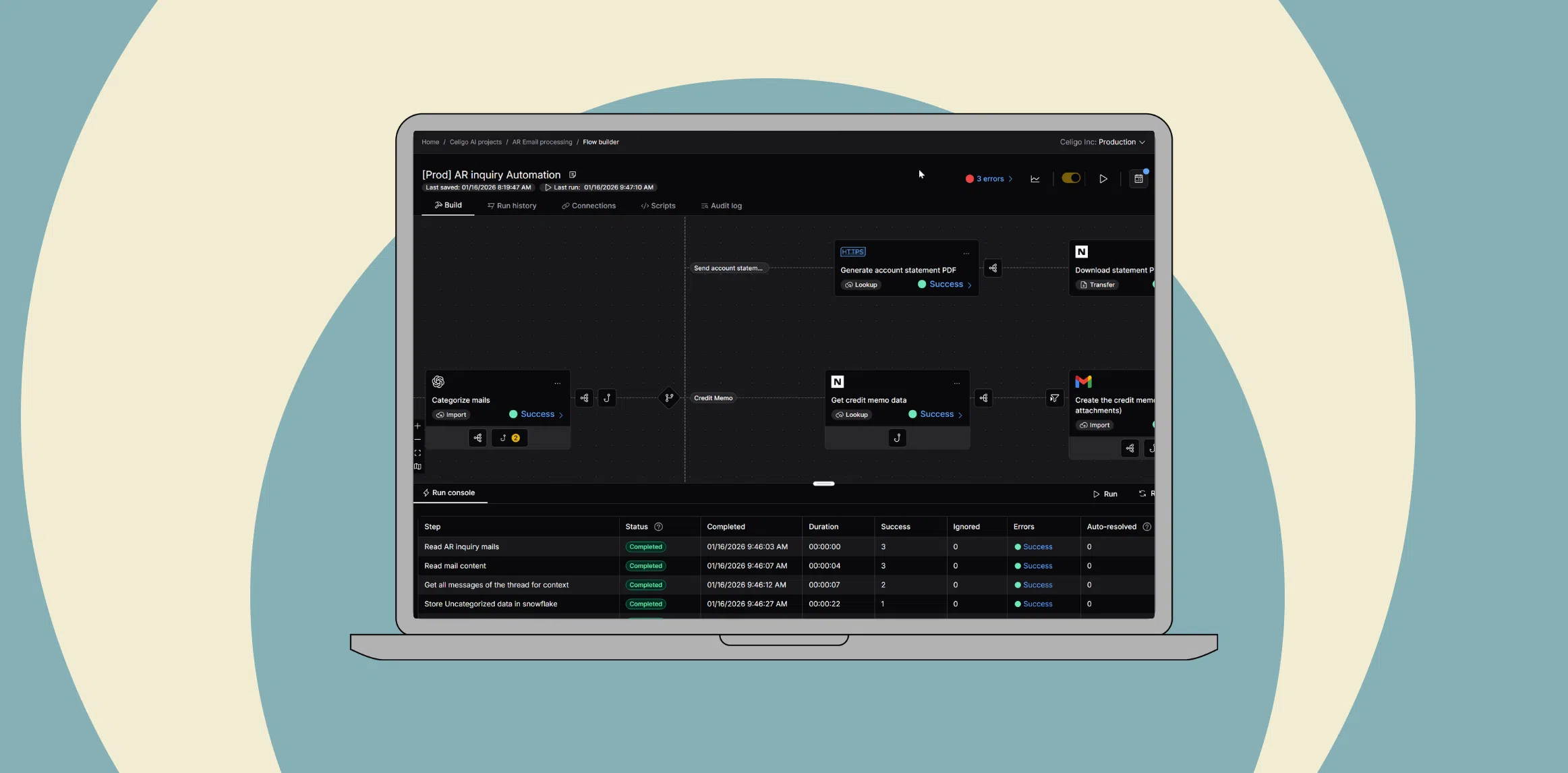
Celigo is an intelligent integration and automation platform designed to help organizations operationalize AI for process automation by focusing on connectivity, orchestration, and governance rather than on models themselves.
Connecting systems and AI services
Celigo provides:
- Prebuilt connectors and integration patterns for core enterprise applications (such as ERP, CRM, ecommerce, ITSM, and data platforms)
- The ability to invoke AI services (for classification, extraction, prediction, or summarization) as steps within a workflow
- Consistent ways to move, transform, and enrich data between applications and AI components, so models receive the context they need and outputs can be applied safely
This connectivity allows AI to participate in processes that span multiple systems, without each team building and maintaining its own custom integration layer.
Orchestrating intelligent, cross-system workflows
Celigo enables teams to:
- Design low-code workflows that cross system boundaries and combine deterministic rules, AI steps, and human approvals
- Implement complex, multi-step processes in areas like AR/AP, order-to-cash, supply chain, and IT operations, with AI embedded where it adds value
- Use reusable templates and shared components to accelerate common AI process automation scenarios and reduce duplication
By treating AI as one element in a broader orchestration layer, Celigo helps ensure that AI outputs lead to consistent, repeatable actions across systems.
Ensuring reliability, governance, and visibility
To support production operations, Celigo includes:
- Centralized monitoring and logging for integrations and automations, including AI-related steps
- Built-in exception handling, alerting, and retry mechanisms to reduce operational burden when services fail or data changes
- Governance features—such as role-based access, environment management, packaging, and audit trails—that help teams control where and how AI is invoked in production workflows
Celigo provides the integration and automation foundation required to embed AI tools into business-critical processes with the level of reliability and control expected in enterprise environments.
Preparing for the future of process automation
AI capabilities and tooling will continue to evolve, but the core requirements for reliable process automation remain stable.
Several trends are likely to shape how automation is designed and operated:
- Adaptive orchestration: Workflows that adjust routing, thresholds, or paths based on real-time signals (performance, risk, demand) rather than only on static rules.
- Structured human-in-the-loop: Processes that explicitly include review, override, and escalation steps for higher-risk or higher-impact decisions, with clear auditability.
- Continuous optimization: Using telemetry from automated processes—such as error rates, cycle times, and where humans intervene—to iteratively refine both workflows and model usage over time.
Regardless of which specific AI techniques are used, the underlying requirement remains the same: connected systems, trustworthy data, and an orchestration layer that can evolve without forcing teams to redesign processes from scratch.
→ Request a demo to see how Celigo provides that layer across your systems so you can plug AI into workflows.
Integration insights
Expand your knowledge on all things integration and automation. Discover expert guidance, tips, and best practices with these resources.