Access local files with the new on-prem file connector
 Updated Jan 29, 2026

The on-prem file connector is now available, giving teams a secure, fully supported way to access and automate file-based workflows from local servers and private networks directly within Celigo.
You can now connect folders on internal systems to Celigo flows, retrieve files (such as CSVs, logs, or exports), and push data to cloud apps without exposing those environments to the public internet or relying on brittle scripts.
This connector complements Celigo’s existing on-prem capabilities by enabling file access outside of FTP/SFTP protocols.
Watch the quick demo
Many teams still manage critical files on internal systems (such as finance reports, machine logs, and HR exports), but automate everything else in the cloud. The on-prem file connector bridges that gap.
Instead of manually downloading and uploading files (or relying on fragile scripts), you can now plug those folders directly into Celigo and build observable, automated flows that treat local files like any other integration source.
Secure hybrid connectivity
Access file shares behind the firewall without opening ports. All traffic routes through a managed on-premise agent—no inbound access required.
Eliminate manual handling
Replace “download → transform → upload” workflows with fully automated, scheduled flows.
Monitor everything in one place
Track runs, errors, and data movement from local sources alongside your cloud automations—within the same Celigo UI.
Standardize and scale
Use a consistent connector model instead of custom scripts. Reuse flow patterns across teams and departments.
How it works
- Install an on-prem agent on your internal system or a machine that has access to the desired file shares.
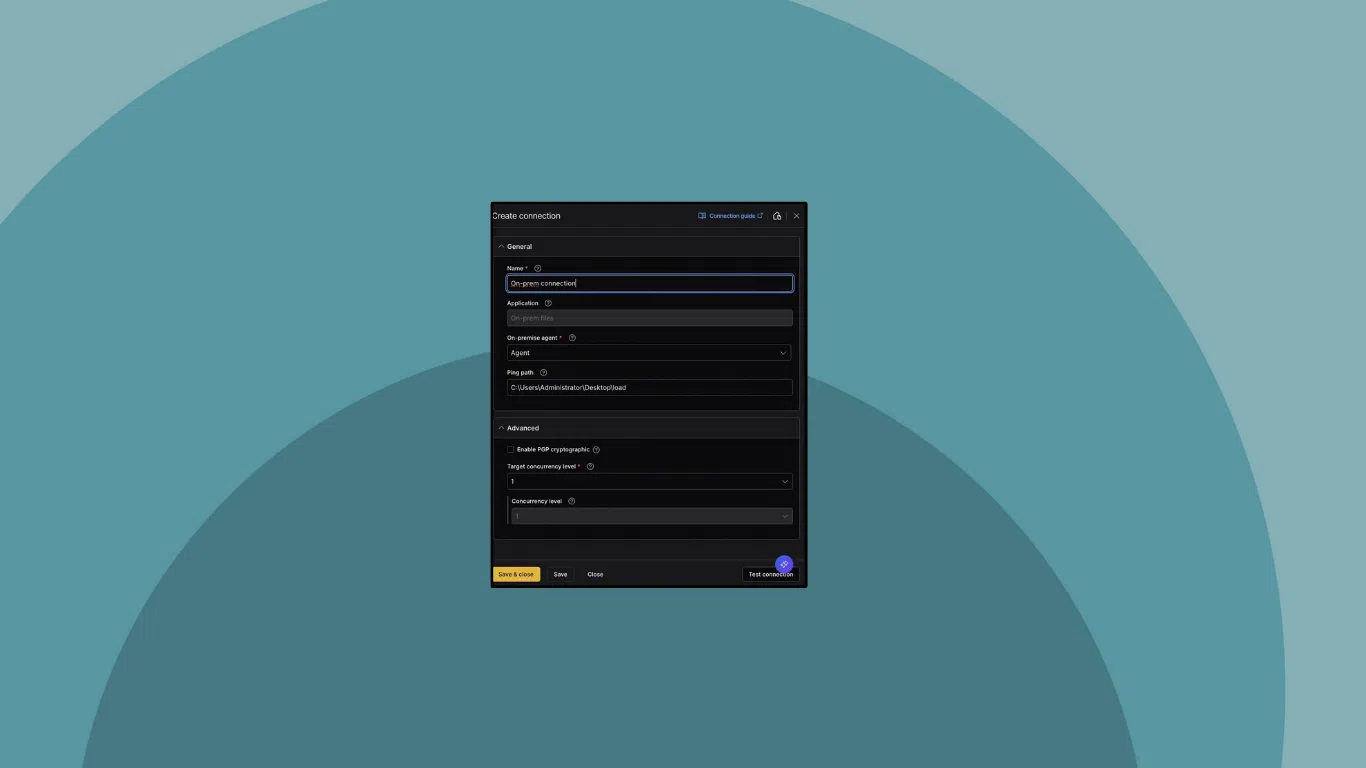
- Create a connection in Celigo using the On-prem File Connector and select the agent and file path.
- Use it in a flow like any other source:
- Pick a folder path and optional naming patterns
- Choose to parse files or pass them as blobs
- Configure transformations and cloud destinations (e.g., NetSuite, Snowflake, S3)
- Monitor flow runs using standard logging, retry, and alert tools within Celigo.
Use case examples
Here are a few examples of how teams are using the on-prem file connector:
Finance: Local exports → Cloud ERP
- Daily reports generated by an on-prem finance system are saved to a local share
- Celigo picks up the file and pushes data to NetSuite or a cloud data warehouse
Operations: Machine logs → Analytics
- Machines drop production or batch files to an internal drive
- Celigo reads the file, normalizes the data, and updates Snowflake or dashboards
HR: Employee data → Cloud HRIS
- HR system exports employee updates to a secure folder
- Celigo syncs the data to Workday or BambooHR, with audit logs for each run
Choosing the right on-prem connectivity
Celigo now supports three patterns for integrating on-prem systems:
| Use Case | Connector |
| On-prem database or application | On-prem DB/App connectivity |
| File exchange over FTP/SFTP | FTP with on-prem agent |
| Local files (not via FTP) | On-prem file connector |
Bringing internal files into your automation strategy
Whether you’re managing finance reports, machine logs, or compliance exports, the on-prem file connector gives you a scalable, secure way to automate file-based workflows that previously relied on manual effort or custom scripting.
Integration insights
Expand your knowledge on all things integration and automation. Discover expert guidance, tips, and best practices with these resources.