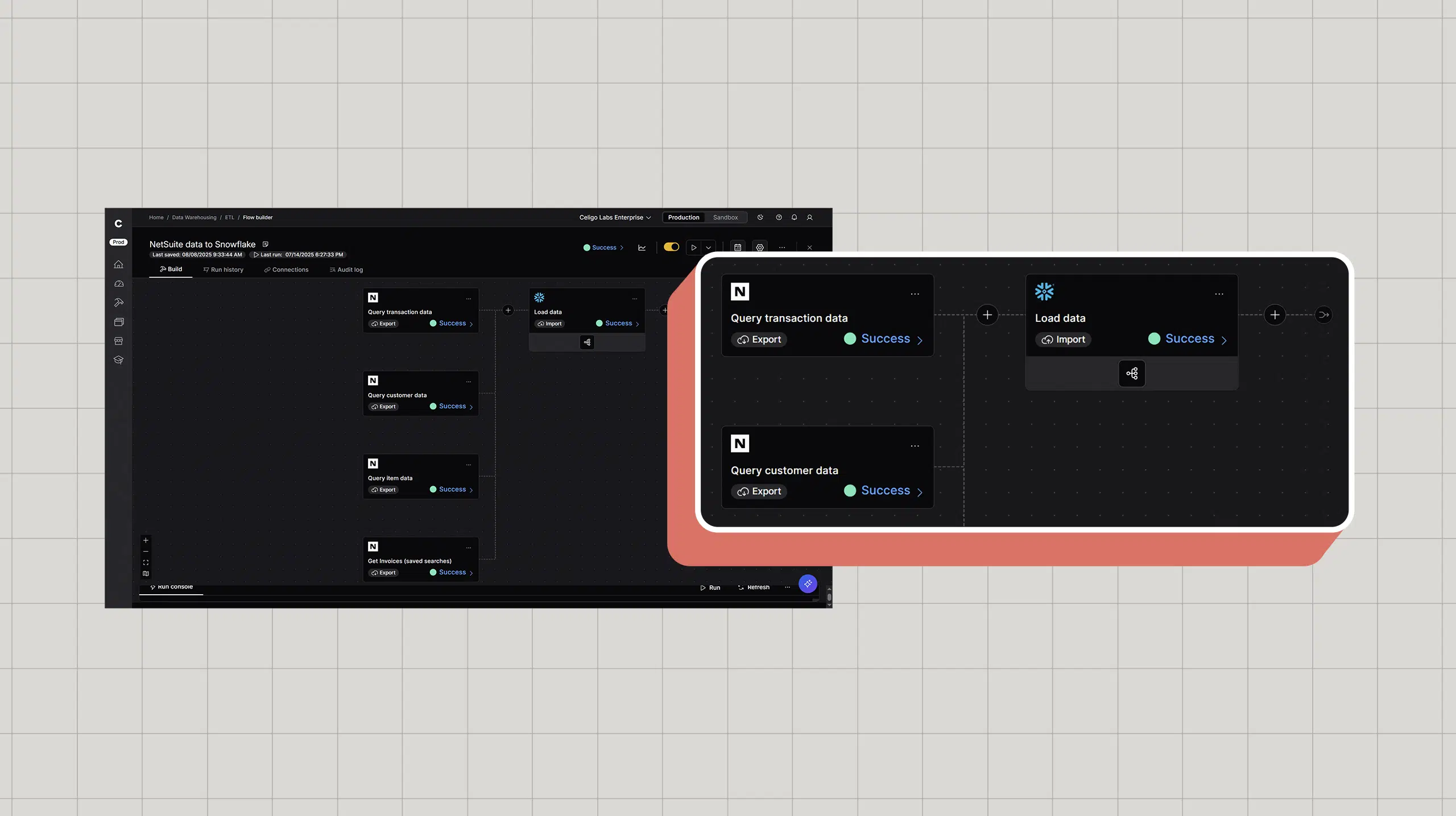
Extract, Transform, Load (ETL) processes form the backbone of modern data infrastructure, moving data from source systems into data warehouses where it becomes useful for reporting and analytics. But ETL implementations often fail due to overlooked fundamentals such as poor data quality, inefficient loading strategies, and inadequate error handling.
The cost of these failures shows up as inaccurate reports, failed data loads, and pipelines that break under production volume. Organizations that get ETL right from the start avoid these problems and build a data infrastructure that scales reliably.
This guide covers seven essential ETL best practices covering data quality preparation, loading strategies, error handling, security, and scaling to help you build data pipelines that work reliably from day one.
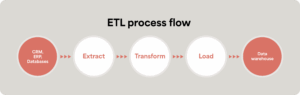
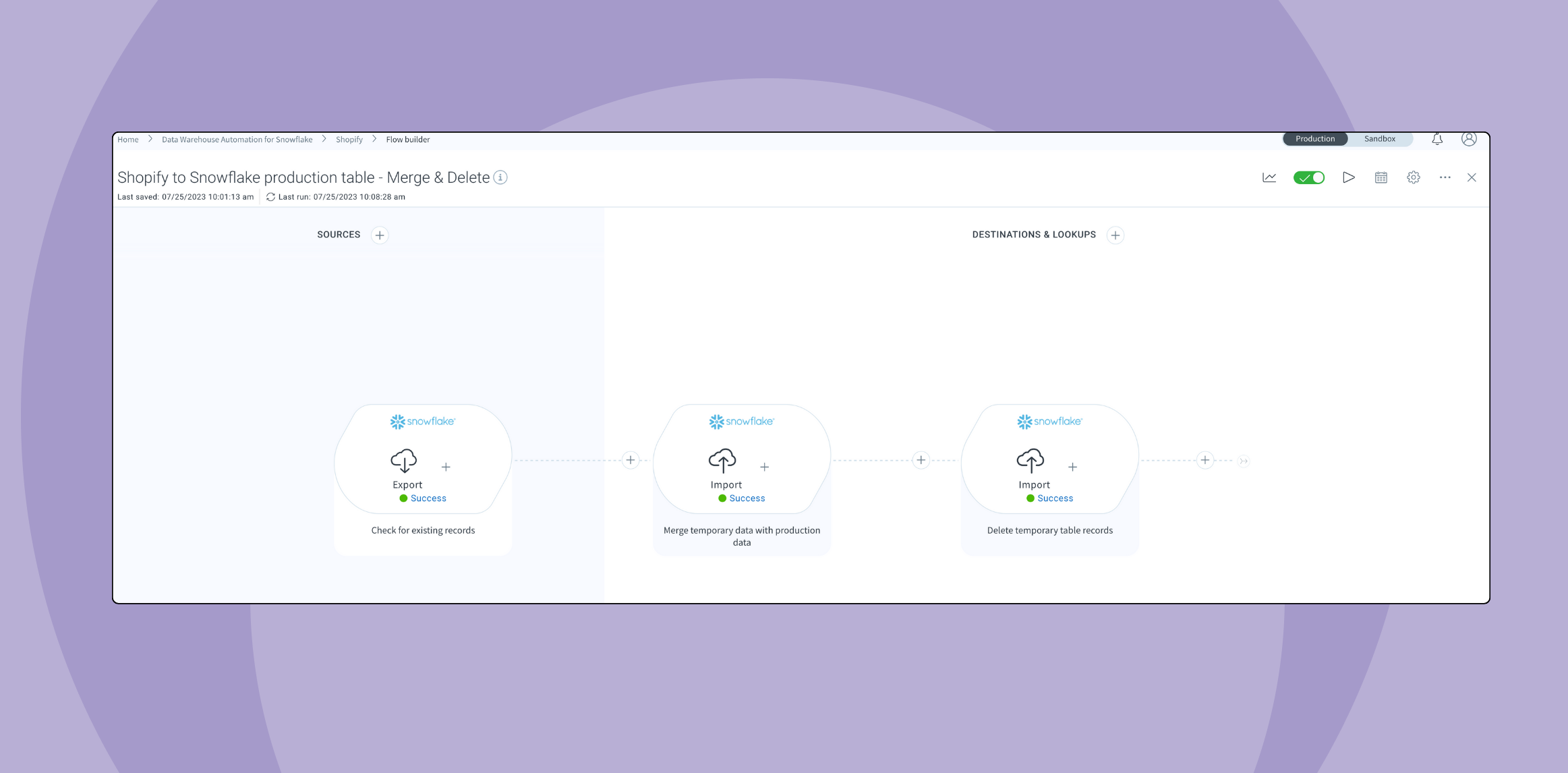
ETL stands for Extract, Transform, and Load, which is the process of moving data from source systems, transforming it to match your requirements, and loading it into a destination like a data warehouse.
Here’s how it works:
- Extract: Pull data from source systems like CRMs, ERPs, databases, or applications.
- Transform: Clean, standardize, and restructure data to match your destination schema and business requirements.
- Load: Insert the transformed data into your target system, typically a data warehouse like Snowflake, BigQuery, or Redshift.
Modern cloud data warehouses have shifted many organizations toward ELT (Extract, Load, Transform) for data integration, where transformation happens inside the warehouse using its processing power.
However, ETL best practices around data quality, error handling, and scalability apply regardless of whether you transform before or after loading.
1. Prioritize data quality and preparation
Data quality issues can easily cause more ETL failures than technical problems. Bad data in means bad data out, no matter how sophisticated your transformation logic.
There are two key best practices you should implement when it comes to data quality: Assessing data quality assessments upfront and evaluating data quality on an ongoing basis.
Implement data quality checks before loading
Data quality checks should be a standard part of your ETL process, not an afterthought. Checking data quality before loading reduces problems downstream and improves scalability by ensuring you’re only moving clean, standardized data.
Common data quality issues to watch for include:
- Duplicates: Multiple records for the same entity with slight variations
- Null values: Missing required fields that break downstream processes
- Inconsistent formatting: Dates, phone numbers, or addresses in different formats across records
- Incomplete data: Records missing critical information needed for reporting
- Inaccurate data: Reported information that doesn’t follow expected protocols or formats
Make data quality an ongoing process
Data quality assessments aren’t just a one-time check.
You need ongoing validation at key points such as:
- Before any major ETL process or pipeline update
- When establishing new processes or data sources
- Before adding new datasets to existing pipelines
- Whenever you notice poor output quality in reporting or inconsistencies in your databases
Aside from key checkpoints, it’s a good idea to review data sets at least once monthly to assess overall quality and look for red-flag issues.
As a starting point, establish data quality checks as part of your initial ETL setup. Whatever you send through the pipeline should already be clean, reducing future problems and improving scalability as data volume grows.
2. Strategically optimize incremental loading vs. full loads
How you load data significantly impacts pipeline efficiency and resource consumption.
Use incremental loading as your default
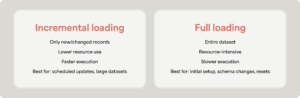
Incremental loading updates only new or changed records since the last load. This approach puts far less weight on system resources and runs much more efficiently than full loads.
When to use incremental loading:
- Regular scheduled updates (daily, hourly)
- Large datasets where full loads would be resource-intensive
- Systems with good change tracking (modified timestamps, change data capture)
- Production pipelines where efficiency matters
Reserve full loads for specific scenarios
Full loads refresh the entire dataset from scratch. They’re resource-intensive but sometimes necessary.
When to use full loads:
- Initial pipeline setup or testing
- After major schema changes in source or destination systems
- When resetting a corrupted dataset
- Historical data backfills
- Systems without reliable change tracking
3. Batch processing vs. real-time processing
Both batch and real-time processing have their place depending on your business requirements and data characteristics.
Leverage batch processing for efficiency
Batch processing moves chunks of data in scheduled batches—daily, hourly, or at other intervals. This approach is more efficient when you’re moving large volumes of data that doesn’t need immediate availability.
Batch processing is ideal when there’s a big chunk of data that’s not time-sensitive. For instance, a daily, weekly, or monthly summary of financial transactions for an e-commerce company. You don’t need real-time updates for historical reporting—batch processing efficiently handles the volume.
Know when to use real-time processing for responsiveness
Real-time processing keeps data current for applications requiring recent information.
Fast processing is ideal when you need frequently updated data for operational decisions. For instance, financial transactions for e-commerce orders updating as customers place orders. Inventory systems, fraud detection, and operational dashboards also benefit from near-real-time updates.
Pro tip: True real-time data streaming is a specialized capability with different infrastructure requirements. Close-to-real-time (updates within about two minutes) handles most business use cases efficiently without the complexity and cost of full streaming infrastructure.
4. Account for security and compliance
Data pipelines move sensitive information across systems. Security can’t be an afterthought.
Implement role-based access controls
Not everyone needs access to all data pipelines. Role-based access controls (RBAC) ensure only authorized personnel can view, modify, or execute specific ETL workflows.
Access control best practices include:
- Limit pipeline modification to authorized data engineers
- Separate read access from write access
- Audit who has access to sensitive data pipelines
- Review and update permissions regularly
- Use a platform like Celigo with built-in RBAC features
Ensure compliance certifications
If you’re handling regulated data, your ETL platform needs appropriate compliance certifications. Key certifications to verify include:
- SOC 2 for general security controls
- GDPR compliance for European customer data
- Industry-specific requirements
These certifications demonstrate that security checkpoints are established as part of the process and meet industry standards.